6 Interaction devices
The software DTrack2 takes up the Flystick3 button and joystick events and correlates
them with the 6DOF output data. Tracking and interaction data are then transmitted to the
application via Ethernet.
Z
The radio transmission and the active target are switched off after 15
minutes without usage. Press any button to reactivate the Flystick3
and, therefore, tracking.
6.2.1 Control elements
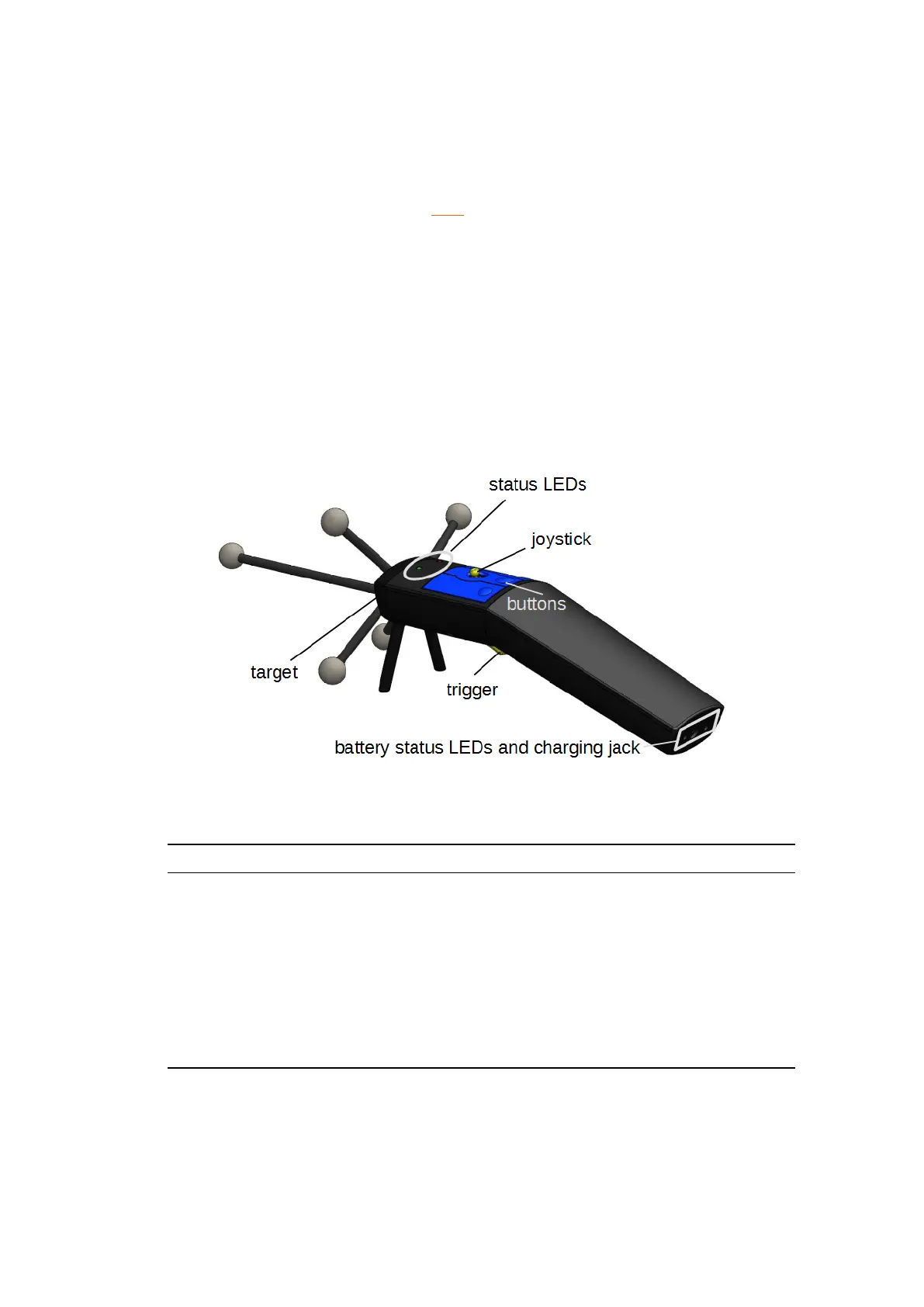
The numbering sequence of the buttons is as follows:
• # 1 trigger
• # 2 - # 4 blue buttons, right to left
Figure 6.6: Flystick3 control elements
Top View Event Description
status LEDs
green pulse button pressed or joystick position successfully
transmitted
yellow pulse button pressed or joystick position could not be
transmitted
yellow (and green)
flickering
low battery, recharge soon
trigger, but-
ton
and joystick
press the trigger or any button to invoke an inter-
action which can be defined in the user application
(e.g. drag objects while button trigger pressed, open
a menu dialogue, .. . )
Table 6.3: Description of the Flystick3
In neutral position the joystick transmits x=0, y=0.
76



 To Next Page