6 Interaction devices
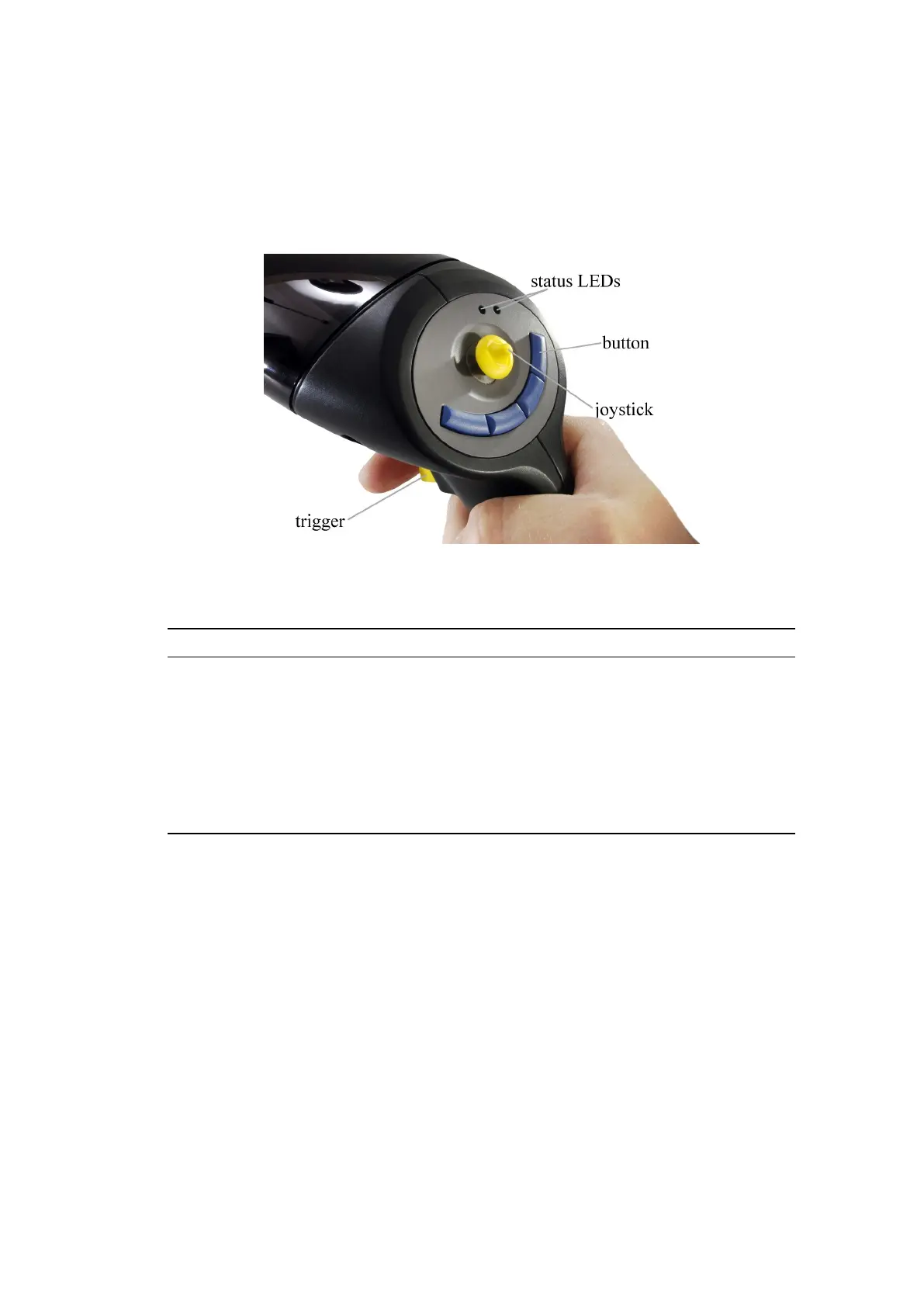
• # 1 trigger
• # 2 - # 4 blue buttons, right to left
• # 5 pressing the joystick
Figure 6.2: Flystick2 control elements
Top View Event Description
status LEDs
green pulse button pressed or joystick position successfully
transmitted
yellow pulse button pressed or joystick position could not be
transmitted
yellow flickering low battery, recharge soon
trigger, but-
ton
and joystick
press the trigger or any button to invoke an inter-
action which can be defined in the user application
(e.g. drag objects while button trigger pressed, open
a menu dialogue, .. . )
Table 6.1: Description of the Flystick2
In neutral position the joystick transmits x=0, y=0.
• Moving left creates negative x values, moving right positive x values.
• Moving down creates negative y values, moving up positive y values.
• Full extension into any direction creates values of 1.0 or -1.0.
The Flystick2 device provides all functions (buttons, trigger and joystick) simultaneously.
In case you need to carry out a factory reset for the Flystick2 you just have to plugin the
charger into the charging jack.
72



 To Next Page