8 DTrack2 frontend software
8.5.6.1 Filtering options for 6DOF tracking data
DTrack2 incorporates advanced filtering options for enhanced 6DOF tracking performance.
One can choose between recommended presets or customize filtering options in order to
optimize tracking behaviour individually for each target. For example in applications where
reference targets are used to calculate the position of a seating buck it is possible to apply
a strong filter for these targets which results in practically noise-free tracking data.
On the contrary tracking (e.g. of HMD units) oftentimes calls for a compensation of sys-
tem intrinsic latencies. Here DTrack2 is able to deliver tracking data that incorporates
probabilistic prediction up to tens of milliseconds ahead in time.
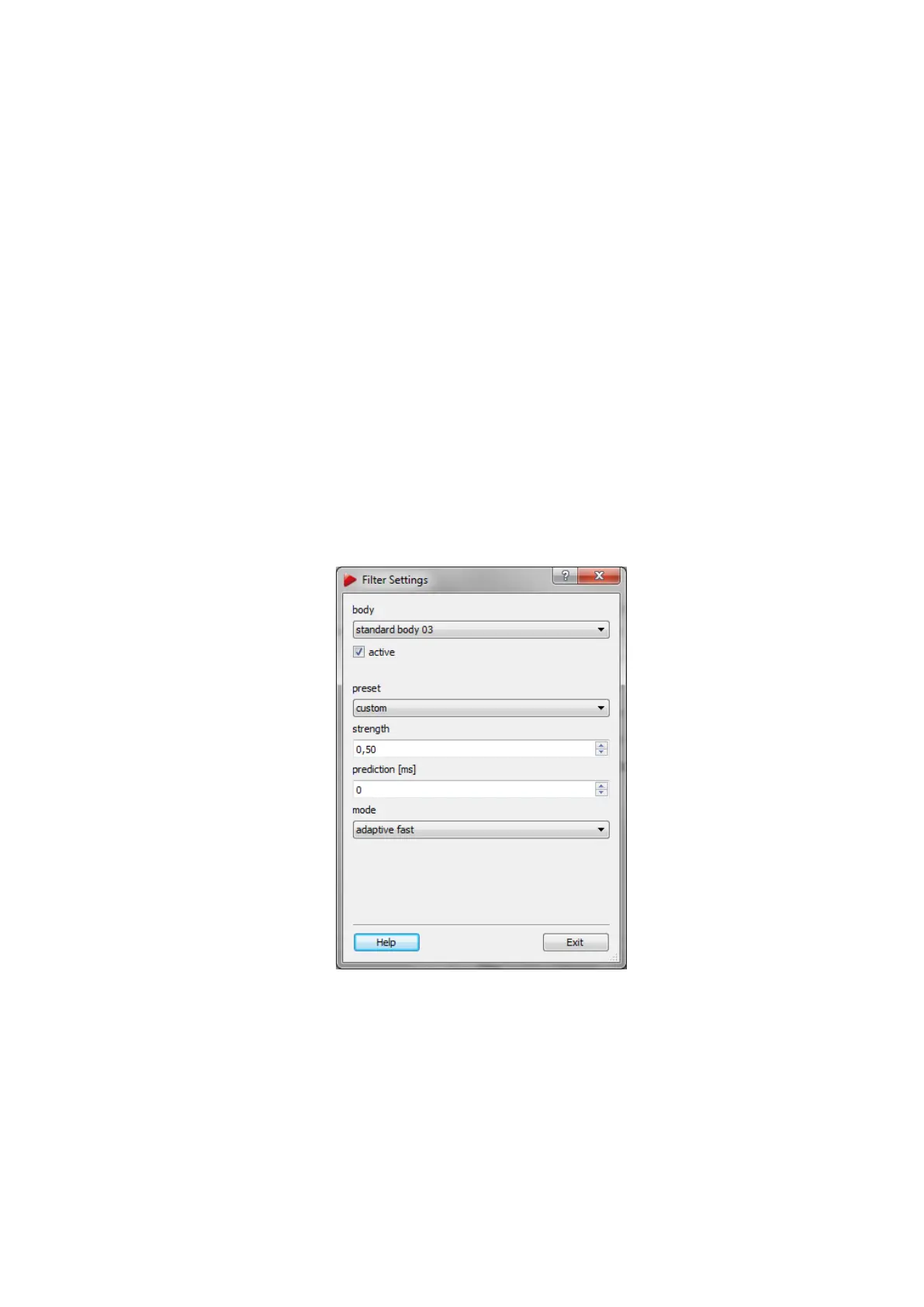
Either by using the menu Body Administration or directly through the main GUI docking
window Data Display one can set the filtering options for each target. Please refer to table
8.10 on page 156 and 8.3.3.2 on page 138 to open the menu Filter Settings.
Figure 8.17: Filter Settings
Filter Settings Filtering of 6DOF tracking data is activated by default. Untick the check-
box ’active’ to deactivate filtering for the respective target or choose from several recom-
mended presets shown in the following table:
158



 To Next Page