7 Hybrid tracking
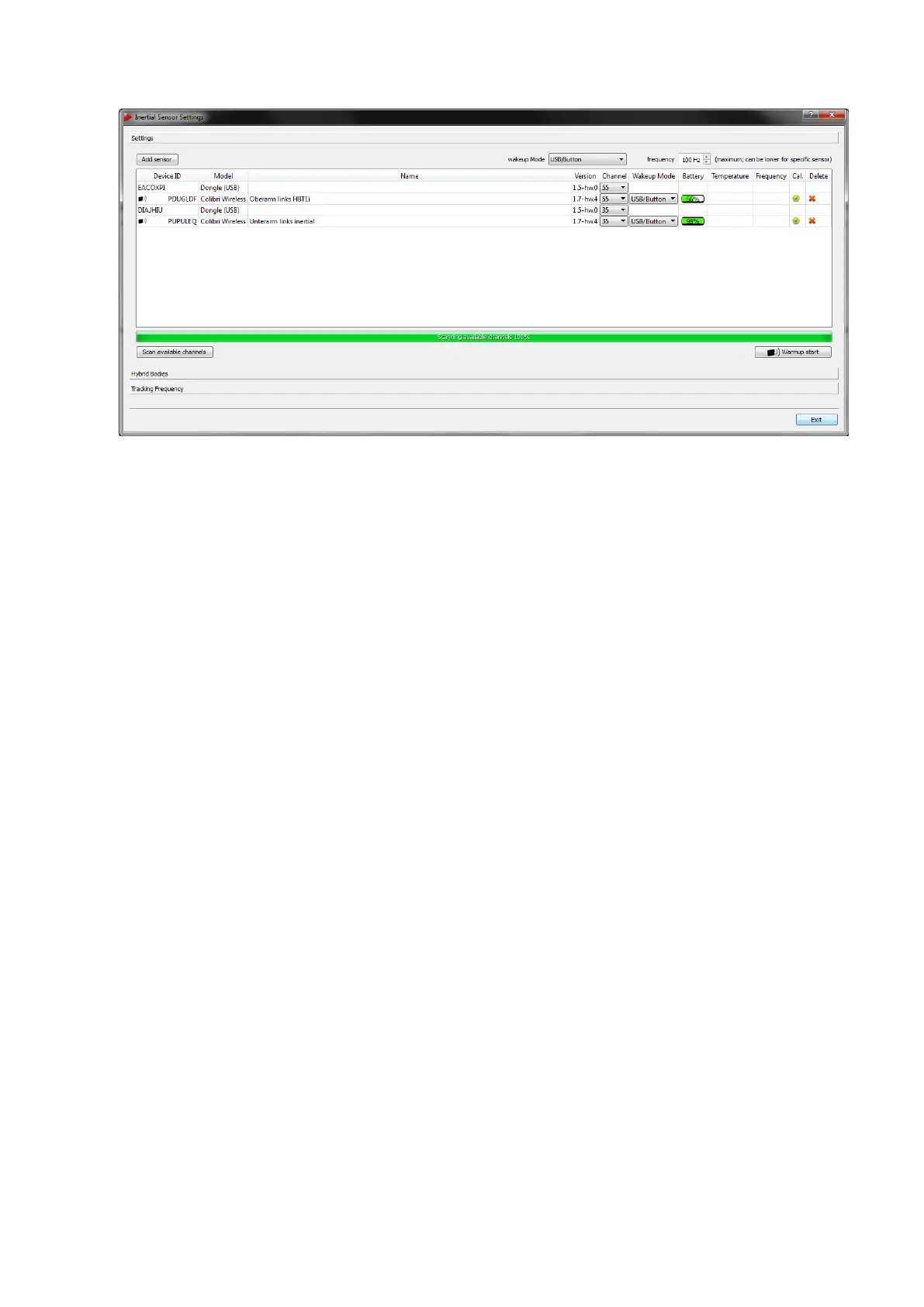
Figure 7.4: Inertial Sensor Settings - Wireless transceivers and sensors added
• Device ID sensor + wireless icon (e.g. PUPULEQ)
• Model (e.g. Colibri Wireless)
• Name (target name from Hybrid Motion Capture suit or user-defined)
• Firmware Version
• Currently used radio channel (default: 35 / 55); use the drop-down menu to change
the radio channel of the corresponding dongle
• Wake-up mode (radio, tapping, USB/button)
• Battery level (%)
• Temperature (
◦
C, only after measurement)
• Current tracking frequency (Hz, only after measurement)
• Calibration Status (not calibrated, optical only, fully calibrated)
• Delete function
i
The temperature values between single inertial sensors may vary. The
operating temperature is reached as soon as there are no more tem-
perature changes inside the sensors indicated by a green status bar. It
is not dependent on the absolute temperature value.
Tracking frequency Finally please check the maximum tracking frequency the inertial
sensors are operating at (default for wireless sensors: 100 Hz). Use the spinbox in the
upper right corner of the window to select a different value, if necessary.
110



 To Next Page