Chapter 7
7.2 Wired hybrid targets
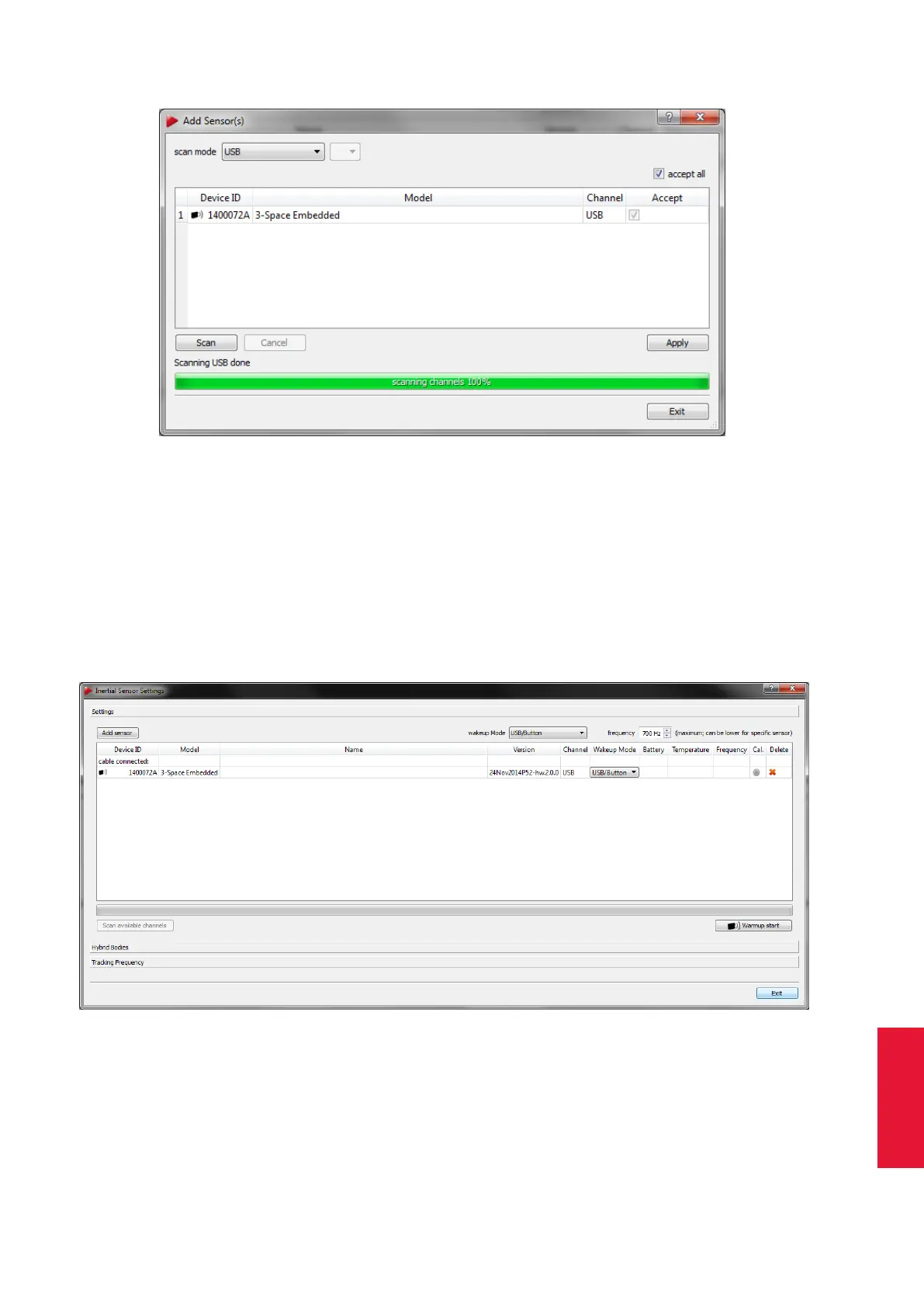
Figure 7.6: Adding wired inertial sensor
In the upcoming dialogue (see figure 7.6 on page 113) you should find the Scan mode
being ’USB’.
Press Scan and the system will identify all attached sensors. Tick the checkbox of the
sensors to be added to the configuration in the column Accept or add all sensors by
ticking ’accept all’. Then press Apply and exit this dialogue.
The dialogue Inertial Sensor Settings (see figure 7.7 on page 113) now shows all available
sensors with the following properties:
Figure 7.7: Inertial Sensor Settings - Wired inertial sensor added
• Device ID
• Model (e.g. 3-Space wired)
113



 To Next Page