8 DTrack2 frontend software
emission cones is to import an appropriate calibration file which are available on request.
These files are created at ART on site performing a body calibration in a defined environ-
ment or measurement volume respectively.
8.6.5.7 Body re-calibration
DTrack2 provides a possibility to re-calibrate a rigid body in case its geometry is affected
due to e.g. mechanical impact. Tick the checkbox re-calibation and perform a routine
body calibration as described in 8.6.5 on page 176.
i
Only during a re-calibration the origin and orientation of the initial co-
ordinate system, as well as specific information (predefined emission
vectors, cylindrical marker) are preserved.
8.6.5.8 Target Library
With the introduction of DTrack2 v2.8.1 it is possible to make use of an integrated library
that contains calibration data for most ART standard targets (e.g. Motion Capture, glasses
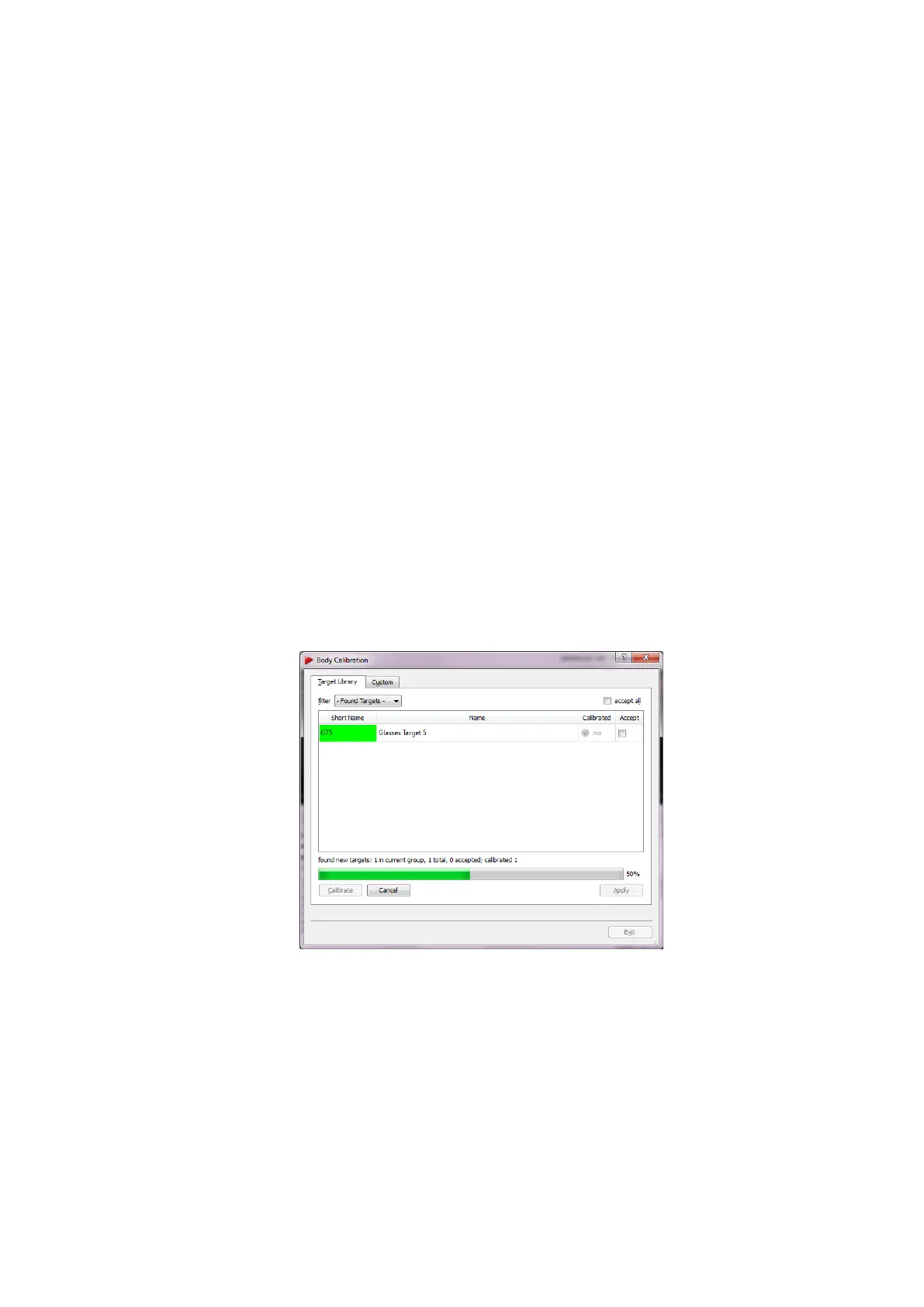
targets, etc.). When you go to Calibration → Body choose ’Target Library’ (refer to figure
8.35). The filter is set to ’Found Targets’ by default whereas the other options may be
used in case only targets of this type are to be calibrated (e.g. Motion Capture).
Figure 8.35: Calibrate bodies with the target library
With the ’Found Targets’ filter all targets presented, i.e. shown to the system, will be
found. In the unlikely case that a target is not found by the system it needs to be cal-
ibrated using the standard body calibration. The calibrations for all found targets only
need to be accepted either by ticking the checkbox ’accept all’ or one at a time. Finalize
the assignment of the targets by pressing ’Apply’.
182



 To Next Page