8 DTrack2 frontend software
the targets appear in the data display (refer to chapter 8.3.3 on page 135.
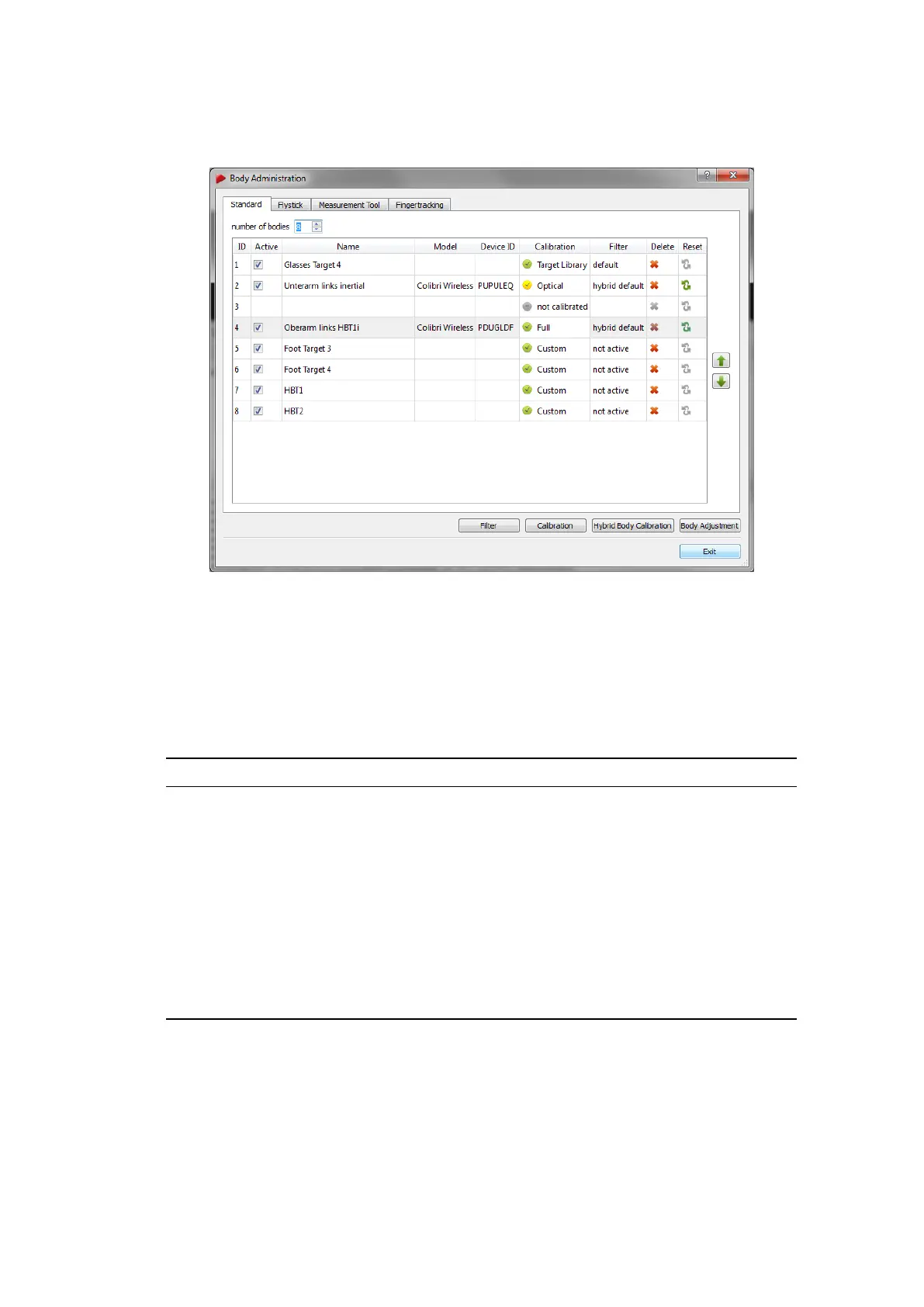
Figure 8.16: Body Administration (from DTrack2 v2.9.0)
Using the different tabs on the top you can configure standard bodies or interaction de-
vices. Please use the tabs Flystick, Measurement Tool and Fingertracking.
In the bottom right of the dialogue (see figure 8.16 on page 156) you will find four buttons
for direct access to other functionalities:
Button Description
Filter Deactivate the filtering of tracking data for each target, filtering is acti-
vated by default. A detailed description of the filtering options can be
found in chapter 8.5.6.1 on page 158.
Calibration Switch to the Body Calibration dialogue and perform the optical calibra-
tion for the selected target. A detailed description for body calibration
can be found in chapter 8.6.5.2 on page 177.
Hybrid Body
Calibration
Access the Hybrid Body Calibration dialogue and perform the calibration
for the selected hybrid target. A detailed description for hybrid body
calibration can be found in chapter 7.2.3 on page 115.
Body Adjust-
ment
Go to the Body Adjustment dialogue and perform the necessary adjust-
ment for the selected target. A detailed description for body adjustment
can be found in chapter 8.6.6 on page 183.
Table 8.10: Body Administration - Detailed description of the Controls
The following table (8.11 on page 157) shows a detailed description of the functions in the
dialogue:
156



 To Next Page