8 DTrack2 frontend software
Z
Only one camera can emit the modulated flash, thus the selected one
should have unobstructed view of the whole tracking area. Further-
more it has to be assigned to syncgroup #1 ! ARTTRACK5 , ART-
TRACK5/C , TRACKPACK/E , & TRACKPACK systems may be config-
ured via software, while ARTTRACK2 & ARTTRACK3 have to be con-
nected to ’OUT1’ on the controller’s Synccard.
Show Details Here it is possible to change the settings regarding low-level marker de-
tection (see figure 8.12 on page 150):
Option Description
global marker mode configure the marker detection
global maximum number of markers maximum number of markers that a camera is allowed
to see
global maximum size of markers maximum display size of a marker on the sensor
global minimum size of markers minimum display size of a marker on the sensor
8.5.1.2 Individual tabs
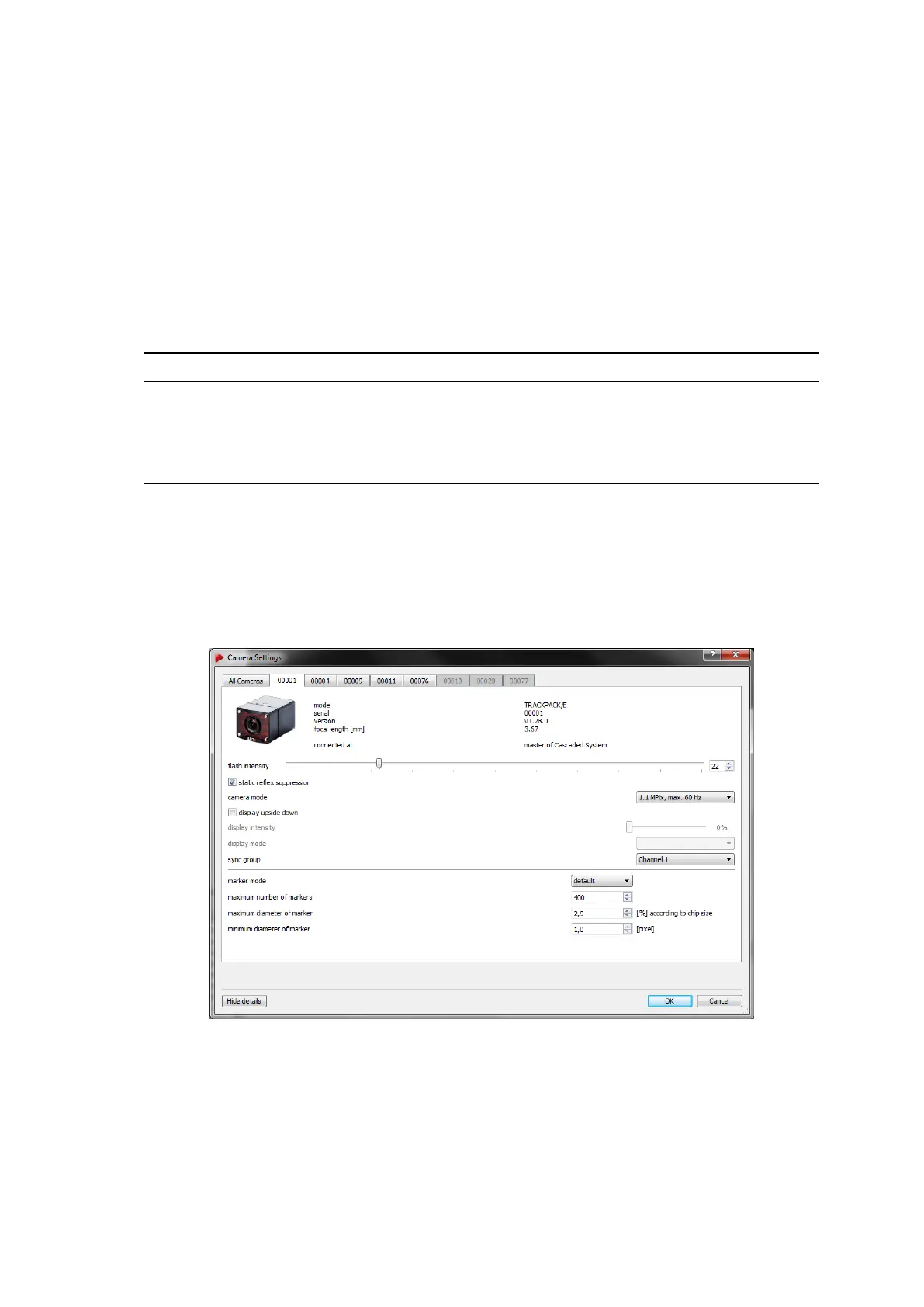
Each camera can also be accessed by its corresponding tab within this dialogue (see
figure 8.12 on page 150).
Figure 8.12: Camera Settings - Individual Tab
In the upper left corner of the tab you will find a depiction of the corresponding camera.
To the right the following information is listed:
150



 To Next Page