8 DTrack2 frontend software
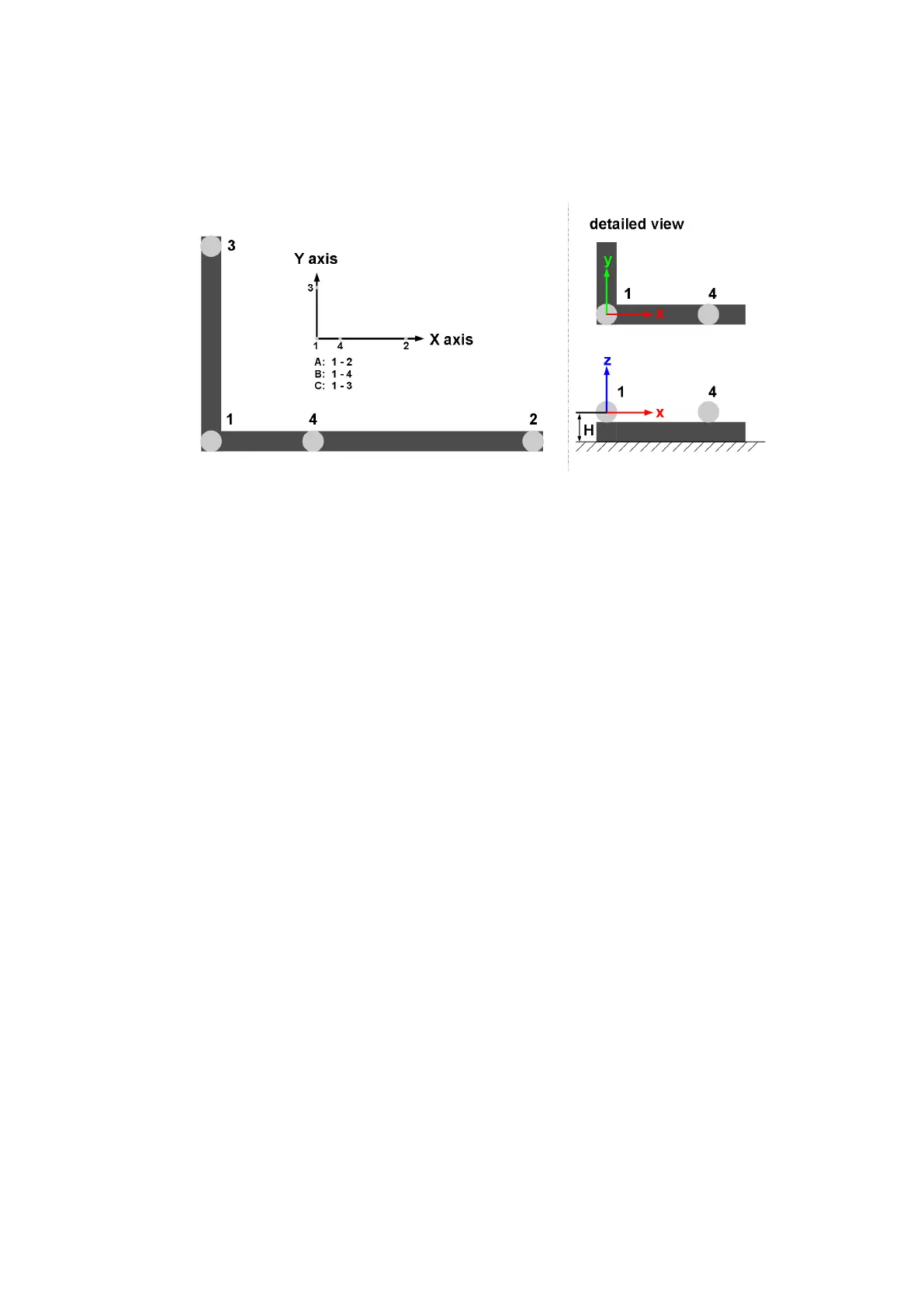
Expert settings Marker distances of the calibration angle can also be set manually
using the setting marker distances → expert. The numbering of the markers is as seen
in figure 8.23 on page 168.
Figure 8.23: Marker distances (including numbering) on the angle and definition of room
coordinate system
i
The longer arm of the angle defines the X axis (refer to figure 8.23); the
shorter one the Y axis. The center of marker #1 defines the origin of
the room coordinate system (at a height of 43mm).
Z
Incorrect input data for this dialogue will lead to a poor room calibra-
tion, to wrong system scaling, or to an abortion of the whole room
calibration process.
Coordinate System With the drop-down menu inside the dialogue you may define how
the coordinate system of the room is created relative to the calibration angle (refer to table
8.17 on page 169).
Define the coordinate system as ’normal’ or ’powerwall’.
Duration You may also adjust the ’duration’ of the room calibration (→ Show details) in
a range of 10s - 120s. Resetting the value to default is achieved by pressing the Set to
default button (default = 30s).
Z
Changing the duration of the room calibration, especially towards
shorter durations, may lead to bad room calibration results! Please
make sure that you are always able to cover two thirds of the tracking
volume within the set time.
8.6.3.1 Room Calibration Progress
When the room calibration starts a window showing the progress of the room calibration
appears (see figure 8.24(a) on page 169). The progress is shown for each camera which
168



 To Next Page