Chapter 6
6.4 Fingertracking
Set 1/2 switch To use two pairs of FINGERTRACKING2 Tactile sets simultaneously,
configure one to Set 1 and the other to Set 2.
Z
Select the Set 1 or 2 configuration of the FINGERTRACKING2 Tactile
handtargets during first-time installation only. Do not change the set-
ting during routine operation or tracking will fail.
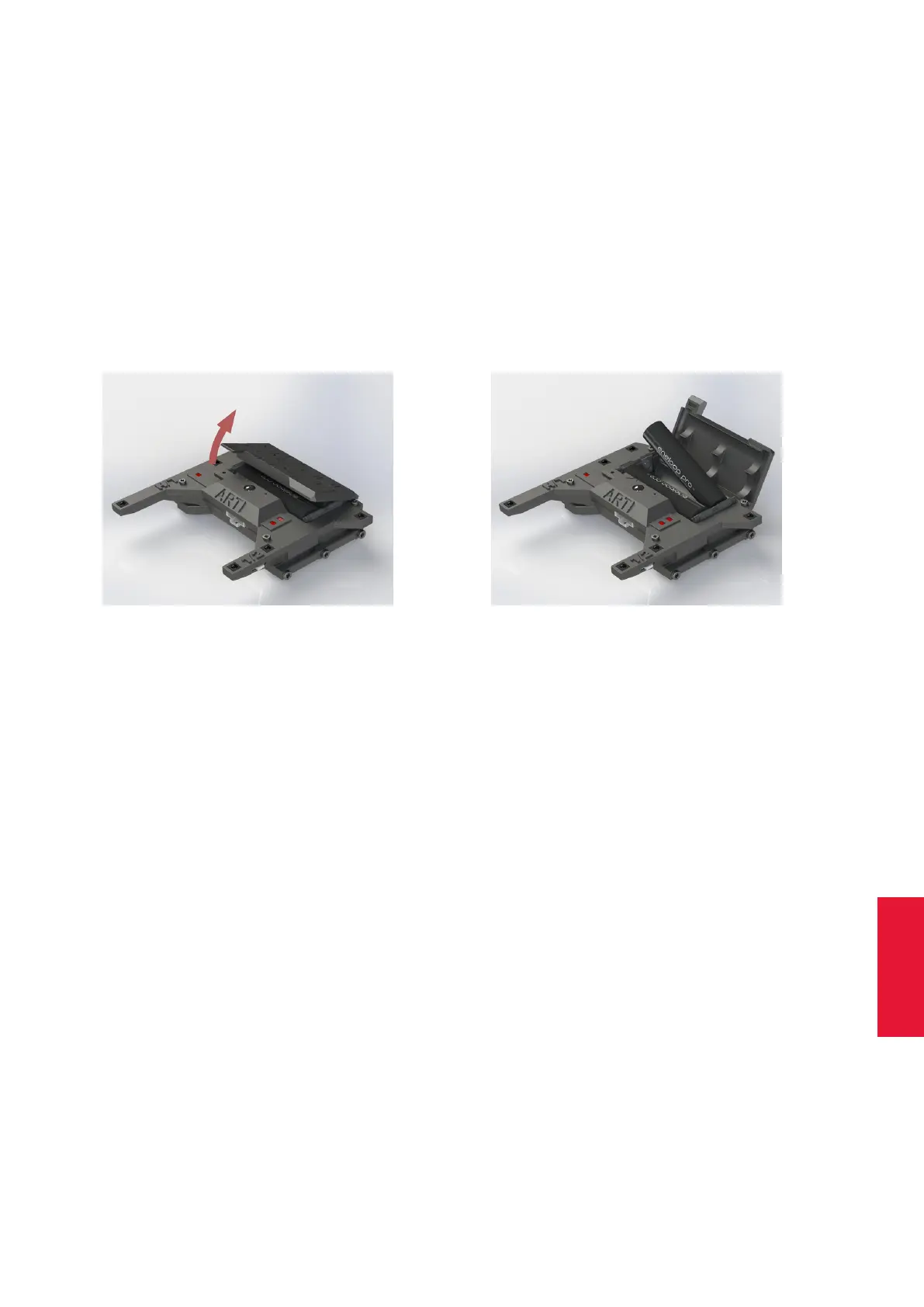
Inserting the battery The FINGERTRACKING2 Tactile hardware uses standard micro-
AAA batteries. A set of batteries and a charger are provided with each FINGERTRACK-
ING2 Tactile set.
(a) Step1 (b) Step2
Figure 6.17: Inserting the battery (FINGERTRACKING2 Tactile)
Open the battery compartment and insert the batteries (see figure 6.17 on page 89).
Watch for correct polarity! Close the lid of the battery compartment afterwards.
Connecting the finger thimble set to the hand target unit Just plug in the connector
of the finger thimble sets into the hand target as shown in figure 6.18 on page 90. Please
connect the correct thimble set to the corresponding hand target by verifying the colored
markings.
Then apply the finger thimbles to your thumb and fingers observing the order of the flexi-
ble wires.
i
Watch out for the colored marking of the thimble set! red=right hand,
blue=left hand
6.4.2.1 Radio module
FINGERTRACKING2 Tactile uses a radio module in the 2.4GHz band. This band is stan-
dardized internationally and can be used without a license. Range with line of sight is
more than 10m but can be reduced when passing material, e.g. projection screens.
89



 To Next Page