Chapter 8
8.4 Menu DTrack2
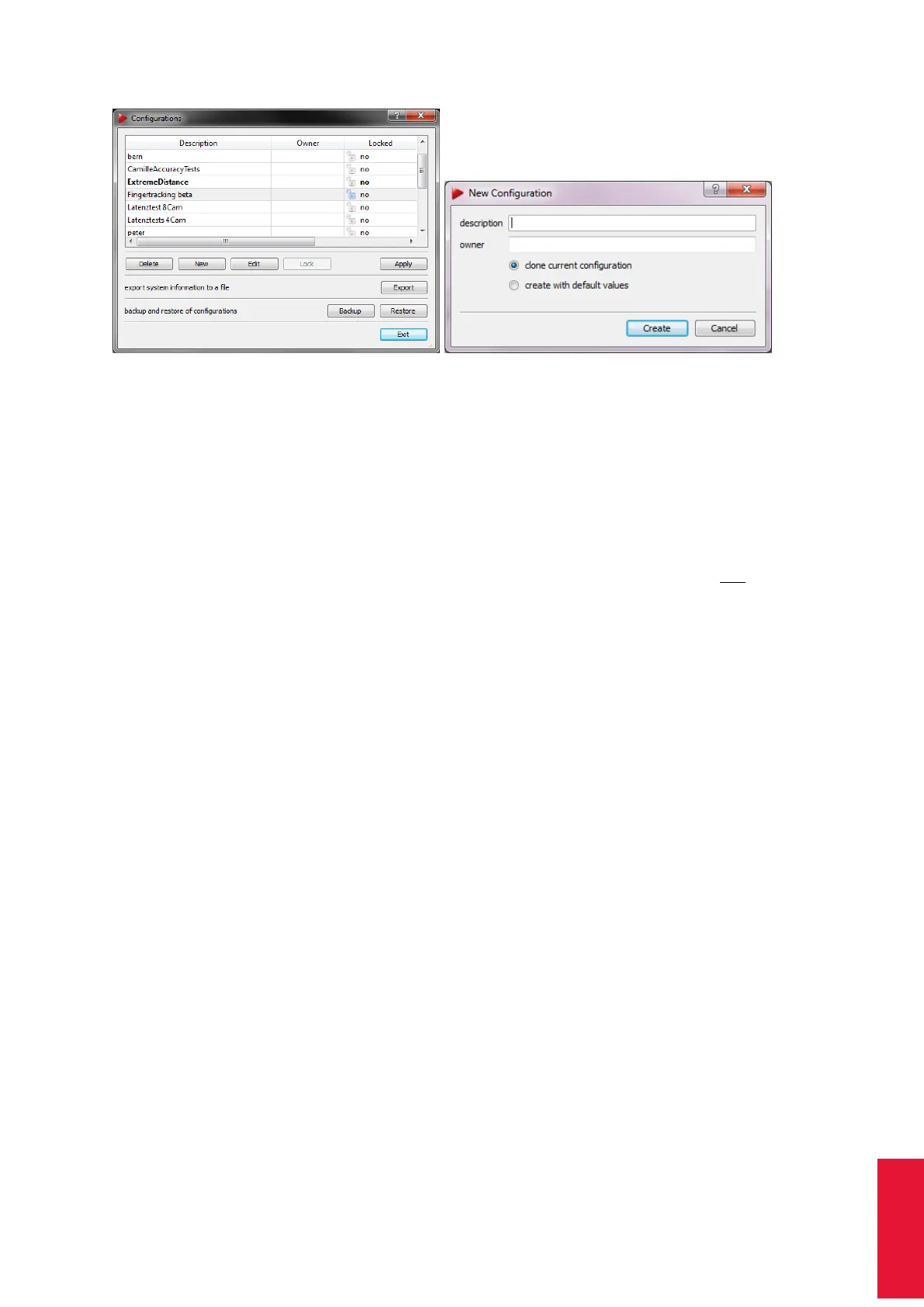
(a) Select a configuration (b) Create a new configuration
Figure 8.9: Managing the configurations
• ’clone current configuration’
all existing calibrations (room and body calibration) and flash settings are inherited
from the currently active configuration.
• ’create with default values’
the system will start from scratch - i.e. as manufactured. The system will not have a
valid room calibration or any body calibrations.
Just press Create and the configuration is saved on the controller.
It is possible to protect the settings of any configuration with a password by pressing the
button Lock. You will be asked to enter a new password to lock your configuration.
i
Locking the configuration does not provide access-control! Only
changes in settings / calibrations are disabled.
Z
In case you forget the password please call ART for assistance
Any existing configuration may be activated by selecting the corresponding entry and
clicking Apply. Quit this dialogue by pressing Exit - the configuration is loaded.
Only existing configurations without password-protection can be deleted. Select the entry
to be deleted and click Delete.
8.4.2.1 Backup of Configurations
It is possible to export and re-import single configurations or to backup all settings at
once. ’Load’ imports previously saved configurations. The imported configuration will be
activated automatically. It is possible to import multiple configurations at the same time.
’Save’ will open a window for selecting the configuration(s) to export. Either (de-)select
individual configurations by left-clicking or select all. Tick the checkbox all settings and
conigurations (backup) to save a complete backup of your system’s settings. Press ’Save’
to select a destination directory on a remote PC. Please also refer to chapter 9.1 on page
192 for further information.
143



 To Next Page