8 DTrack2 frontend software
8.5.3 Inertial Sensor Settings
This dialogue is the center for configuration and calibration of inertial sensors (license for
DTrack2 necessary !). Please refer to chapter 7 on page 106 for more information how to
install inertial sensors. When using inertial sensors you can additionally select the pulse
generating source for the tracking frequency here. Please refer to chapter 7.2.5 on page
119 for more information.
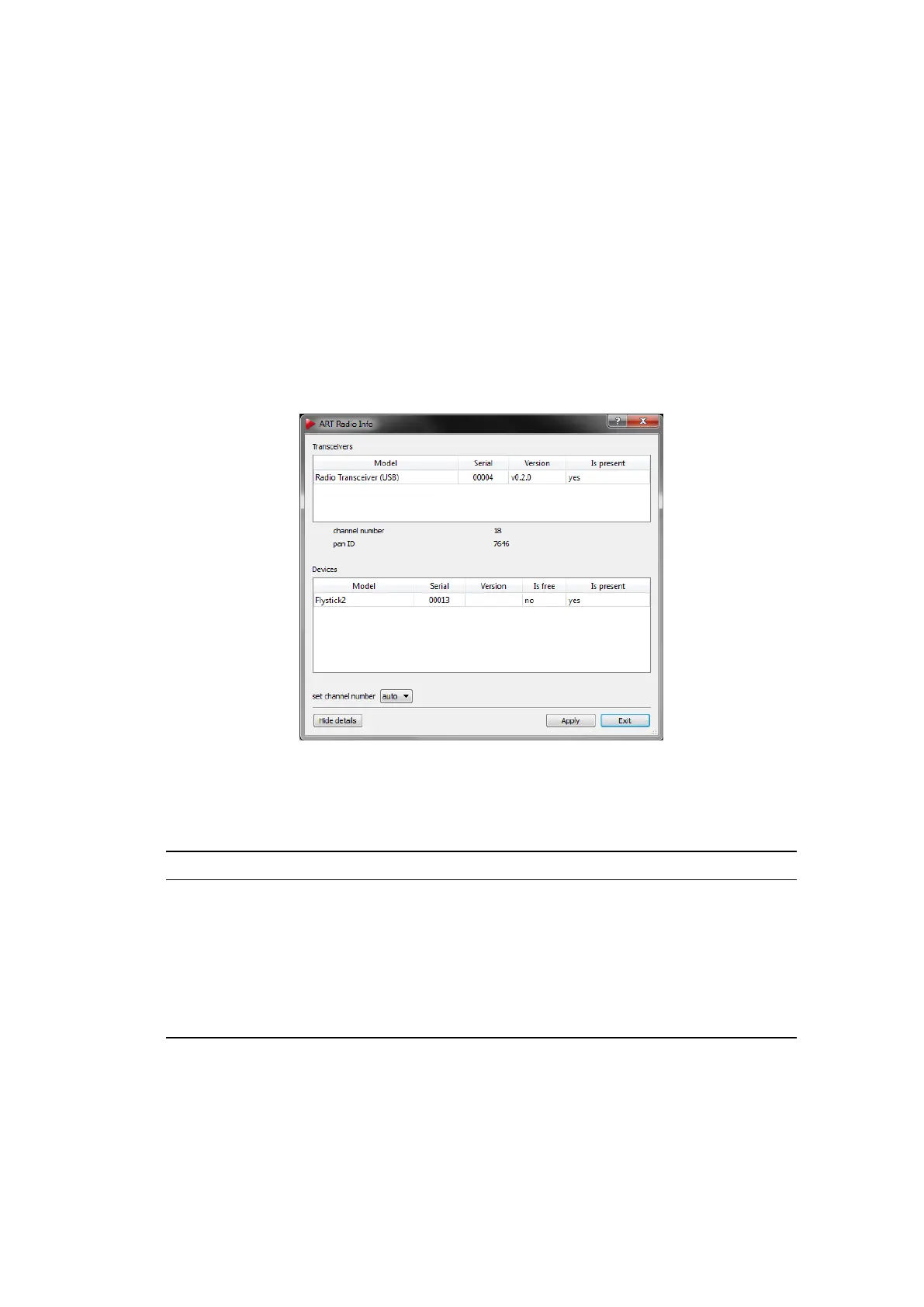
8.5.4 ART Radio Info
Here you can configure the settings of the ART radio transceiver. Additionally you will get
information about all attached interaction devices (e.g. Flystick).
Figure 8.14: ART Radio Info Settings
The following information is offered:
Info Description
Model Shows the model of the transceiver or the device respectively
Serial Shows the serial number of the transceiver or device respec-
tively
Version Shows the firmware version of the transceiver
Is present (’yes’): The transceiver is connected, the device is in range
Is free (only for Devices) (’yes’): The device is available for communication and has not
been assigned yet, ’no’): The device is already assigned to a
transceiver
Show details By clicking the button Show details the drop-down menu for selecting the
radio channel of the radio transceiver is shown.
154



 To Next Page