8 DTrack2 frontend software
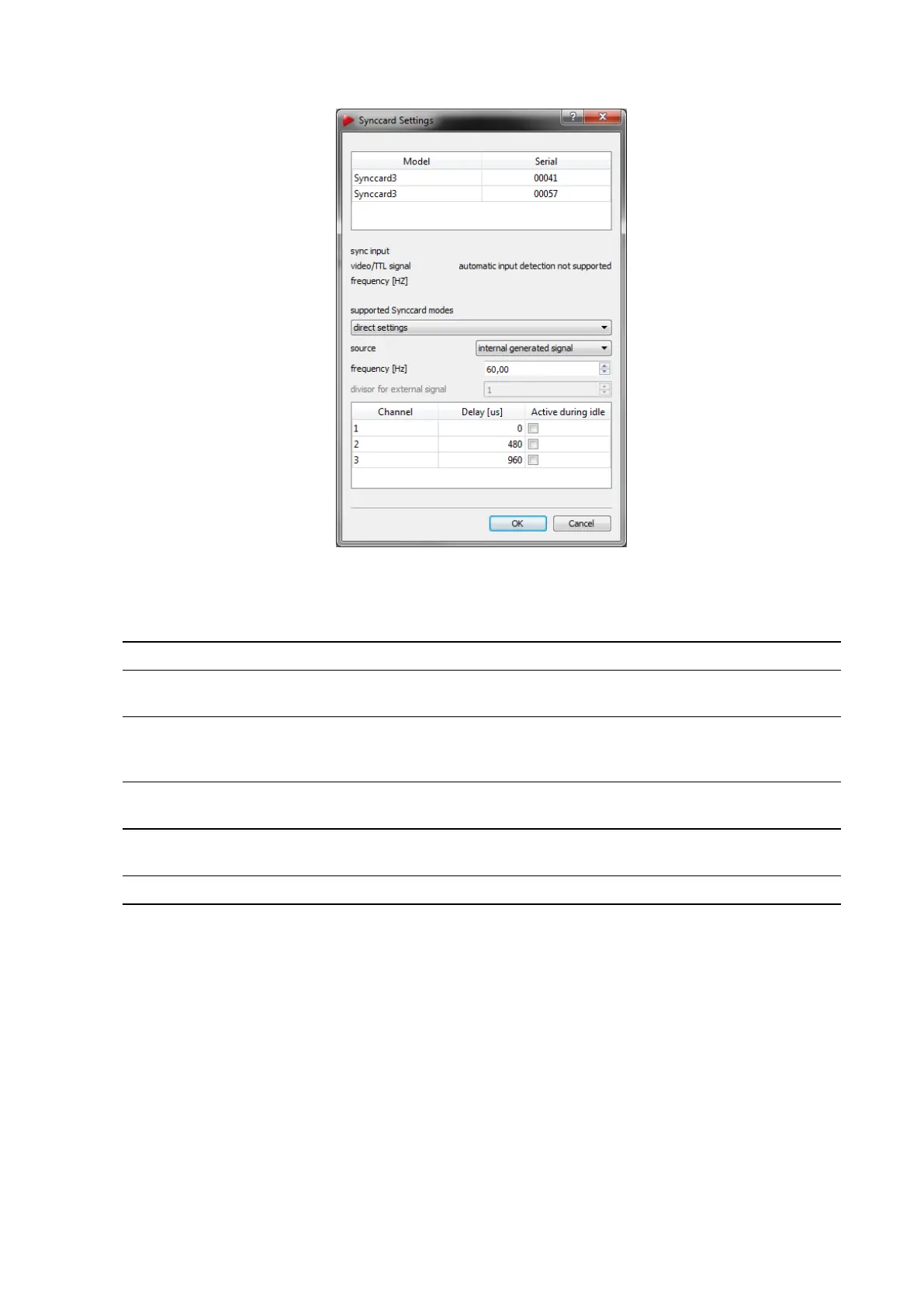
Figure 8.13: Synccard Settings
Supported synccard mode field of application
internal generated signal (values dependent on camera model) run the controller without external
synchronization
external video signal
active-stereo projection with an
analogue video sync signal (=VGA)
external video signal, for validated shutter glasses
1
external video signal, for validated shutter glasses, divisor 2
2
external TTL signal active-stereo projection with a TTL
sync signal, triggers on rising edge
external TTL signal, for validated shutter glasses
1
external TTL signal both edges
3
see above, triggers on rising AND
falling edge
external TTL signal both edges, for validated shutter glasses
1 3
direct settings advanced custom settings
1
predefined settings that should be used with the shutter glasses described in table 8.9 on page 153
2
use this mode if the frequency of the external synchronization signal is 2x higher than the max. frame-
rate of the camera
3
available only for Synccard3
Table 8.8: Overview of the supported synccard modes
8.5.2.2 Direct Settings
If you select ’direct settings’ you may use advanced options for configuring the synccard:
152



 To Next Page