Chapter 8
8.6 Menu Calibration
The import strictly follows the sequence from the ASCII text file. Still in some cases
the data might be ambigous regarding its 3-D orientation. Toggle the tickbox pre-
serve order of points to lock the order in the table reference points. The current set
of reference points can be saved by pressing Save.
2. Select a calibrated and tracked Measurement Tool from the drop-down menu and
measure all points (e.g. on the corresponding object) which directly relate to the
reference points (e.g. from a CAD model) defined in step 1.
Each measurement can be started by:
• clicking the button Measure
• clicking the start button on the Measurement Tool (if applicable)
• using the start button simulation of the Measurement Tool (refer to 6.5 on page
101)
• clicking a button of an assigned Flystick
Z
For proper matching it is essential to acquire the data points in the
exact sequence of the reference data
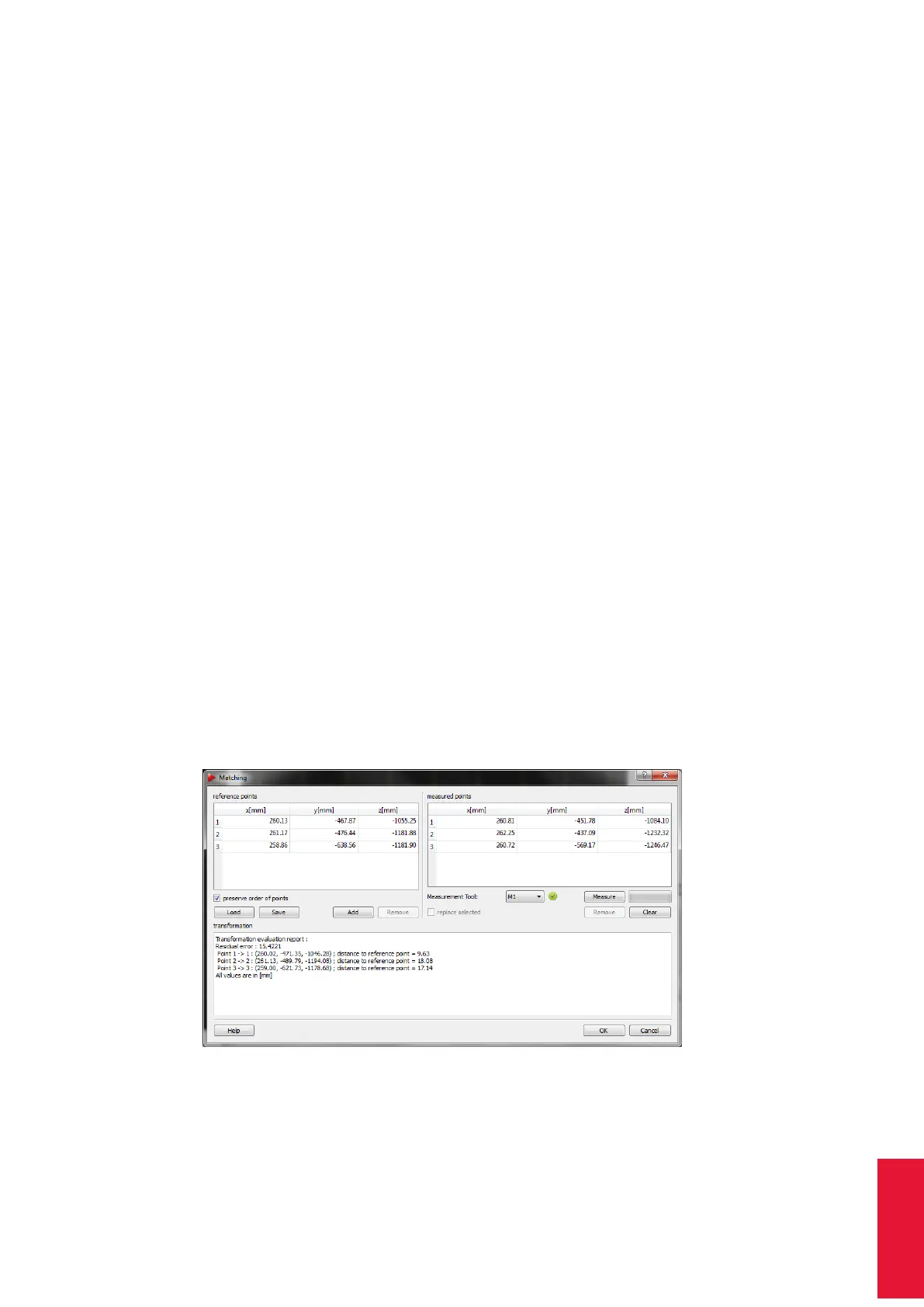
3. After having measured all corresponding points the calculation is started automati-
cally and the result of the transformation is displayed in the textbox transformation.
Double-check that all measured data points correspond to the correct reference data
points. Delete single data points by selecting the corresponding row and press Re-
move or delete all data points to start all over by pressing Clear. The residual error
(standard deviation) is a measure of the transformation quality, i.e. how well the
measured data fit the corresponding reference points. It can be influenced mostly
by the quality of data acquisition and by differences in scale of the camera and refer-
ence coordinate systems. Pressing OK accepts this transformation and closes the
dialogue box.
Figure 8.29: Room transform & matching dialogue
The calculated transformation is applied on both zero point offset as well as rotation
angles in Fine tab. Do not further manipulate the values manually. Press Enter or click OK
175



 To Next Page