38477BA2B
3 – 366 25.5.09
4 Calibration Volume 3
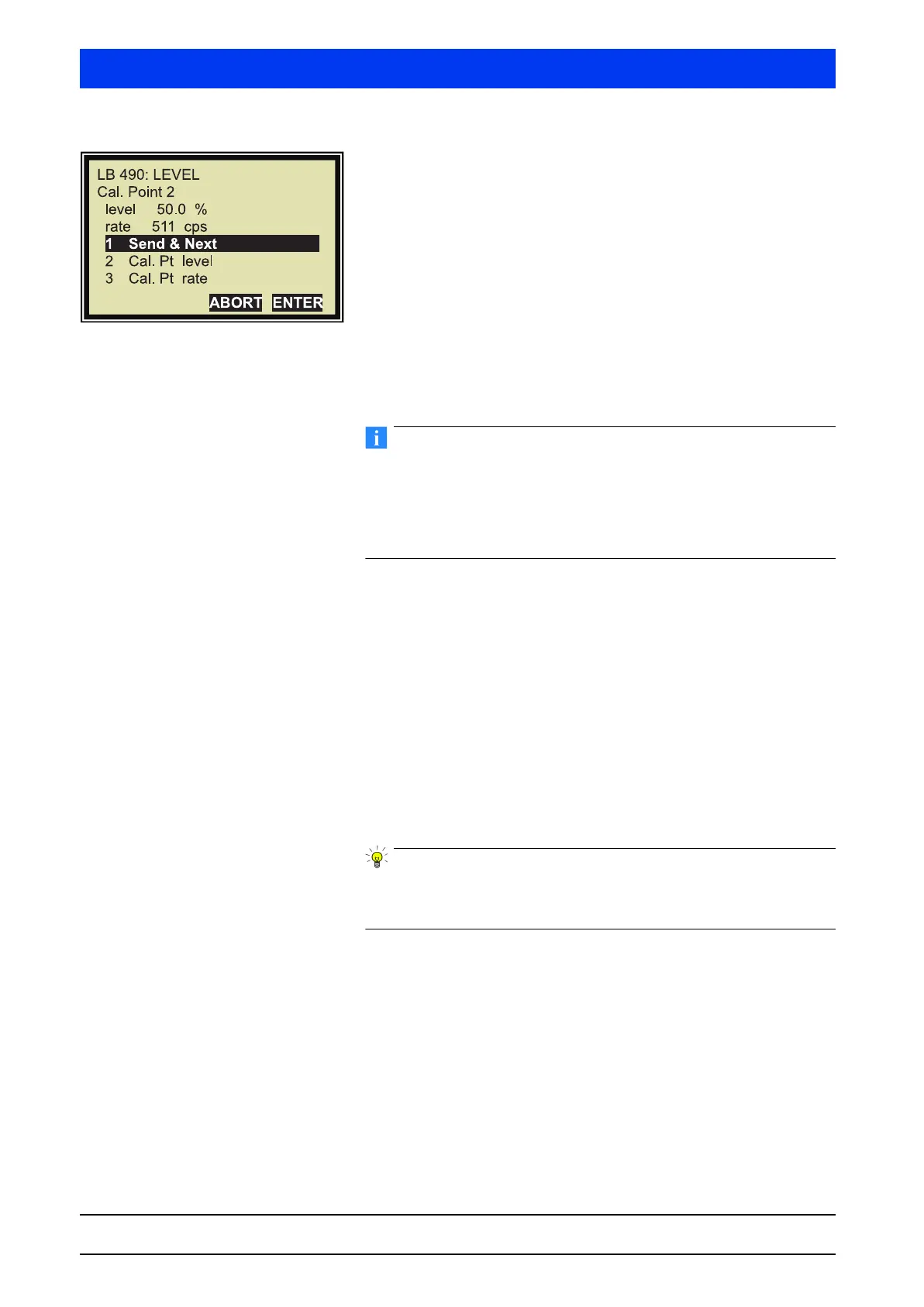
The updated values for the second calibration points are displayed.
Select
SEND & NEXT to get to the next calibration point.
The currently selected calibration point is displayed in the upper
left corner of the window.
In our example the third calibration point is the last calibration
point. However, up to 10 calibration points can be measured.
The tank is now filled “full”, i.e. up to 100%.
Typically, the last calibration point is recorded at 100% level. If the
tank cannot be filled completely, you may also enter levels below
100%.
Please note: The higher the value is below 100%, the less accurate
will be the reading at 100% after calibration.
Last calibration point: Tank 100% filled
Proceed as with the second calibration point but enter 100% as
level value.
This completes the determination of the calibration points.
4.5.3 Check Calibration
Check the calibration as described on page 3–356.
This completes the calibration check and the two-point cali-
bration.
A test calculation should be performed after every calibration to
ensure that the calibration data are plausible and the device has
been set up correctly (see page 3–329).
4.5.4 Re-adjustment of the Multi-Point Calibration
If a new adjustment should be required at a later date, then it suf-
fices to re-adjust the curve using one or two calibration point(s).
To do this, perform an empty or full calibration in the operating
mode multi-point calibration (see page 3–352 and page 3–354). All
other calibration points are automatically calculated new or
adapted relative to the characteristic curve.



 To Next Page