38477BA2B
6 – 586 25.5.09
3 Device-specific Menus Volume 6
3.1.26 SERVICE I/O TEST
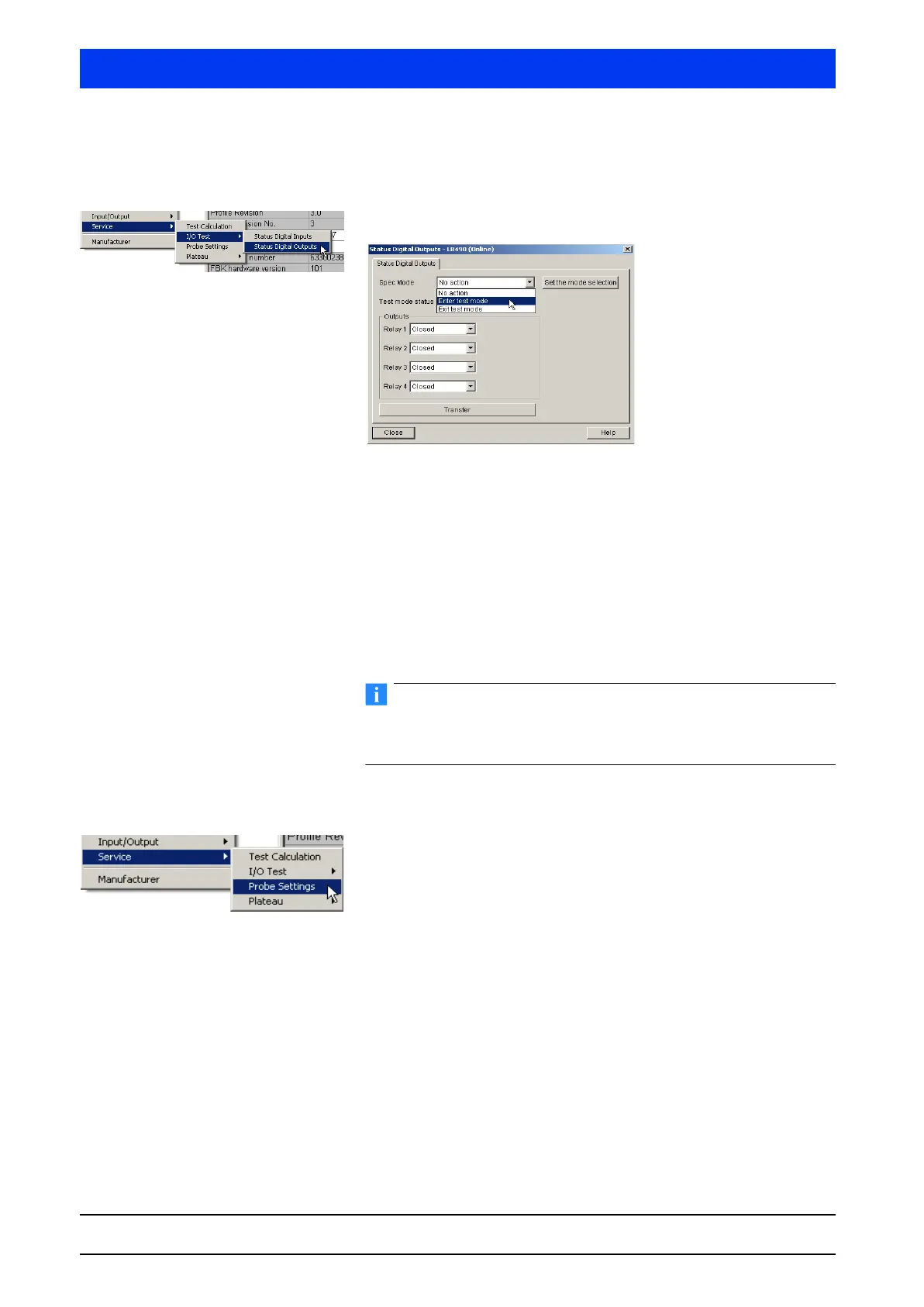
STATUS DIGITAL OUTPUTS
Test digital outputs.
You have to enable the test mode in order to test the relays:
Select the mode:
• No action: Relay operates in the regular mode
• Enter test mode: Enable test mode
• Exit test mode: Disable test mode
Click on
SET THE MODE SELECTION to confirm the selection.
The
STATUS TEST MODE dialog box indicates if the test mode is
currently enabled or disabled.
To ensure that the relay will operate again in the measurement
mode after completion of the tests, you have to disable the test
mode again.
3.1.27 SERVICE PROBE SETTINGS
Define the probe settings.
The DETECTOR DATA menu includes two submenus which can be
selected on the tabs …
• Probe Settings (page 6–587)
• HV Settings (page 6–588).



 To Next Page