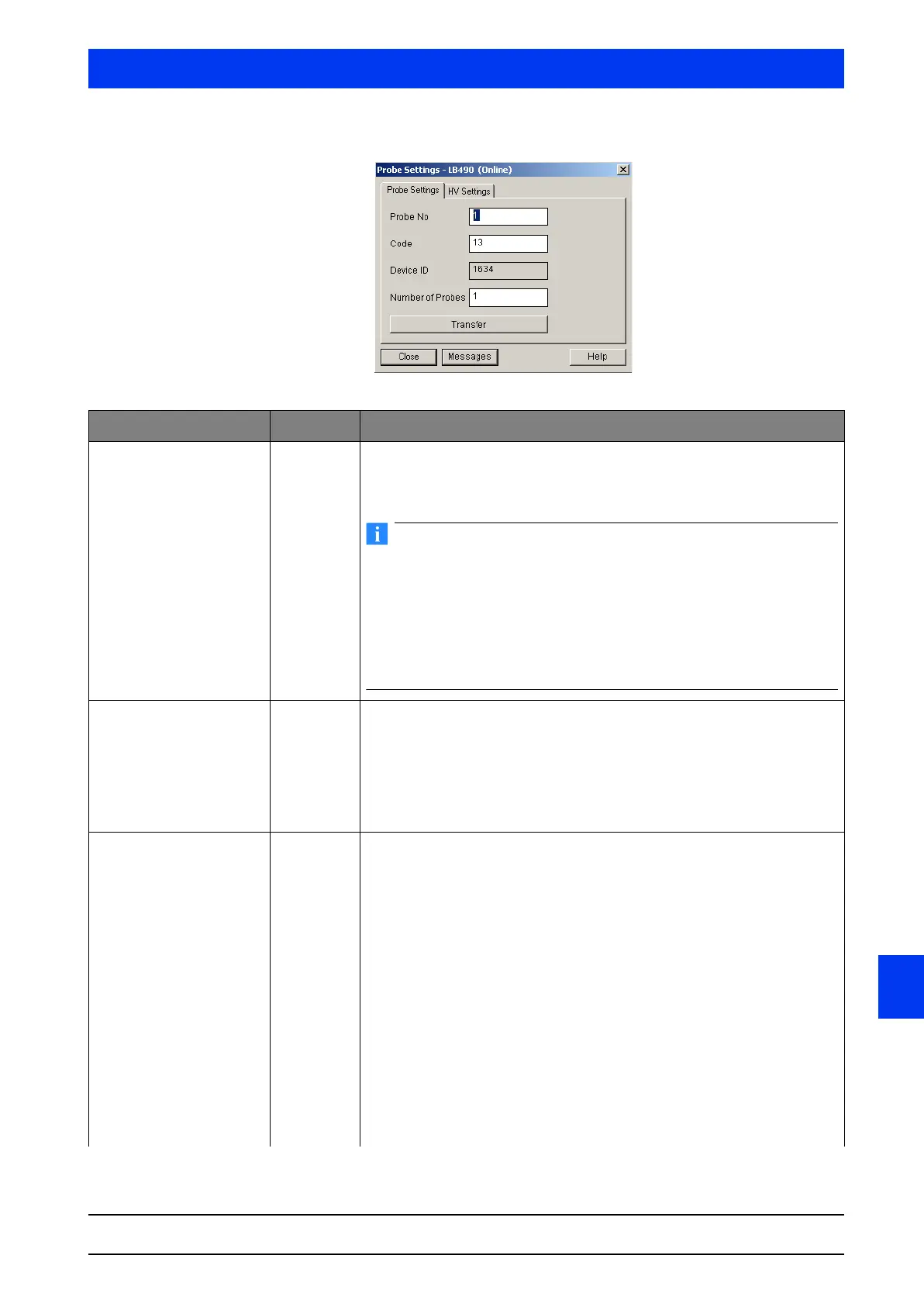
Uni-Probe LB 490
BERTHOLD TECHNOLOGIES GmbH & Co. KG
6 – 587
Volume 6 3 Device-specific Menus
6
DETECTOR DATA Tab
Parameters Input Description
Probe No. a Number of probe which is to be displayed or set up.
A selection other than
1 is required only when working with Auxiliary Units.
The Main Unit is always detector number
1.
The device ID of each individual Uni-Probe has been set by the
manufacturer and cannot be changed. Therefore, the burned in ID
cannot be changed for Probe 1, i.e. for the respective Main Unit.
Only if the connected Auxiliary Units have been selected via the
Main Unit with the probe numbers 2 ... 7, the allocation can be
made via this dialog box. The allocation allows the Master to start
the communication with the Auxiliary Units, since it has received
the address together with the device ID.
Code a Detector code for automatic HV-control. The currently set detector code is
displayed in the text box.
The detector code is set by BERTHOLD TECHNOLOGIES. It is dependent on
the scintillator size, see Volume 2, section "1.6 Detector Codes", on page 2–
133.
If you restore the factory settings, the detector code will be
retained.
Device ID ~ With one Main Unit:
•Probe No. 1:
Shows the device ID.
•Probe No. 2
… 8:
Enter the device ID of the connected Auxiliary Unit to assign an Auxiliary
Unit to the probe number.
With one Auxiliary Unit:
•Probe No. 1:
Shows the device ID.
Explanation:
The device ID is the device number of the Uni-Probe. Each Uni-Probe has a
different device number. You find the white label with the device number at
two different locations in/on the Uni-Probe.
• outside on the Uni-Probe housing
• on the digital board below the strip terminal with terminals 51
… 60.
The device ID is printed on a white label. The inscription reads: Dev. ID.
XXXX.



 To Next Page