Repacking the Secondary Peri-pump | 85
Repacking the Secondary Peri-pump
n The instrument’s packaging design is subject to change over time. If the
instructions in this section do not appear to apply to the packaging materials
you are using, please contact BioTek’s Technical Assistance Center for
guidance.
Multiple accessory modules are available for the MultiFlo FX. Foam blocks are
used as space fillers in the packing containers when the modules, like the
secondary Peri-pump, are not shipped.
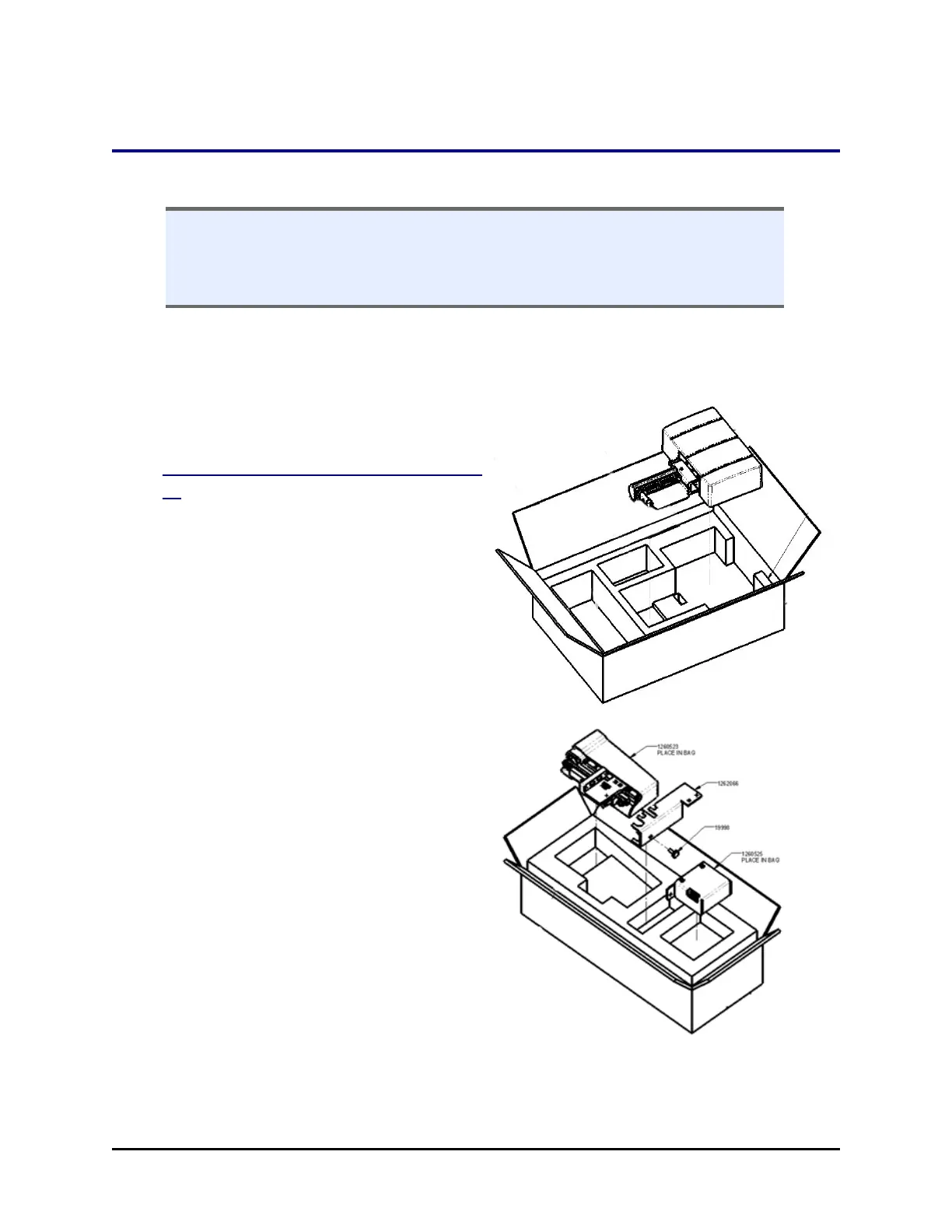
Uninstall the Secondary Peri-pump
1. Reverse the installation procedure:
Install the Secondary Peri-Pump on page
46 to remove the Secondary Peri-
pump from the top of the MultiFlo
FX.
2. Wrap a rubber band around the pump
itself.
3. Place the module in the plastic bag
and put it in its shipping box.
RAD™ Technology Components
1. Put the RAD components into their
respective plastic bags and then into
the small shipping box included with
the Secondary Peri-pump.
2. Tubing bracket: insert the thumb
screw into the bracket.
3. Put the ribbon and serial cables in the
cardboard tray that fits on top of the
other RADcomponents.
4. Tape the accessory box closed.
BioTek Instruments, Inc.



 To Next Page