64 | Chapter 2: Installation
Install the Syringe Dispenser on Back Shelf
Follow these instructions to install the dual Syringe Dispenser module on a shelf
attached to the back of the MultiFlo FX or on top of the washer module.
MultiFlo FX Only: The washer module functions as
a shelf for the syringe dispenser: skip this step,
and use the washer as a shelf, if applicable.
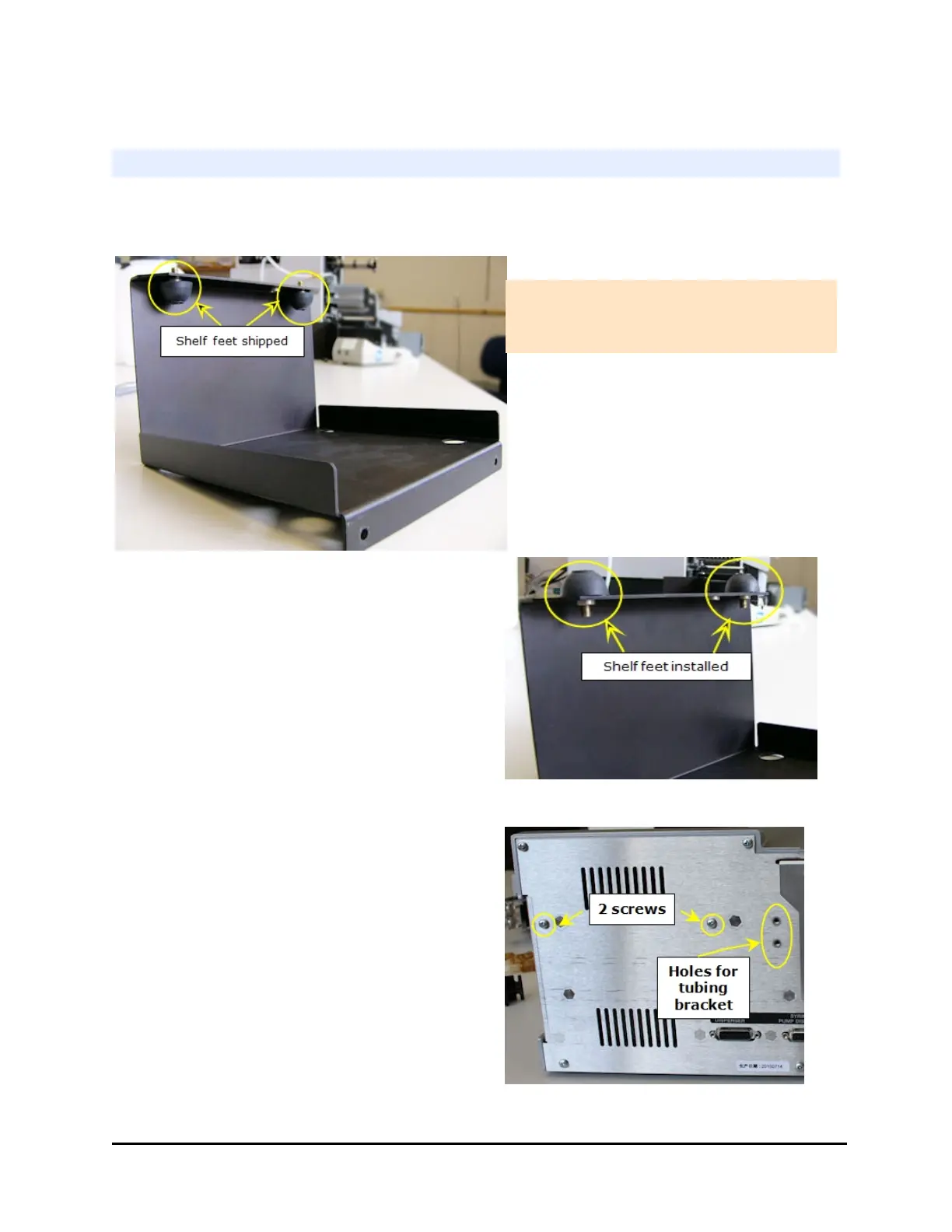
First, reposition the shelf's feet:
1. Remove the shelf shipped with the
Syringe dispenser from its plastic bag
(PN 7212038).
2. Unscrew the rubber feet that are
shipped in the wrong position.
3. Install the feet in the correct position:
screw the feet into the two outer holes
on the bottom of the shelf. (The third
hole is for BioStack integration.)
4. Remove the two screws on the left side
of the back of the instrument.
5. Use the screws to install the shelf.
MultiFlo™ FX Multi-Mode Dispenser



 To Next Page