Protocol Parameters Tables | 103
file, if desired.
4. Plate Type:
o
New protocols: If needed, touch the plate type field to select a
different plate type.
o
Editing protocols: Press the Info button and touch the Plate
Type field to change the plate type.
5. Add/Edit steps:
o
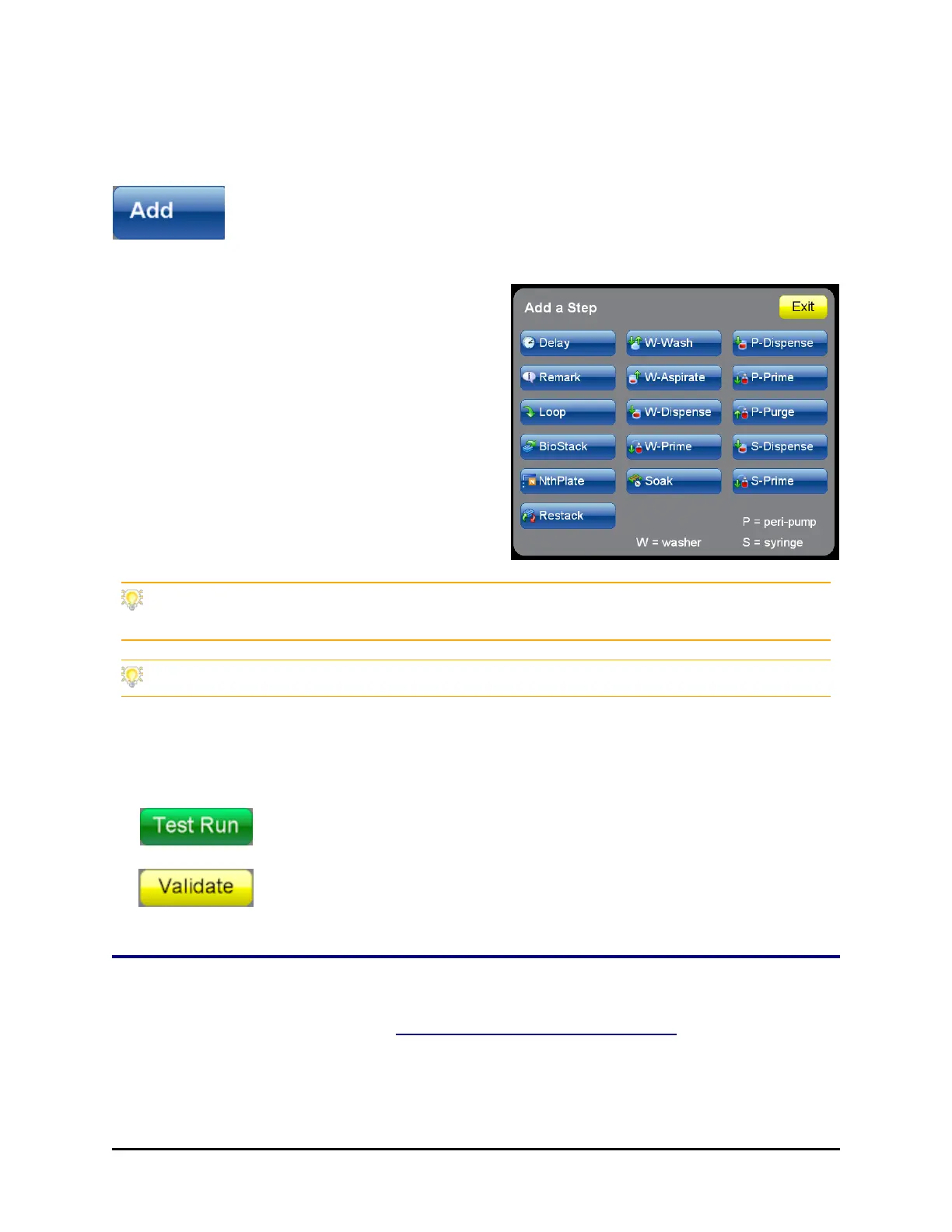
New protocols: Add a step to the
protocol (touch the Add button), select
a step and define its parameters.
o
Editing protocols: Highlight a step
and press Edit to modify its
parameters.
o
Adding steps: Highlight the <end of
steps> or a step to be preceded by the
new step, and press Add and the action
button to insert a step.
Copy a similar protocol and then edit it to meet different requirements or to test
different parameters.
When editing a protocol, cut and paste steps to move them to the correct position.
6. Continue adding or editing steps, as needed.
7. Press Save to save the protocol. All saved protocols are put on the
Home screen for easy retrieval.
Optionally, do a test run to verify the protocol performs as
expected. Test Run executes the protocol. Fill vessels with
water or disconnect them if you want to preserve reagent.
Especially when creating complex BioStack protocols, use the
Validate button to check the order of the protocol steps.
Protocol Parameters Tables
For Wash step parameters see Wash Parameters Table on page 108.
Peri-pump Parameters
BioTek Instruments, Inc.



 To Next Page