Wash Parameters Table | 117
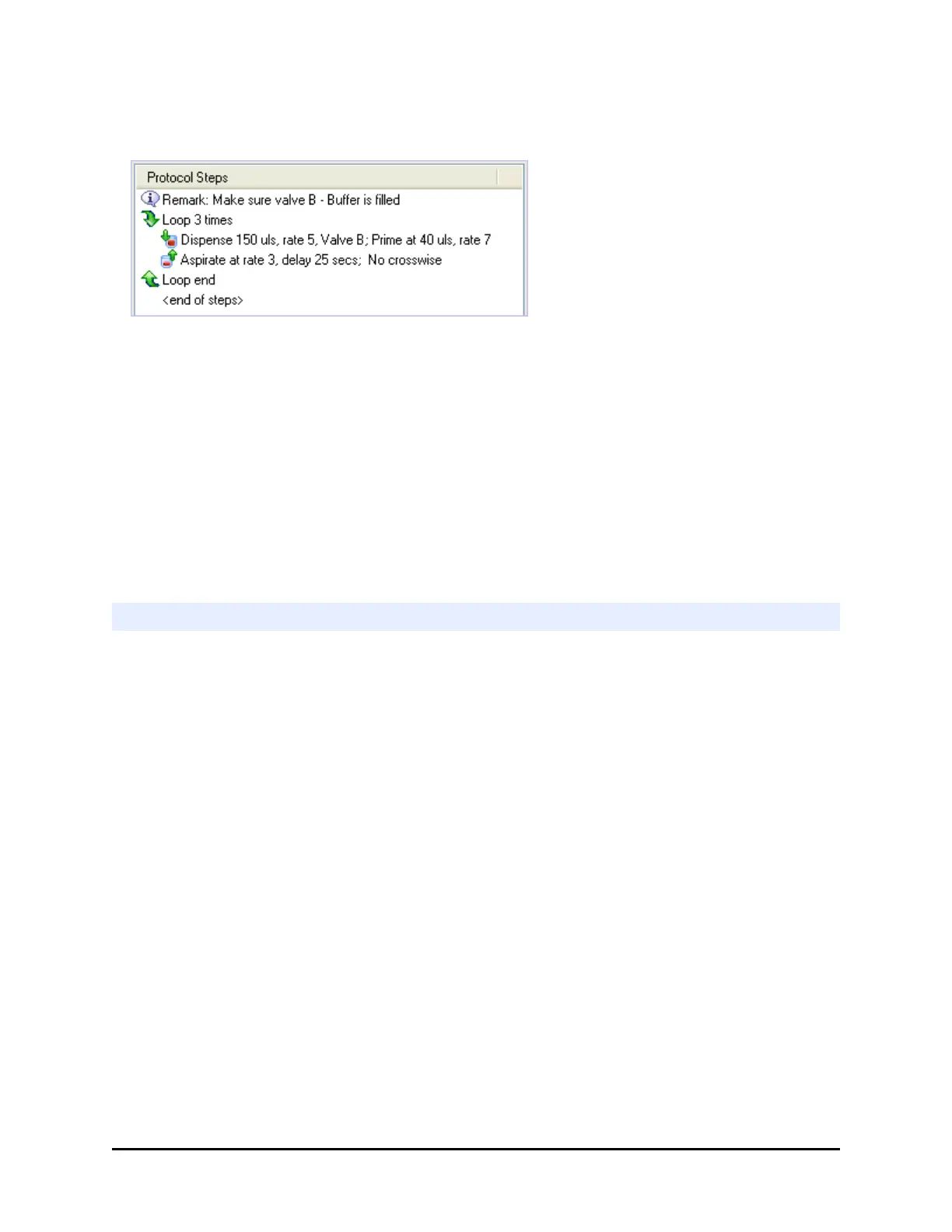
How to use a Loop:
1. Highlight a step or <end of steps> placeholder and select the Loop button,
2. Enter the number of times to perform the steps in the loop. The Loop # times
start and Loop end steps are added, with the end step highlighted.
3. Add the steps and define their parameters.
4. When all the protocol steps are defined, select Validate to make sure the
instrument can perform them.
5. Save the protocol.
Make sure the steps to be performed are inside the Loop's start and end steps.
Delay the Protocol
Use this control to temporarily delay the procedure. It adds a delay step to your
protocol. You can set:
l an indefinite delay, which must be manually ended during operation;
l a fixed duration or timed delay, which can be manually overridden when necessary;
l or, for more precise control, a timer to launch a protocol step. This "timer activated"
delay lets you apply a uniform processing time to each plate in a multi-plate run.
Delay Type
Indefinite: to delay the procedure until the operator manually restarts the run. A
message box will open with a Continue button. Any Prompt text will be displayed
on-screen. The run will be paused until the operator clicks Continue.
Fixed-duration: to pause the protocol for a certain length of time. Specify the delay
duration in the time control. At the start of the delay, a message box will open with
a Continue button and any Prompt text. The operator can override the delay at any
time by clicking the Continue button. Otherwise, the protocol will not resume until
the specified time has expired. The maximum length of a fixed delay is 23:59:59 (23
hours, 59 minutes, 59 seconds).
BioTek Instruments, Inc.



 To Next Page