40 | Chapter 2: Installation
(2) the filter serves as a temporary fluid barrier in the event that the waste bottle is
allowed to overfill. (The filter part number is 48146.)
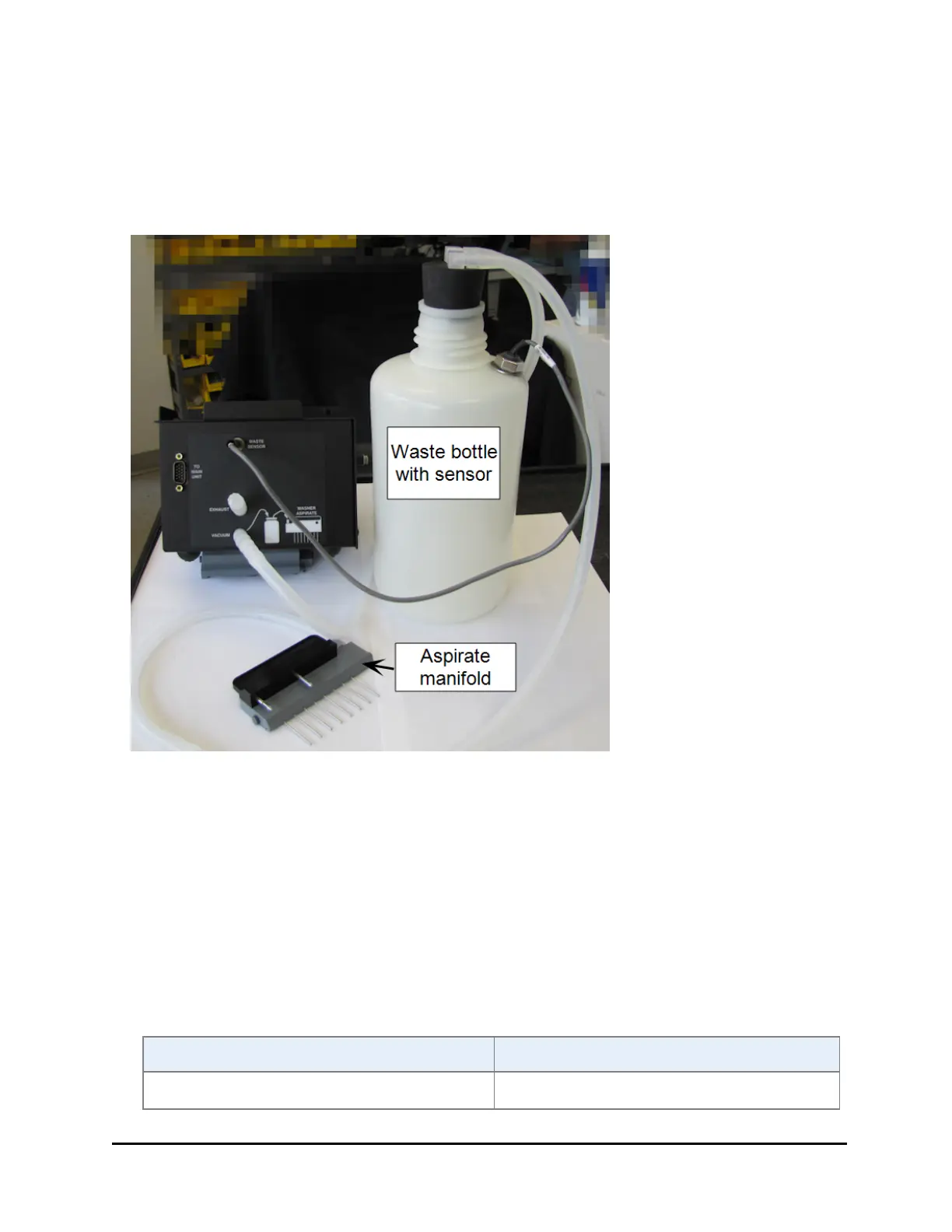
An optional Waste Sensor bottle, PN 4070545, alerts users to the need to empty the
waste container, preventing overflow problems.
1. Remove the waste bottle cap and replace it with the stopper from the waste
tubing set (PN 1263001).
2. Connect the tube without a fitting to the aspirate manifold.
3. Install the inline vacuum filter on the tubing with a Luer fitting:
o
Cut the tubing about two inches from the Luer fitting,
o
insert the filter to reconnect the tubing.
4. Gently screw on the Luer fitting to the port labeled Vacuum.
5. If applicable, connect the waste sensor cable to the Waste Sensor port and
enable the sensor:
Using the Touch screen Using the LHC
1. Select Instrument>Washer. 1. Select Tools>Instrument
MultiFlo™ FX Multi-Mode Dispenser



 To Next Page