177
Fuel System
Fuel Component Servicing
7
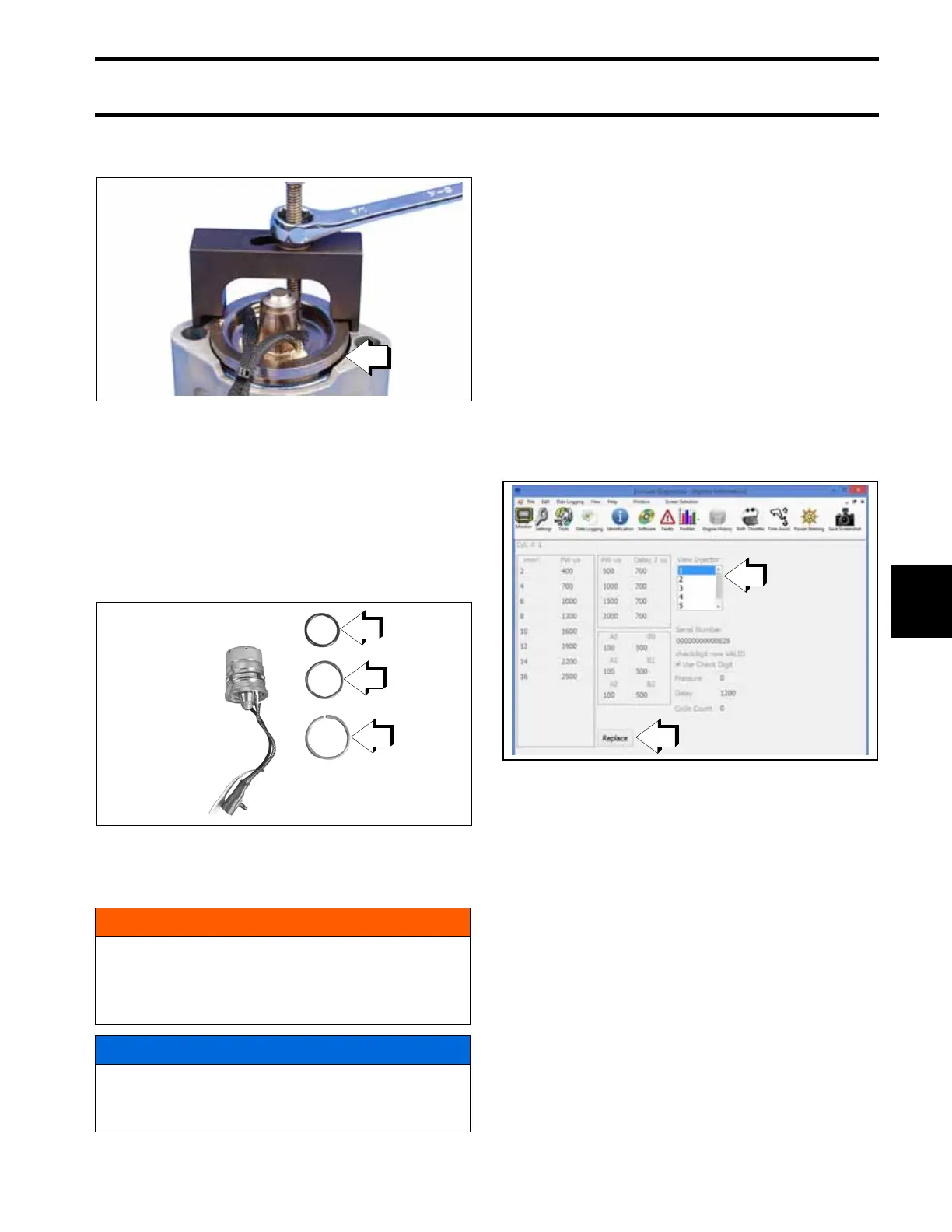
Turn the puller nut until the fuel injector is
removed from the fuel injector housing.
Remove fuel injector puller from injector. Remove
crush ring and O-rings from injector. Inspect and
clean injector filter. Install new crush ring and O-
rings.
Lubricate O-rings with STP
†
Oil Treatment.Install
injector into mount housing. Press on injector face
until injector seats in mount housing.
Installation
Installation of a replacement injector requires that
coefficient data for the new injector is uploaded to
the EMM.
Coefficient data can be downloaded from the
Evinrude dealer website. Refer to the instructions
provided with the injector kit.
Upload Coefficient Files to EMM
Use the Evinrude Diagnostics software, v 6.1 or
higher Settings screen to upload the coefficient
file to the EMM.
Select the Injectors tab.
From the View Injector window, select the cylinder
for the injector being replaced. Then select the
Replace button.
Use the drop down menu to navigate to the saved
coefficient file location.
The coefficient file name must match the serial
number of the injector.
Select the correct file for the injector.
1. Fuel injector removed from fuel injector housing 008799
1. O-rings
2. Crush ring
002317
WARNING
After servicing the fuel system check for
leaks. Failure to check for fuel leakage could
allow a leak to go undetected, resulting in fire
or explosion.
NOTICE
All injectors must be installed in the correct
cylinder by serial number. Improper injector
installation can result in powerhead failure.
1. “View Injector” window
2. “Replace” button
009285







 To Next Page