Engine and Control Systems
Diagnostic Software Functions
92
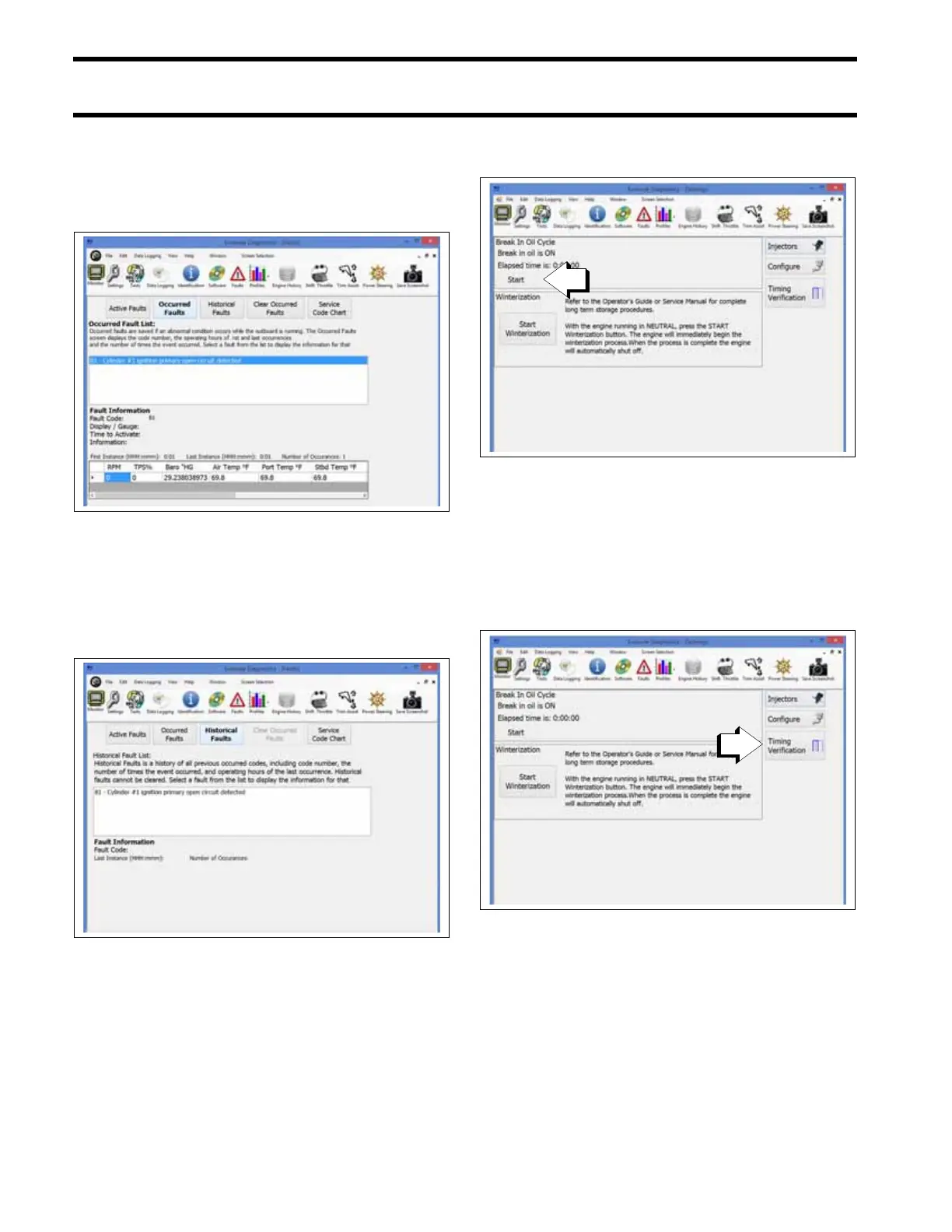
Occurred Faults
The Occurred Faults screen displays the code
number, the number of times the event occurred,
and operating hours of first and last occurrences.
Historical Faults
The Historical Faults screen displays a history of
all previous occurred codes, including code num-
ber, the number of times the event occurred, and
operating hours of the last occurrence.
Settings
Powerhead Break-In
Use the diagnostic software to initiate break-in oil-
ing. Break-in is a predetermined oiling program
that runs for two hours of outboard operation,
above 2000 RPM.
Ignition Timing
Use the Timing Verification screen to check and
adjust EMM timing. EMM timing must be synchro-
nized to crankshaft position.
Refer to Timing Adjustments on p. 136.
Check timing after replacing a powerhead, crank-
shaft or flywheel.
IMPORTANT: Make sure the timing pointer is set
and the outboard reaches operating temperature
before making adjustments.
Occurred Faults Review Screen
009282
Historical Faults Screen
009288
Settings Screen
009243
1. Break-in oil setting
Settings Screen
009423
1. Timing Verification







 To Next Page