4
4
4-35
4-35
Disassembly/Assembly > External Cover, Interior > Removing the Upper Cover MF4780w/MF4770n/MF4750/MF4730) > Procedure
Disassembly/Assembly > External Cover, Interior > Removing the Upper Cover MF4780w/MF4770n/MF4750/MF4730) > Procedure
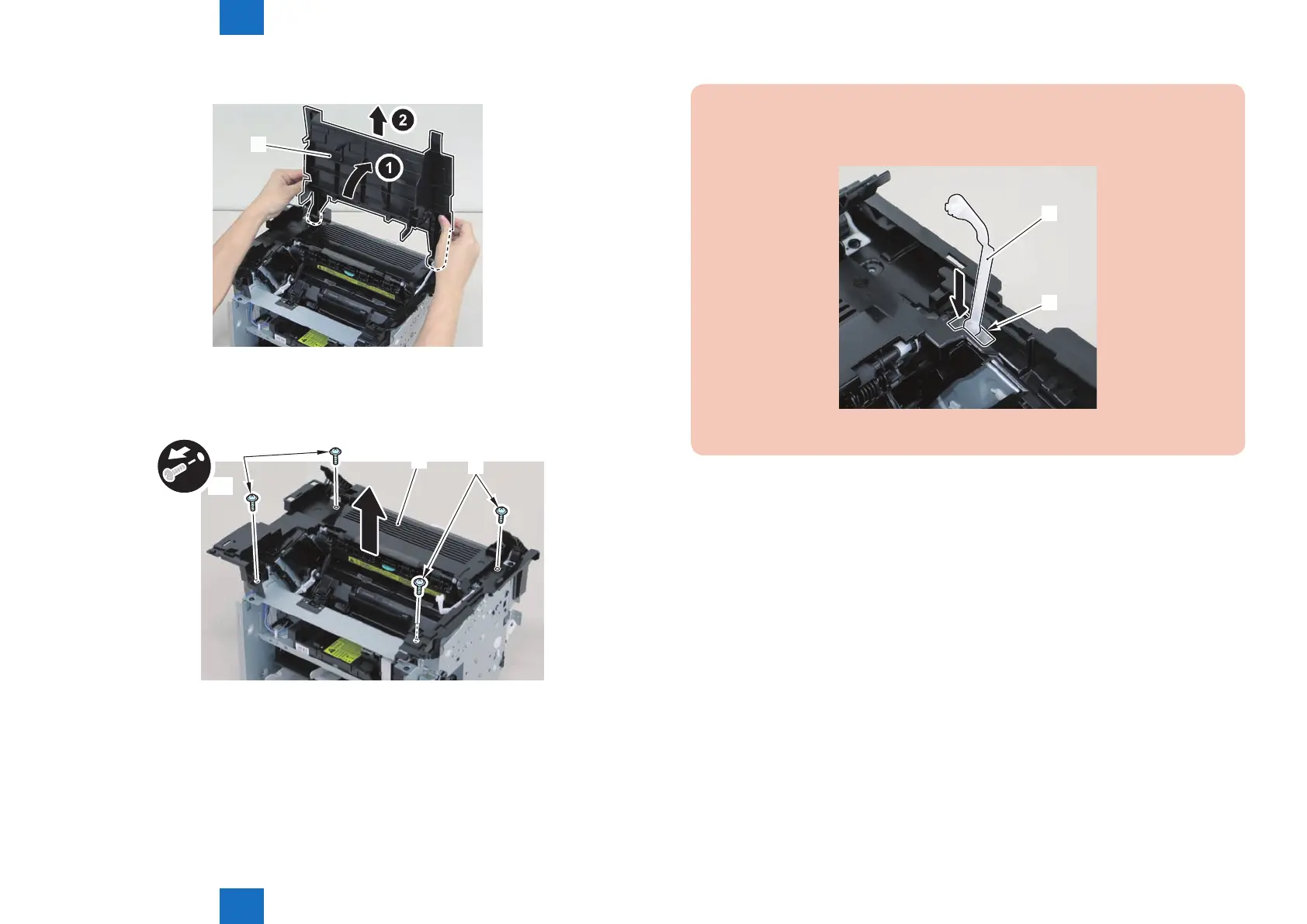
4)Raise the delivery tray[1] vertically and remove it.
[1]
5)Remove the upper cover[1]
4 screws(black TP)[2]
x4
[1]
[2]
[2]
F-4-83
F-4-84
Caution:
Be sure to put the cartridge arm[1] through the hole[A] of the upper cover when
installing
[1]
[A]
F-4-85















 To Next Page