4
4
4-93
4-93
Disassembly/Assembly > Document Exposure/Feeder System > Removing the SADF Unit (MF4780w/MF4770n/MF4750/MF4730) > Procedure
Disassembly/Assembly > Document Exposure/Feeder System > Removing the SADF Unit (MF4780w/MF4770n/MF4750/MF4730) > Procedure
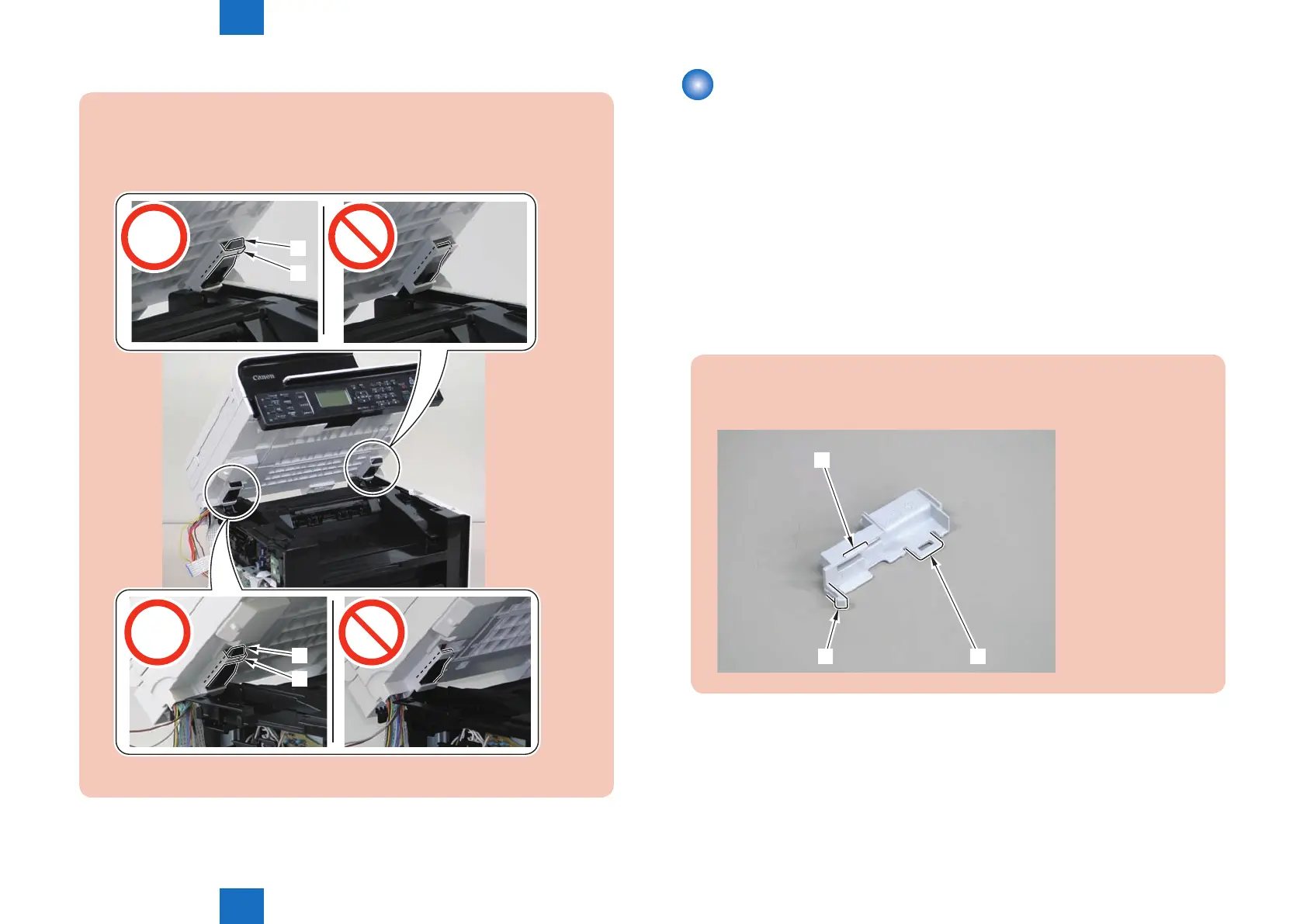
Caution:
When installing the DADF unit and reader unit, secure the 2 hinge arm claws[1] to
the 2 hooks[2] of the reader unit.
[2]
[1]
[2]
[1]
Removing the SADF Unit (MF4780w/MF4770n/
MF4750/MF4730)
■
Preparation
1) Remove the left cover.
2)Remove the SADF unit and reader unit
■
Procedure
1) Remove the connector[1].
• 1 hook[2]
• 2 claws[3].
Note:
The location of hook[2] and the 2 claws[3] of the connector cover are shown here.
[3]
[2]
[3]















 To Next Page