4
4
4-151
4-151
Disassembly/Assembly > Controller System > Removing the Toner Sensor and Multi Pickup Sensor Unit (MF4890dw/MF4880dw) > Procedure
Disassembly/Assembly > Controller System > Removing the Toner Sensor and Multi Pickup Sensor Unit (MF4890dw/MF4880dw) > Procedure
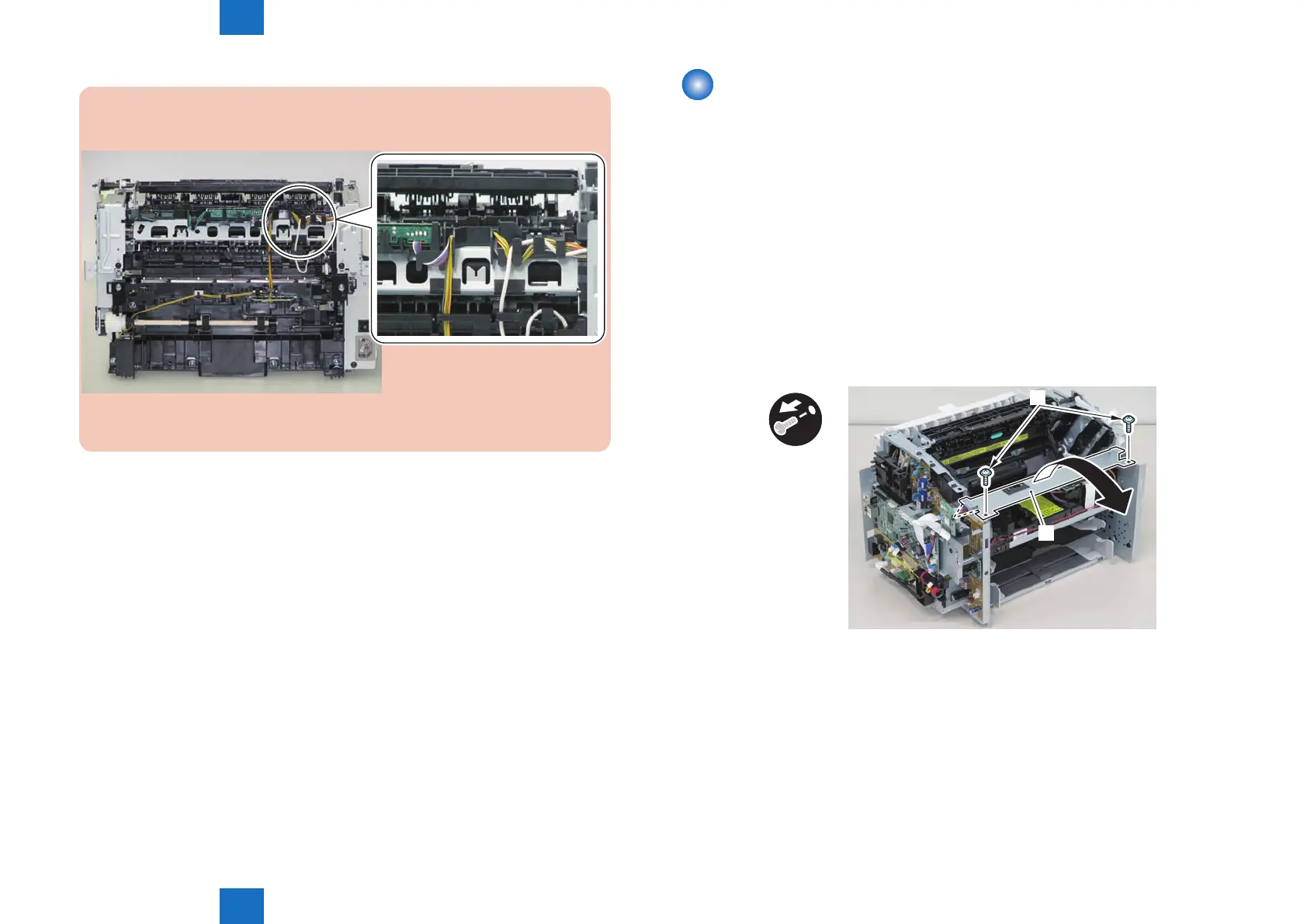
Note:
The below picture shows how to wind the harness.
F-4-364
Removing the Toner Sensor and Multi Pickup Sensor
Unit (MF4890dw/MF4880dw)
■
Preparation
1) Remove the left cover
2)Remove the DADF unit and reader unit.
3)Remove the right cover
4)Remove the front cover unit.
5)Remove the upper cover.
6)Remove the wireless LAN PCB.
■
Procedure
1)Remove the scanner cover[1]
• 2 screws(black TP)[2]
x2
[1]
[2]
F-4-365















 To Next Page