6
6
6-5
6-5
Troubleshooting > Version Upgrade > Downloading System Software
Troubleshooting > Version Upgrade > Downloading System Software
■
Preparation
1) Start the PC.
2) Connect the device to the PC with the USB cable.
3) Turn on the device on standby.
4) Press [Menu] key to upgrade rmware in User mode.
System Settings > Update Firmware
The message, “Will you restart the device to upgrade rmware?”, is shown on the display.
Select Yes.
5) Press OK to automatically restart the device. “***DOWNLOAD MODE***” is shown on the
display.
6) Wait for the motor of the host machine to stop.
Note:
Press STOP key to cancel Download mode and return to the normal operation.
Downloading System Software
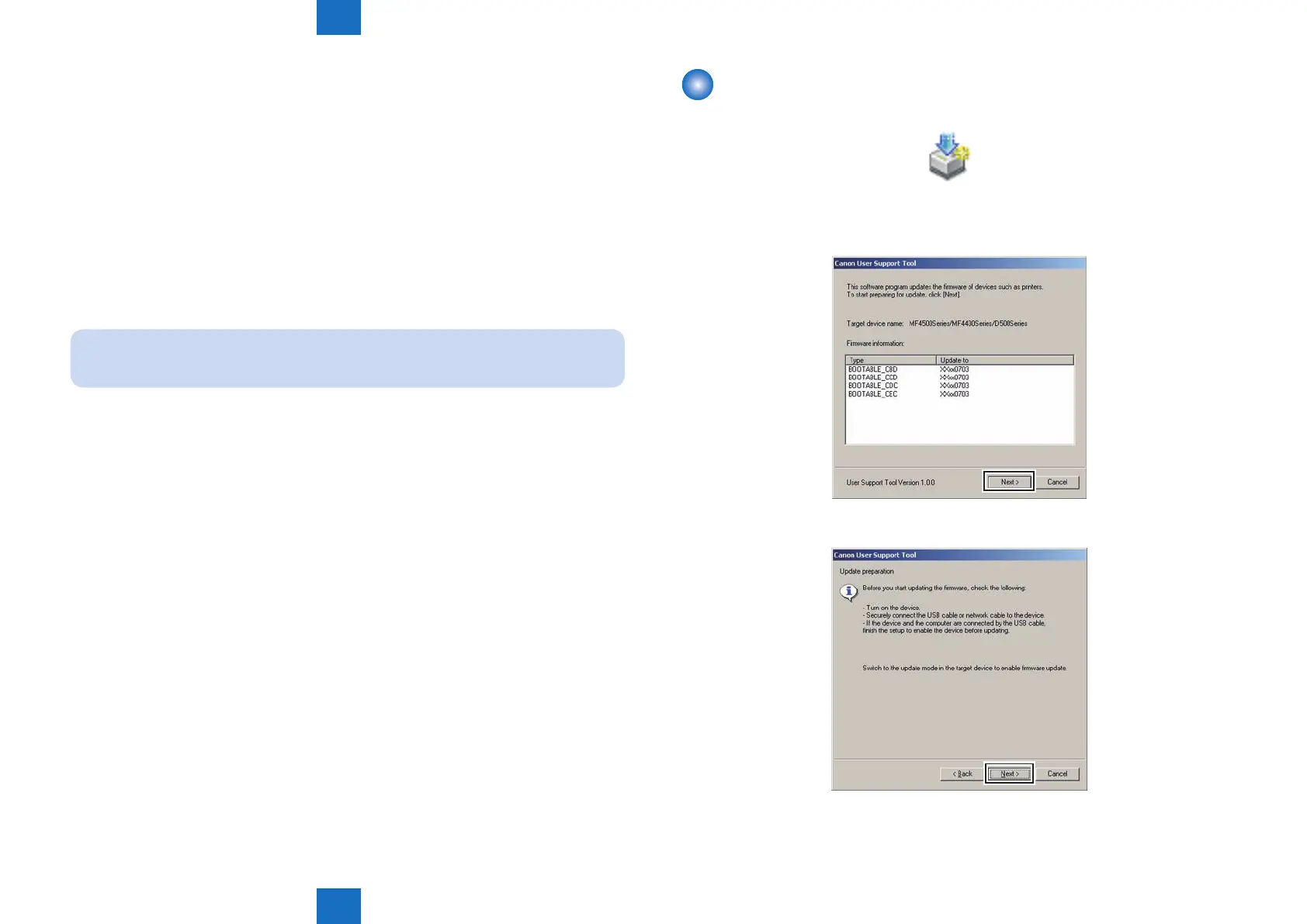
1) Open UST.
USTUPD.exe
2) Take a note of the rmware version to upgrade and click [Next] button.
3) Click [Next] button.
F-6-4
F-6-5
F-6-6















 To Next Page