4
4
4-156
4-156
Disassembly/Assembly > Controller System > Removing the Drive Belt (MF4870dn/MF4830d) > Procedure
Disassembly/Assembly > Controller System > Removing the Drive Belt (MF4870dn/MF4830d) > Procedure
Removing the Drive Belt (MF4870dn/MF4830d)
■
Preparation
1) Remove the left cover
■
Procedure
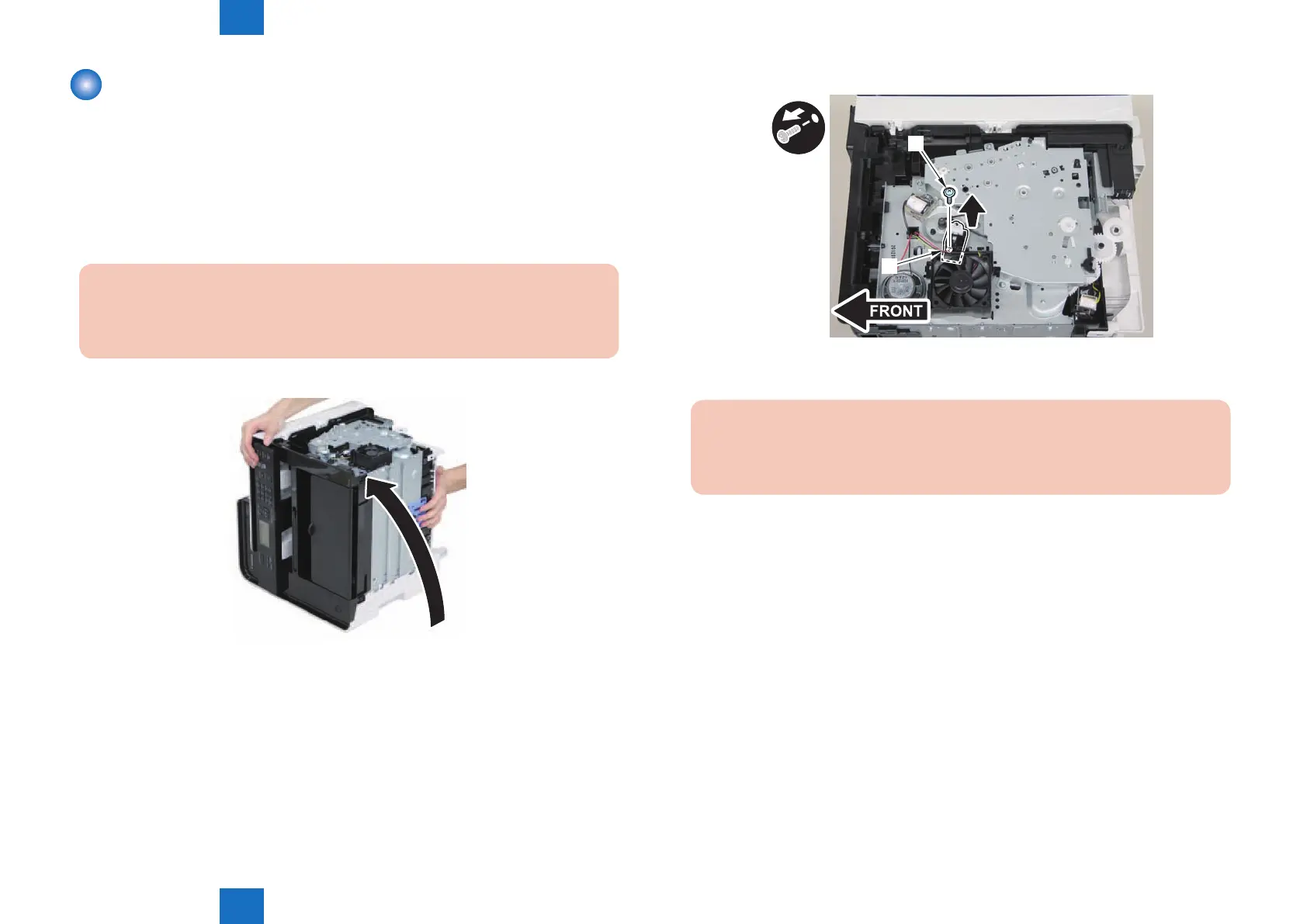
1) Close the reader unit [1] and place the host machine with its left side down.
Caution:
Be sure to hold the reader unit rmly when turning the machine with its left side down
because the reader unit will be forced open by hinge spring pressure.
2)Remove the tension unit[1].
• 1 screw[2]
F-4-378
[1]
[2]
3)Remove the shaft support[1], and remove the drive cover[2]
• 5 screws[3]
Caution:
Be sure to raise the drive cover[2] straight above slowly to prevent the gear phase
from becoming displaced.
F-4-379















 To Next Page