1
1
1-10
1-10
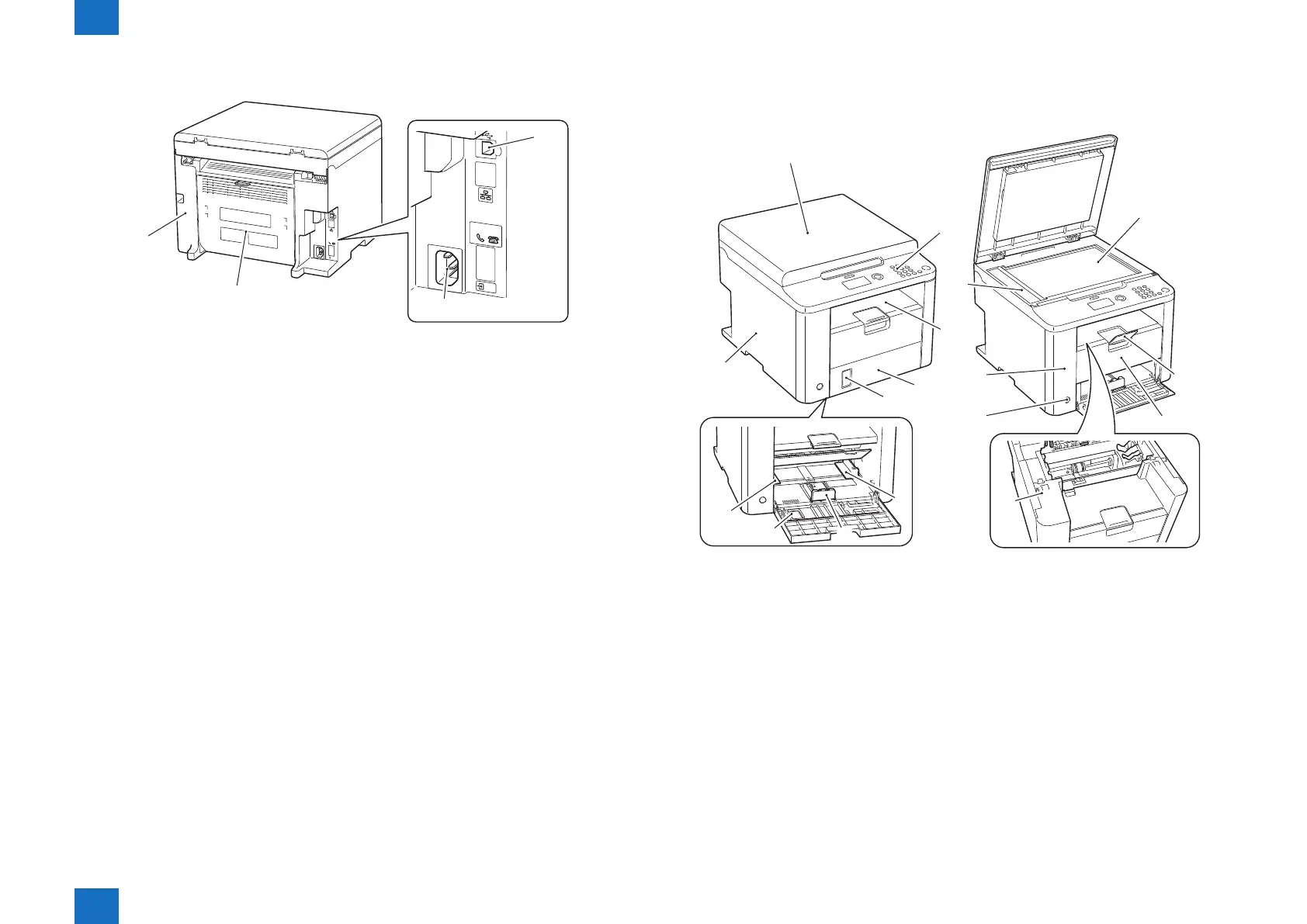
Product Overview > Name of Parts > External View > D530
Product Overview > Name of Parts > External View > D530
●
Rear Side
HAND
SET
EXT.
LINE
[2]
[3]
[1]
[4]
No. Name
[1] USB Device Port
[2] Power Supply Cord Slot
[3] Rear Cover
[4] Right Cover
F-1-6
■
D530
●
Front Side
[1]
[2]
[3]
[6]
[6]
[7][8]
[4]
[5]
[9]
[10]
[13]
[14]
[15]
[16]
[12]
[11]
No. Name No. Name
[1] Copyboard Cover [9] Left Cover
[2] Control Panel Unit [10] Copyboard Glass
[3] Delivery Tray [11] Delivery Auxiliary Tray
[4] Front Under Cover [12] Delivery Stopper
[5] Paper Level Display [13] Upper Cover
[6] Pickup Tray Paper Guides [14] Power Switch
[7] Trailing Edge Paper Guides [15] Front Cover Switch
[8] Pickup Tray [16] Copyboard Upper Cover
F-1-7















 To Next Page