2
2
2-18
2-18
Technical Overview > Image Formation System > Overview/Conguration > Drum Cleaning Block
Technical Overview > Image Formation System > Overview/Conguration > Drum Cleaning Block
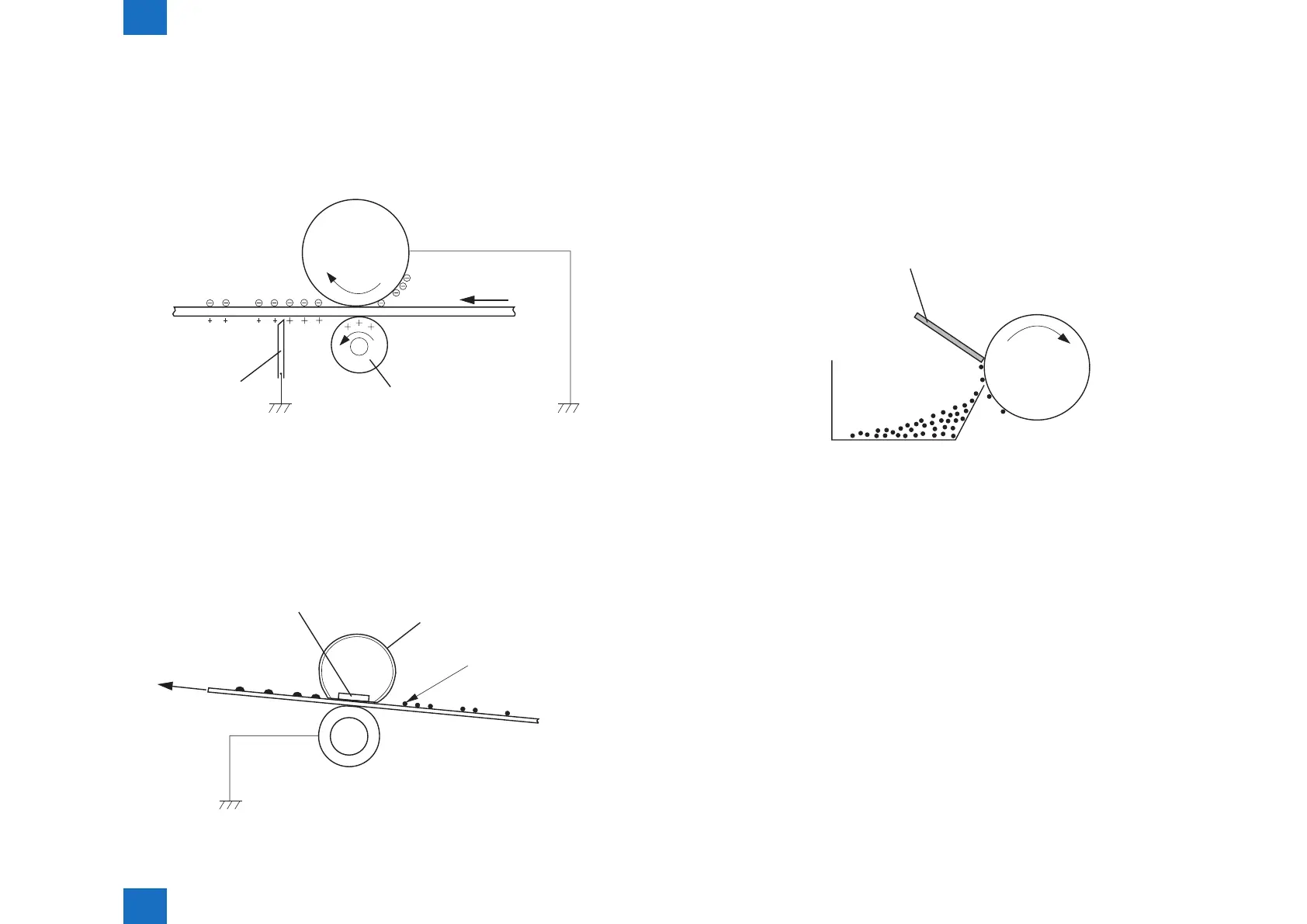
Step 5: Separation
In this step, DC negative bias is applied to the static eliminator according to the elasticity of
papers to separate the papers from the photosensitive drum. The static eliminator is used to
stabilize the paper feed system (prevention of toner stray that appears as polka-dots on print
images in a low-temperature, low-humidity environment), and neutralizes the electric charge
at the back of papers.
Media
Transfer roller
Static charge eliminator
Photosensitive
drum
■
Fixing Block
This block applies pressure and heat to papers and the toner on them to x toner images to
the papers.
Step 6: Fixing
This step employs on-demand xing that xes toner images transferred to papers on the
papers.
Fixing heater
Fixing film
Toner
Media
Pressure roller
F-2-23
F-2-24
■
Drum Cleaning Block
The drum cleaning block removes the toner remained on the photosensitive drum.
Step 7: Drum cleaning
In this step, toner remained on the photosensitive drum is removed.
The cleaning blade scrapes the leftover toner on the surface of the photosensitive drum; the
toner is collected into the cleaner container.
By implementing the above step, the surface of the photosensitive drum is cleaned.
Cleaning blade
Cleaner container
Photosensitive
drum
F-2-25















 To Next Page