4
4
4-204
4-204
Disassembly/Assembly > Controller System > Removing the Paper Leading Edge Sensor PCB(D530) > Procedure
Disassembly/Assembly > Controller System > Removing the Paper Leading Edge Sensor PCB(D530) > Procedure
Removing the Main Controller PCB(D530)
■
Preparation
1) Remove the left cover
■
Procedure
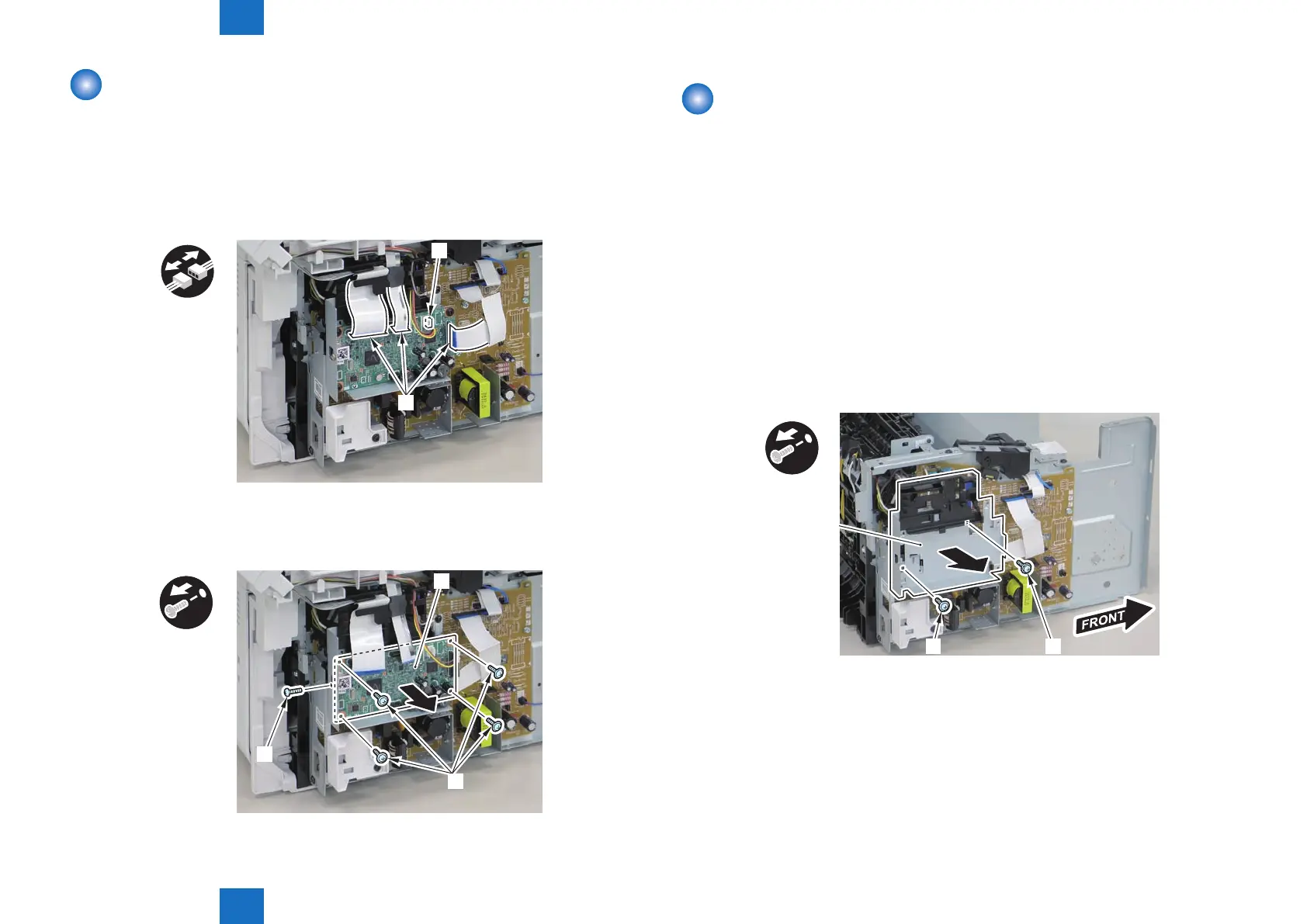
1)Remove the 3 at cables[1] and connector[2].
x4
[2]
[1]
2)Remove the main controller PCB[1].
• 1 screw(binding)[2]
• 4 screws(black TP)[3]
[1]
[2]
x5
[3]
F-4-524
F-4-525
Removing the Paper Leading Edge Sensor PCB(D530)
■
Preparation
1) Remove the left cover
2)Remove the copyboard cover and reader unit.
3)Remove the right cover
4)Remove the front cover unit.
5)Remove the upper cover.
6)Remove the duplex feed unit.
7)Remove the main controller PCB
■
Procedure
1)Remove the main controller mounting plate[1]
• 1 screw(with washers)[2]
• 1 screws(black TP)[3]
x2
[2][3]
[1]
F-4-526















 To Next Page