4
4
4-128
4-128
Disassembly/Assembly > Document Exposure/Feeder System > Removing the Copyboard Glass (L418S/L410/L190) > Procedure
Disassembly/Assembly > Document Exposure/Feeder System > Removing the Copyboard Glass (L418S/L410/L190) > Procedure
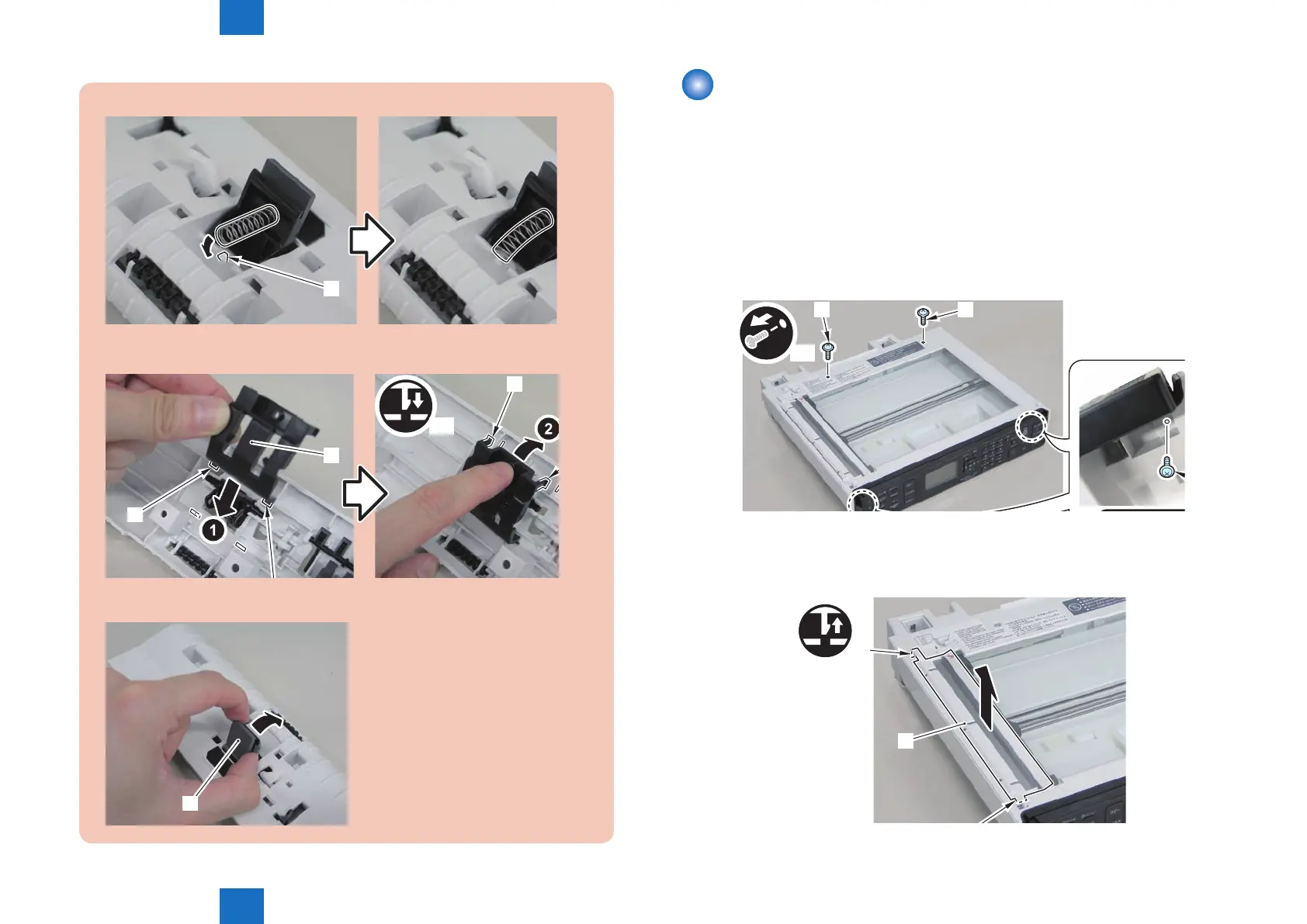
3)Install the spring to the protrusion[1] of the DADF pickup upper cover.
[1]
4)Turn the DADF pickup upper cover over to the back, and install the separation pad
cover[1].
x2
[1]
[2]
[3]
5)Turn the DADF pickup upper cover over to the front, and push in the separation
pad unit[1].
[1]
Removing the Copyboard Glass (L418S/L410/L190)
■
Preparation
1) Remove the left cover.
2)Remove the DADF unit and reader unit
3)Remove the DADF unit.
■
Procedure
1)Remove the 4 screws(TP)[1]
x4
[1] [1]
2)Remove the copyboard guide holder[1]
1 claw[2]
1 protrusions[3]
[1]
[2]
F-4-301
F-4-302















 To Next Page