6
6
6-7
6-7
Troubleshooting > Log Collector > Outline > Operation Procedure
Troubleshooting > Log Collector > Outline > Operation Procedure
Log Collector
Outline
A method to collect the operational status log of the host machine will be provided as a means
to analyze failures occurred in the eld. When a request was made to the headquarters of the
sales company by the CINC division incharge of eld follow-up, collect the log by the tool.
■
Scope of Application
• This function can be used in all the models.
• The tool is supported by Windows XP, Windows Vista and Windows 7.
• Host machine and the PC which operates the tool are connected directly by an USB Cable.
Multiple host machines cannot be connected to a PC.
■
What to Prepare
• Host machine
• USB Cable (Connector shape: A-B)
• PC with a usable USB port (OS: Windows XP, Vista, Windows 7)
• Tool (CanonLogCollector_Ver1.0.0.6.zip)*
*Obtain a tool according to instructions of Canon sales company HQ.
■
Operation Procedure
1. Connecting the USB Cable
Connect the USB Cable while both the host machine and the PC are in operation.
2. Decompressing CanonLogCollector_Ver1.0.0.6.zip
Create any folder with a write permission on the PC. When CanonLogCollector_
Ver1.0.0.6.zip isdecompressed, "CanonLogCollector.exe" is extracted.
3. Starting the tool
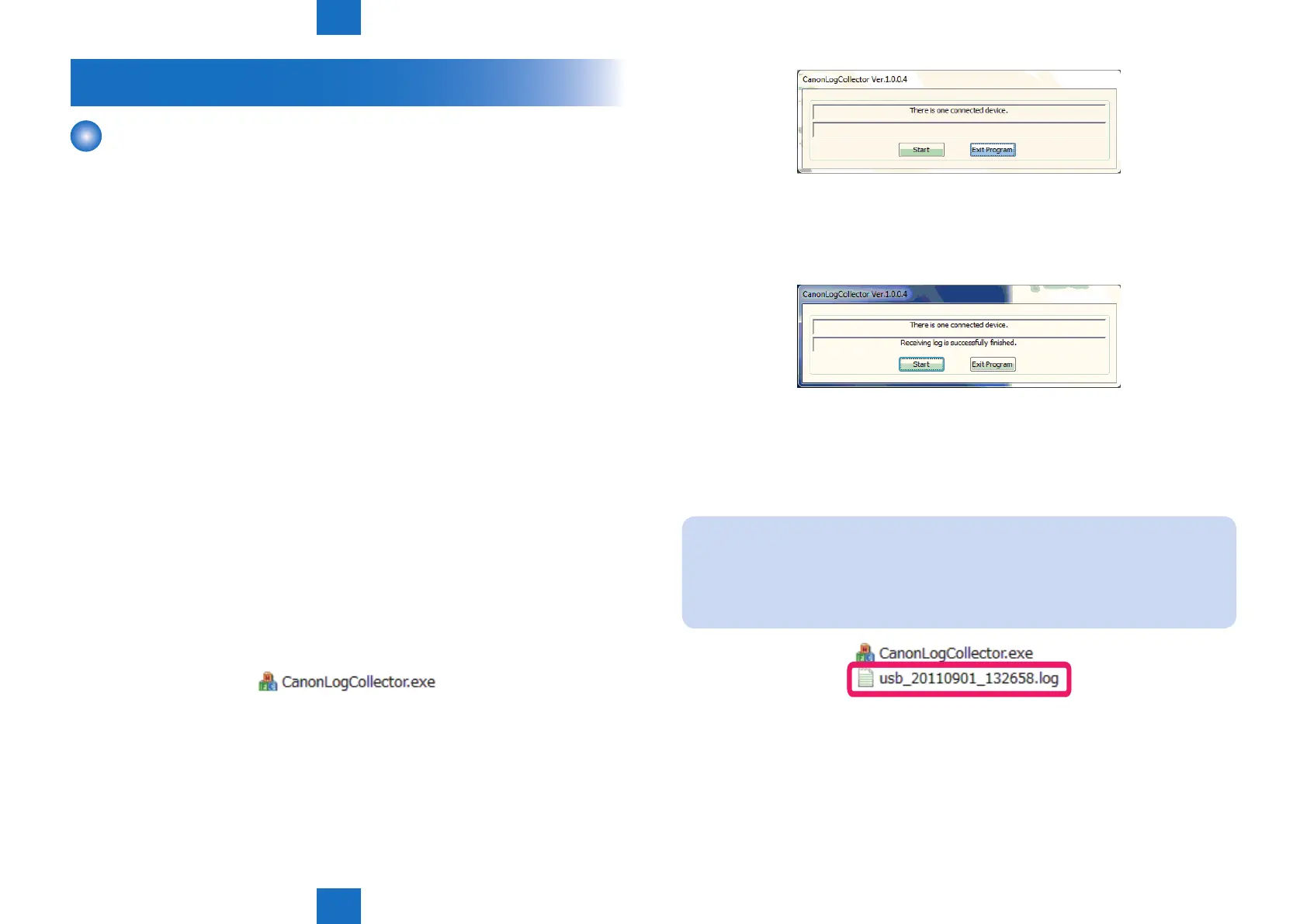
Double-click to start CanonLogCollector.exe. The CanonLogCollector screen opens.
F-6-12
4. Collecting the log
Press the [Start] button on the CanonLogCollector screen. When "Receiving log is
successfully nished." is displayed, press the [Exit Program] button to close the tool.
The collected log is generated in TXT format in the folder where "CanonLogCollector.exe"
is located. Bring back and send the log to the headquarters of the sales company. The log
le is "usb_2011901_132658.log" in the gure below.The capacity of the log le is 300 KB or
less. The time needed to collect the log is approx.10 seconds.
Note:
While the machine is in operation, log information is always added. However, the
storage area is limited to 300KB, so the information is overwritten in the order from the
old log information.Since log information may be overwritten if a long time passes after
error occurrence, be sure to collect log as soon as possible.
Naming rule for log le:
It is recorded with usb_yyyymmdd_hhmmss.log.yyyymmdd_hhmmss indicates year,
month, date, and time (hour, minute, second) when the log is collected.
F-6-13
F-6-14
F-6-15















 To Next Page