4
4
4-51
4-51
Disassembly/Assembly > Document Exposure/Feeder System > Removing the DADF Solenoid Unit (MF4890dw/MF4880dw) > Procedure
Disassembly/Assembly > Document Exposure/Feeder System > Removing the DADF Solenoid Unit (MF4890dw/MF4880dw) > Procedure
Removing the DADF Solenoid Unit (MF4890dw/
MF4880dw)
■
Preparation
1) Remove the left cover.
2)Remove the DADF unit and reader unit
3)Remove the DADF unit.
4)Remove the DADF pickup unit.
5)Remove the DADF motor unit.
■
Procedure
Caution:
Gently remove the DADF solenoid unit to prevent the gear phase from becoming
displaced.
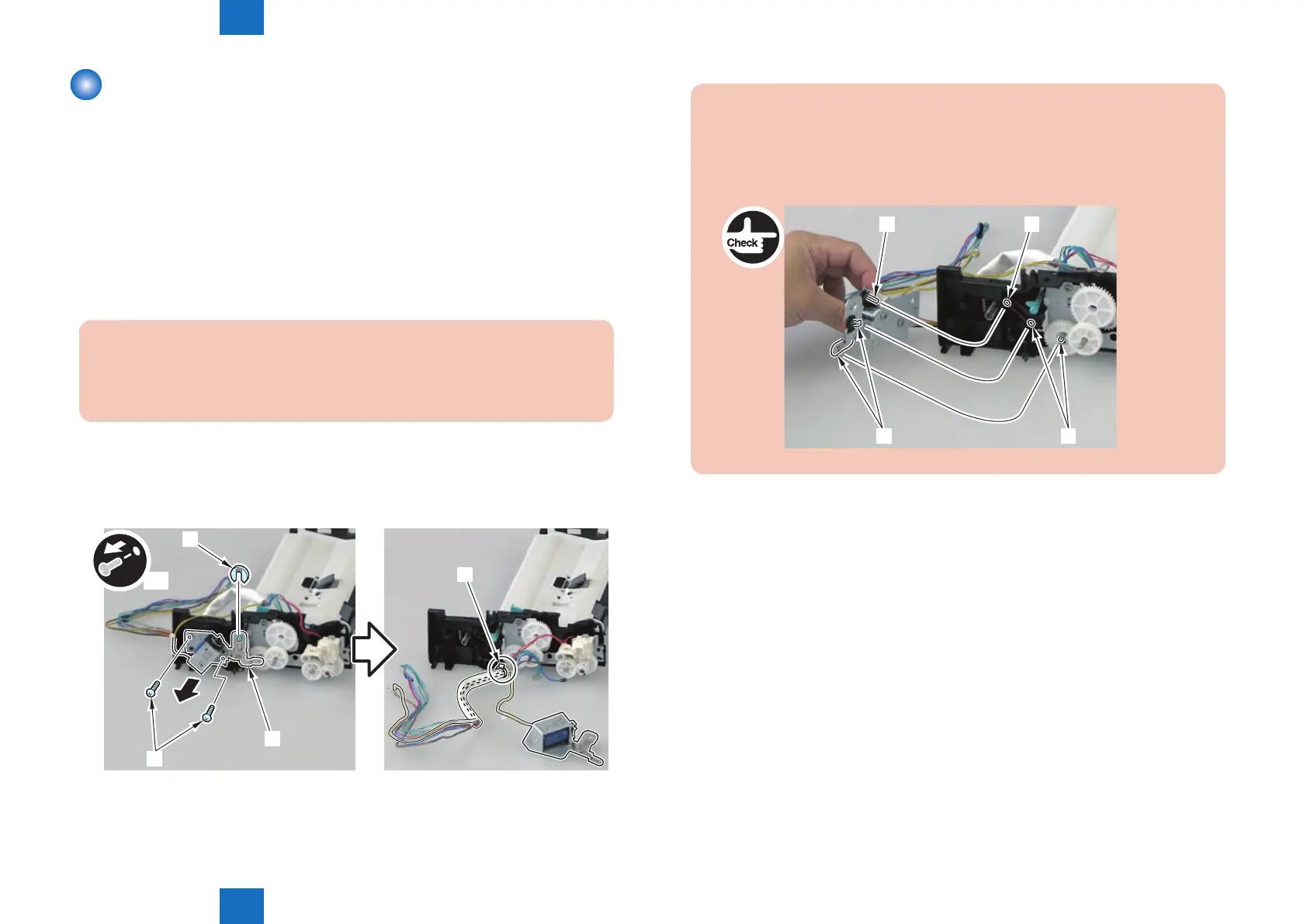
1) Remove the DADF solenoid unit [1].
• 1 e-ring [2]
• 2 screws [3]
• 1 harness band [4]
[4]
x2
[2]
[3]
[1]
F-4-129
Caution:
When assembling the DADF solenoid unit, be sure to put the solenoid shaft [1]
through the hole [A] on the solenoid arm.
When assembling the DADF solenoid unit, ensure that the 2 DADF pickup unit
shafts [2] and the 2 DADF solenoid unit contact points [B] are in contact.
[1] [A]
[B]
[2]















 To Next Page