4
4
4-284
4-284
Disassembly/Assembly > Image Formation System > Removing the Transfer Roller (D530) > Procedure
Disassembly/Assembly > Image Formation System > Removing the Transfer Roller (D530) > Procedure
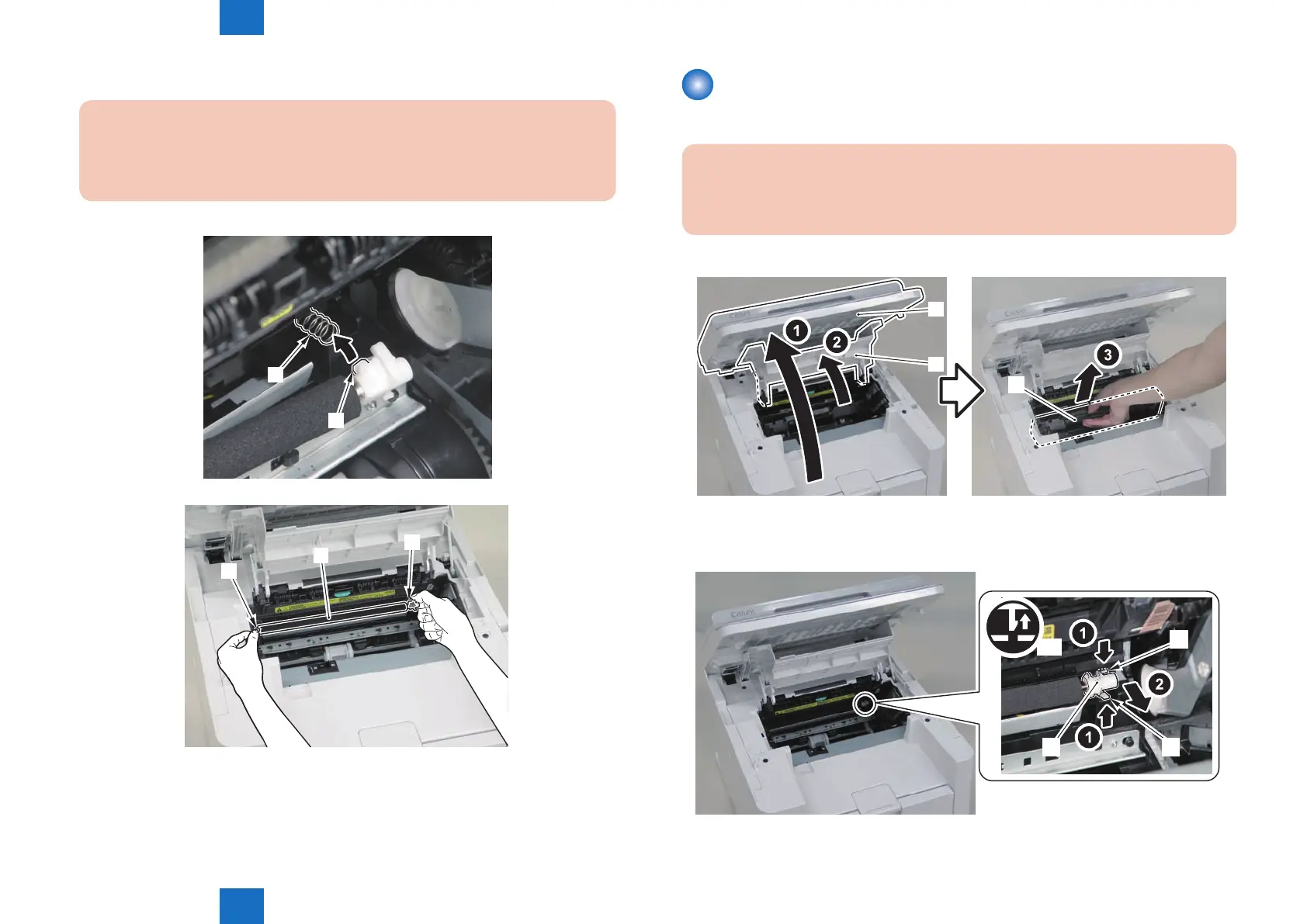
3) Hold both shafts [1] of the transfer roller and remove the roller [2].
Caution:
When installing the transfer roller to the host machine, be sure to t the protrusion[2]
to the spring[1]
[1]
[2]
[1]
[2]
[1]
F-4-767
F-4-768
Removing the Transfer Roller (D530)
■
Procedure
Caution:
When assembling/disassembling the transfer roller, do not touch the surface of the
roller.
1) Open the reader unit [1] and delivery tray [2], and remove the drum unit[3].
[1]
[2]
[1]
2) Remove the transfer roller bushing [1].
• 2 claws [2]
]
[1][2]
[1] [2]
x2
F-4-769
F-4-770















 To Next Page