4
4
4-301
4-301
Disassembly/Assembly > Fixing System > Removing the Fixing Assembly (MF4780w/MF4770n/MF4750/MF4730) > Procedure
Disassembly/Assembly > Fixing System > Removing the Fixing Assembly (MF4780w/MF4770n/MF4750/MF4730) > Procedure
Caution:
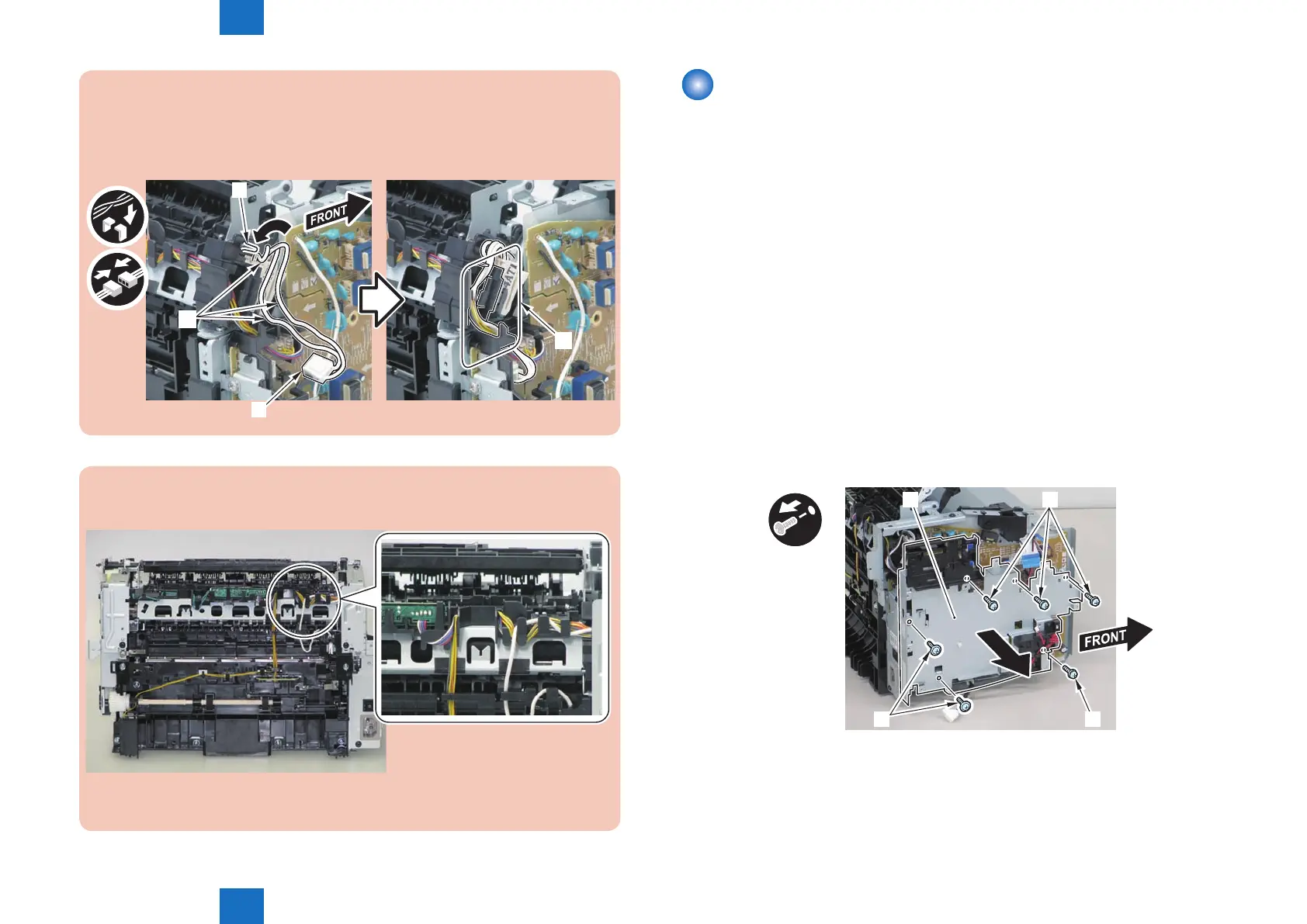
When mounting the xing harness, wrap the xing harness [2] around the protruding
part [1] of the harness holder, pass it through the harness guide [A], and then mount
the connector [3].
[A]
[1]
[2]
[3]
Note:
The below picture shows how to wind the harness.
F-4-829
Removing the Fixing Assembly (MF4780w/MF4770n/
MF4750/MF4730)
■
Preparation
1)Remove the left cover
2)Remove the SADF unit and reader unit
3)Remove the right cover
4)Remove the front cover unit
5)Remove the upper cover
6)Remove the duplex feed unit
7)Remove the main controller PCB
8)Remove the FAX NCU PCB(MF4780w/MF4770n/MF4750)
9)Remove the wireless LAN PCB(MF4780w)
■
Procedure
(MF4780w/MF4770n/MF4750)
1)Remove the main controller mounting plate[1]
• 4 screws(with washer)[2]
• 2 screws(black TP)[3]
x6
[1] [2]
[3] [2]
F-4-830















 To Next Page