4
4
4-267
4-267
Disassembly/Assembly > Controller System > Removing the Speaker (L418S/L410/L190) > Procedure
Disassembly/Assembly > Controller System > Removing the Speaker (L418S/L410/L190) > Procedure
Removing the Speaker (L418S/L410/L190)
■
Preparation
1) Remove the left cover
■
Procedure
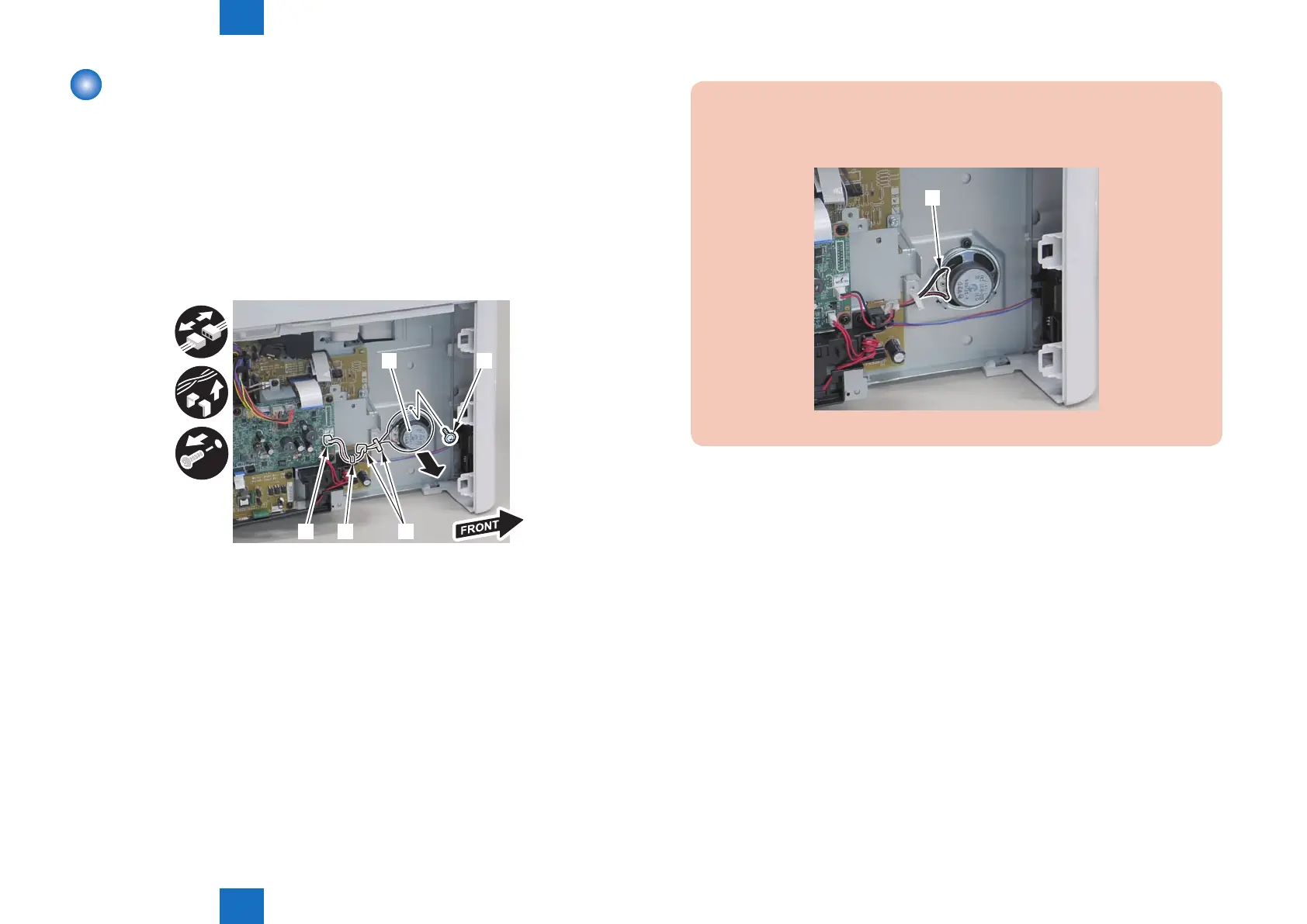
1)Disconnect harness from the guide[A], and remove the speaker[1].
• 1 connector[2]
• 2 wire saddles[3]
• 1 screw[4]
[1]
[2] [3][A]
[4]
F-4-716
Caution:
When mounting the scanner cover, pass the shutter open/close lever [1] through the
hole [A] in the scanner cover
[1]
F-4-717















 To Next Page