6
6
6-2
6-2
Troubleshooting > Test Print > Test Print Function
Troubleshooting > Test Print > Test Print Function
Test Print
Test Print Function
This equipment has a test print function to check if the printer engine normally operates.
Test patterns (horizontal lines) are output when executing this test print.
The following is the operation procedure;
a.1-sided print
1) Set A4/LTR papers on the pickup tray or the manual feed pickup tray.
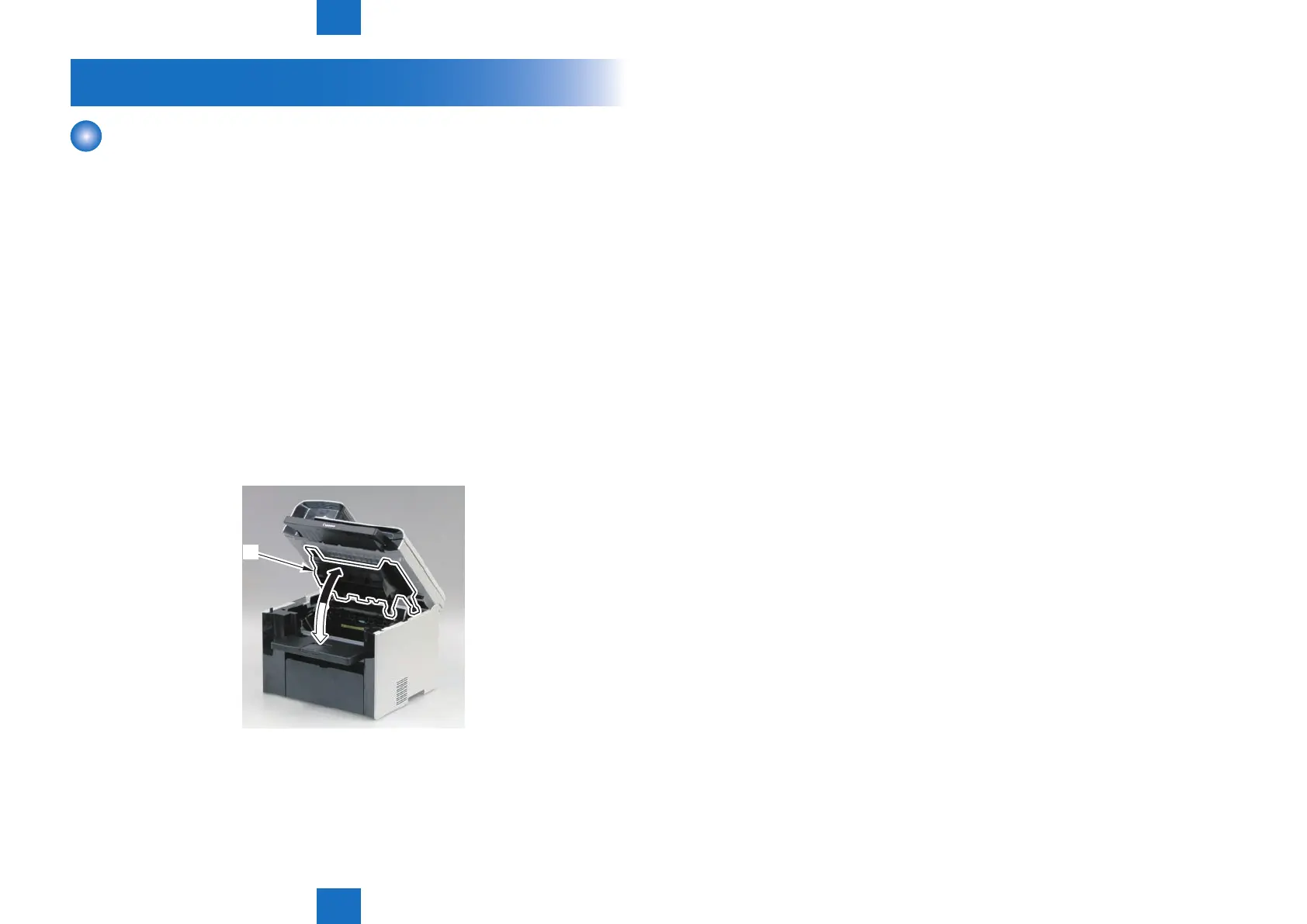
2) Continuously open and close the Delivery Tray [1] at least 5 times for odd number of times
with the Power Switch ON.
3) A 1-sided engine test print is executed.
b. 2-sided print
1) Set A4/LTR papers on the pickup tray or the manual feed pickup tray.
2) Continuously open and close the Delivery Tray [1] at least 5 times for even number of times
with the Power Switch ON.
3) A 2-sided engine test print is executed.
[1]
F-6-1















 To Next Page