4
4
4-91
4-91
Disassembly/Assembly > Document Exposure/Feeder System > Removing the CIS Unit(D530) > Procedure
Disassembly/Assembly > Document Exposure/Feeder System > Removing the CIS Unit(D530) > Procedure
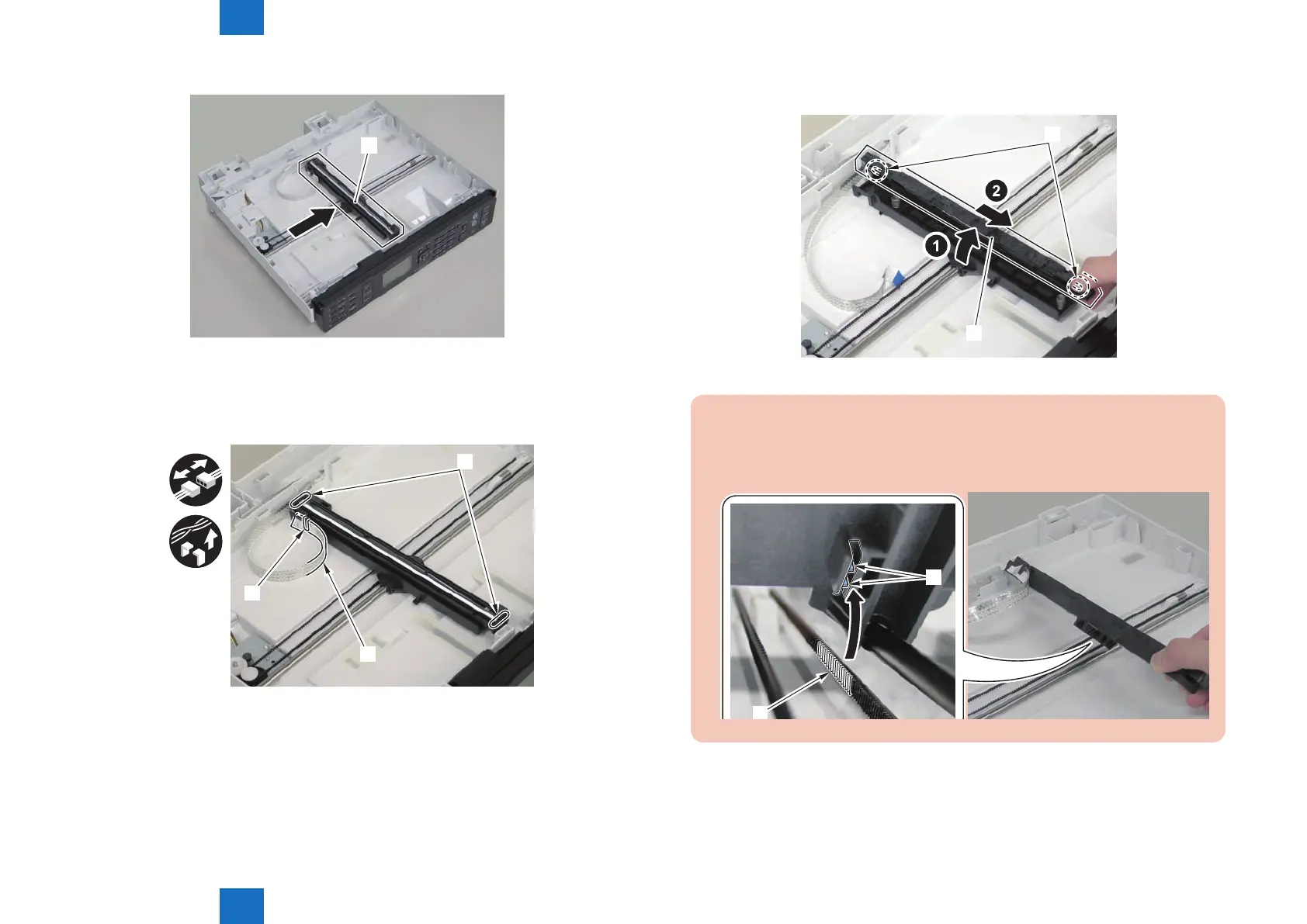
1)Move the CIS unit[1]
[1]
2)Remove 2 spacers[1] and at cable[2].
• 1 guide[A]
[1]
[2]
[A]
F-4-217
F-4-218
3)Remove the CIS unit[1]
• 2 shafts[2]
[1]
[2]
Caution.
If the CIS unit comes off, be sure to align the tooth[1] on the belt with the tooth[2] on
the bottom of the CIS unit to install the unit.
[2]
F-4-219















 To Next Page