4
4
4-103
4-103
Disassembly/Assembly > Document Exposure/Feeder System > Removing the SADF Separation Pad(MF4780w/MF4770n/MF4750/MF4730) > Procedure
Disassembly/Assembly > Document Exposure/Feeder System > Removing the SADF Separation Pad(MF4780w/MF4770n/MF4750/MF4730) > Procedure
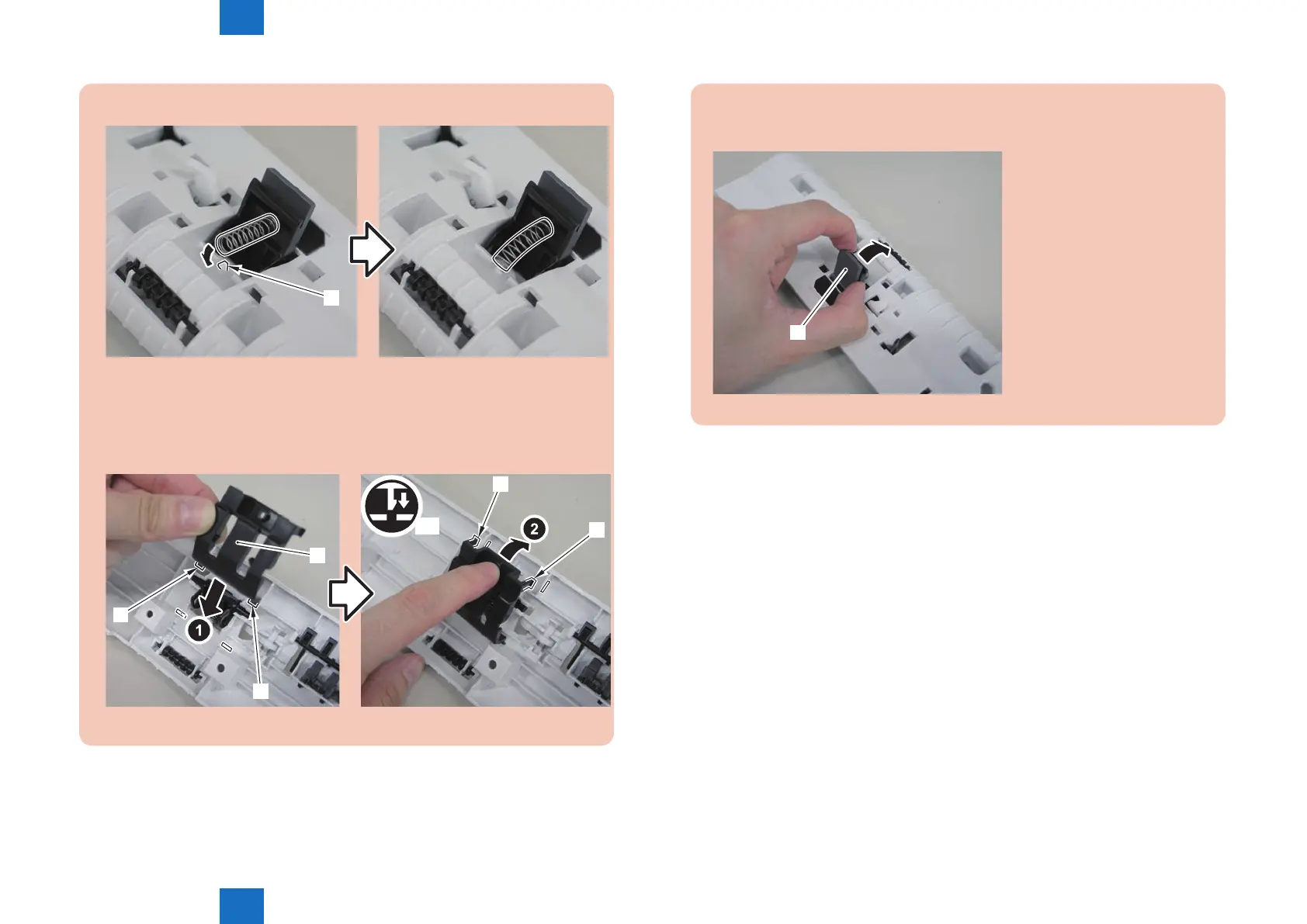
3)Install the spring to the protrusion[1] of the SADF pickup upper cover.
[1]
4)Turn the SADF pickup upper cover over to the back, and install the separation pad
cover[1].
• 2 hooks[2]
• 2 claws[3]
x2
[1]
[2]
[2]
[3]
[3]
5)Turn the SADF pickup upper cover over to the front, and push in the separation
pad unit[1].
[1]















 To Next Page