4
4
4-198
4-198
Disassembly/Assembly > Controller System > Removing the Main Motor (D530) > Procedure
Disassembly/Assembly > Controller System > Removing the Main Motor (D530) > Procedure
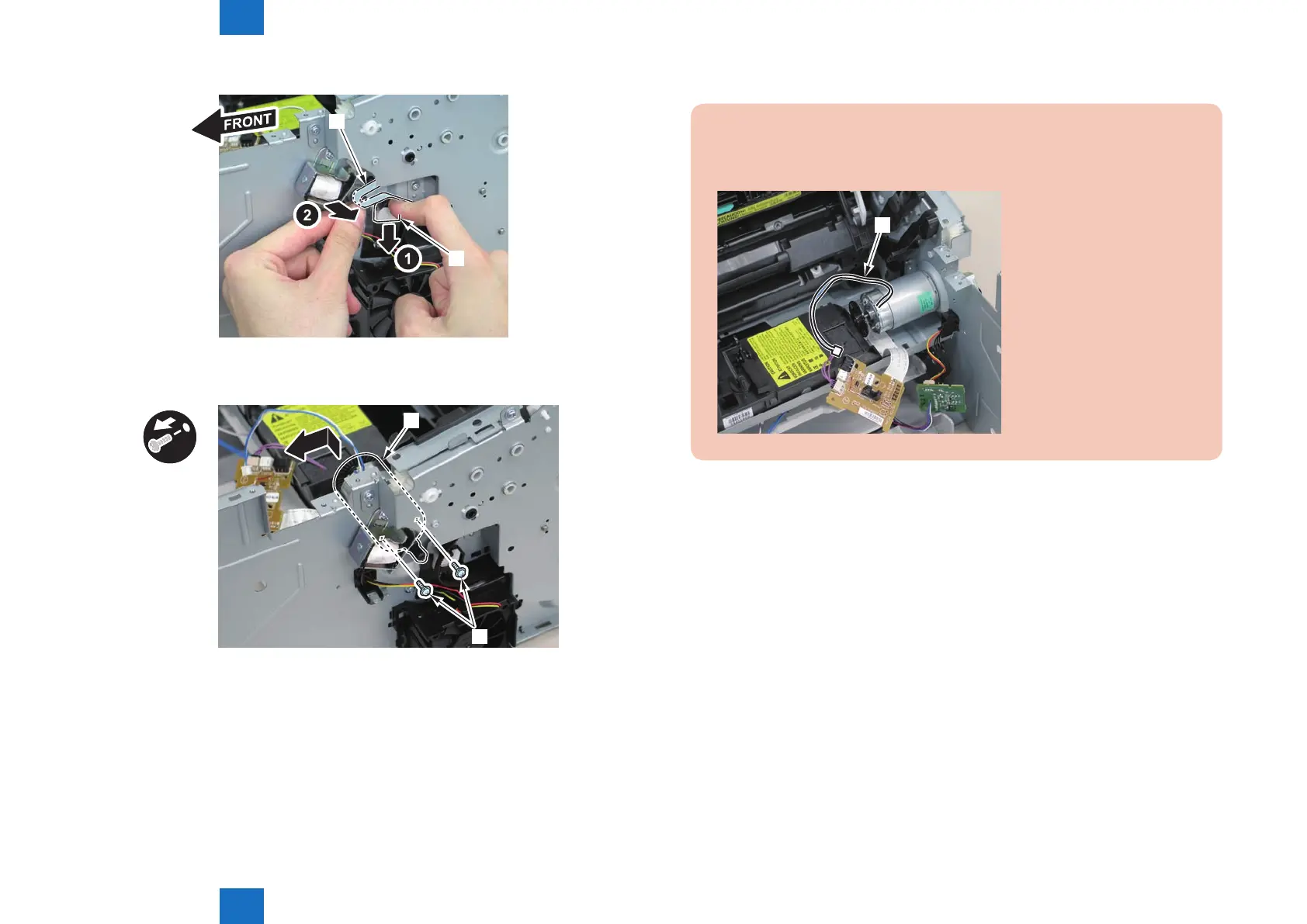
7)Lower the tension unit[1], and remove the belt[2].
[1]
[2]
8)Remove the main motor[1]
• 2 screws(with washer)[2]
x2
[2]
[1]
F-4-508
F-4-509
Caution:
When installing the main motor, be sure to install the harness[1] to the upper side of
the motor.
[1]















 To Next Page