4
4
4-223
4-223
Disassembly/Assembly > Controller System > Removing the Paper Leading Edge Sensor PCB (MF4780w/MF4770n/MF4750/MF4730) > Procedure
Disassembly/Assembly > Controller System > Removing the Paper Leading Edge Sensor PCB (MF4780w/MF4770n/MF4750/MF4730) > Procedure
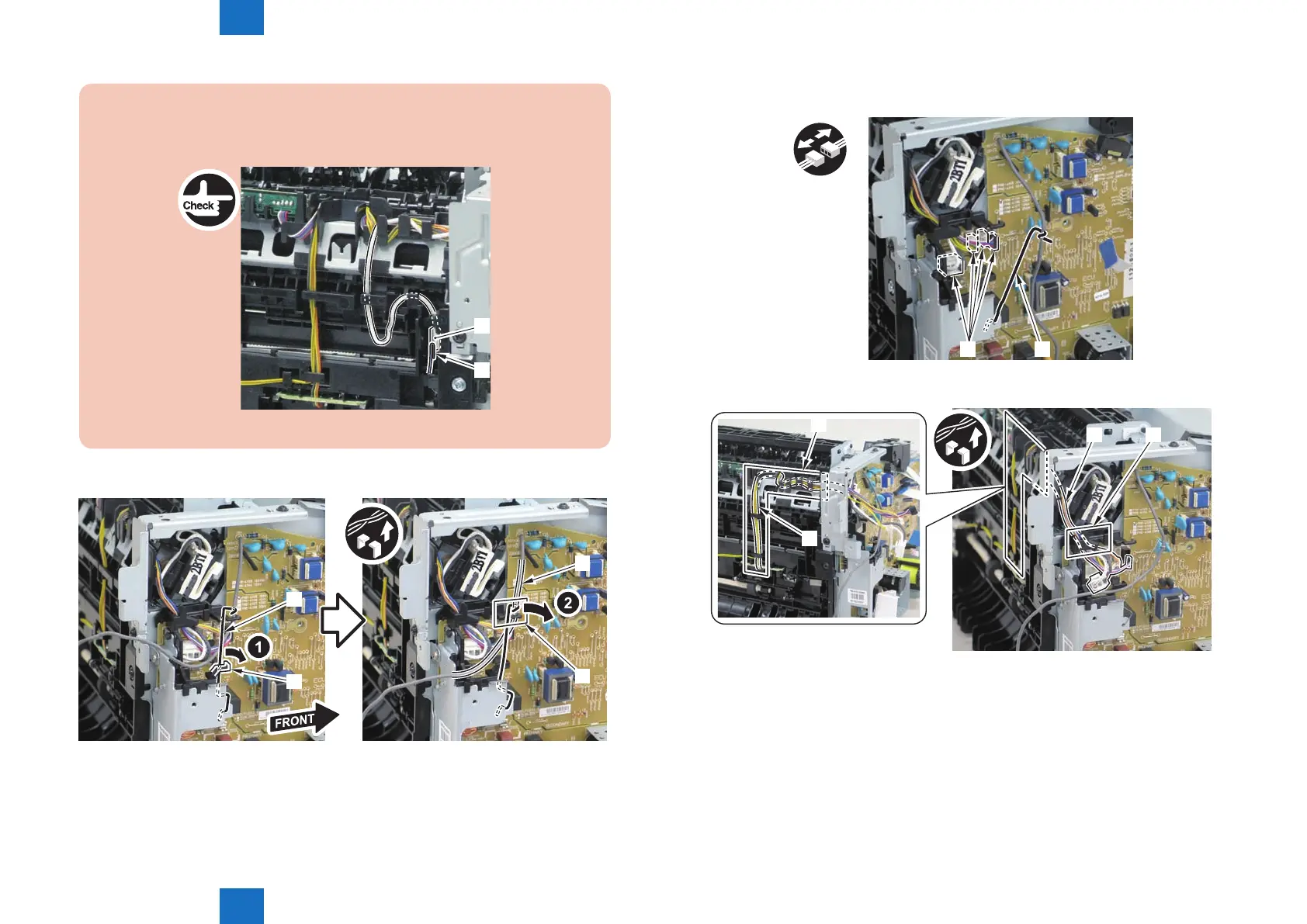
Caution:
When connecting the terminal[1], be sure that the contact spring[2] is in contact with
it.
[2]
[1]
F-4-582
3)Remove the harness spring[1] from the hook[2], and free the harness[3] from the guide[A].
[1]
[2]
[3]
[A]
F-4-583
4)Remove the harness retaining spring[1] and 4 connectors[2]
x4
[1][2]
5)Remove the harness[1] from the guide[A] and [B].
[1] [A]
[1]
[B]
F-4-584
F-4-585















 To Next Page