4
4
4-227
4-227
Disassembly/Assembly > Controller System > Removing the Paper Leading Edge Sensor PCB (MF4780w/MF4770n/MF4750/MF4730) > Procedure
Disassembly/Assembly > Controller System > Removing the Paper Leading Edge Sensor PCB (MF4780w/MF4770n/MF4750/MF4730) > Procedure
Removing the Toner Sensor and Multi Pickup Sensor Unit
(MF4780w/MF4770n/MF4750/MF4730)
■
Preparation
1) Remove the left cover
2)Remove the SADF unit and reader unit.
3)Remove the right cover
4)Remove the front cover unit.
5)Remove the upper cover.
■
Procedure
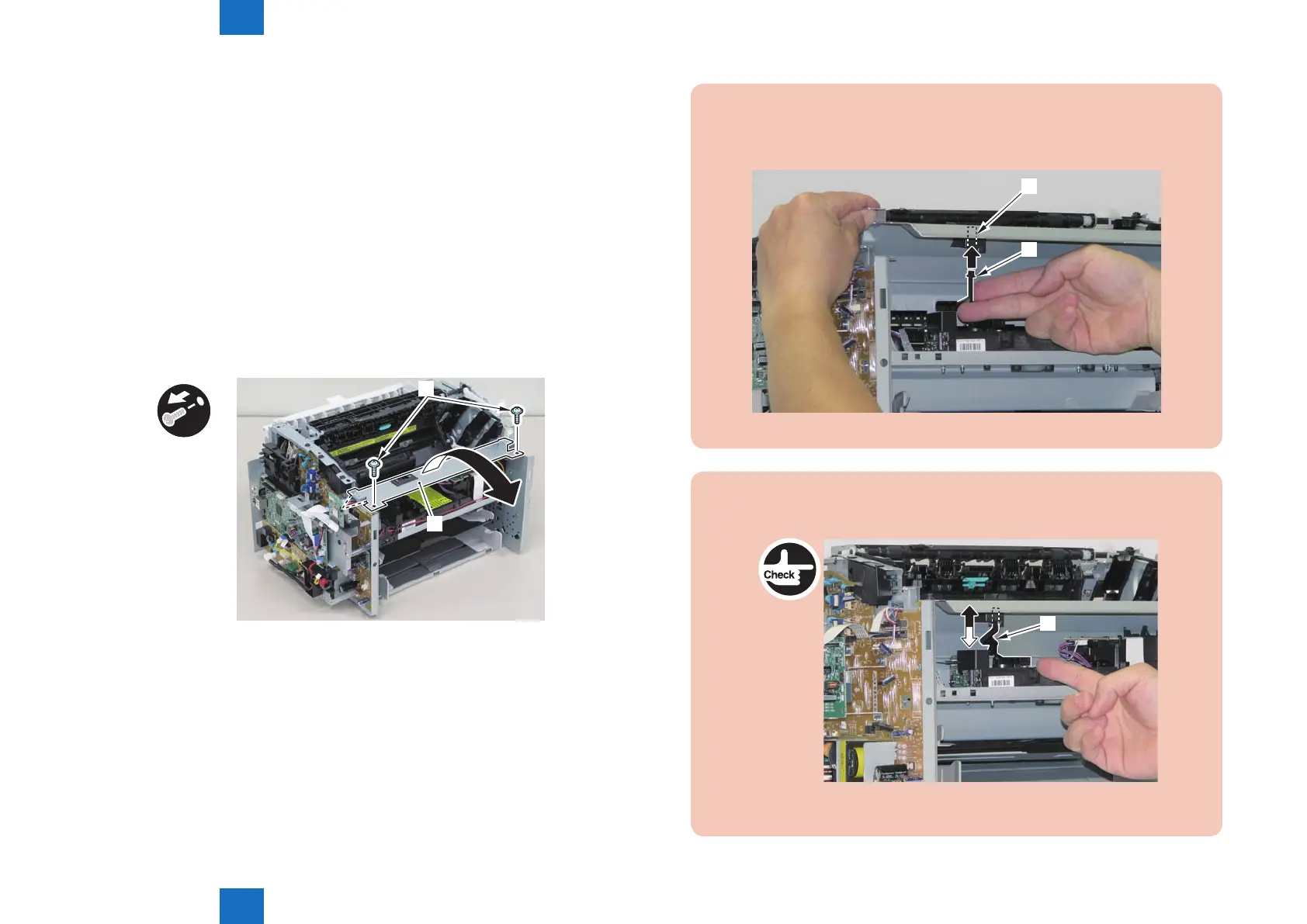
1)Remove the scanner cover[1]
• 2 screws(black TP)[2]
x2
[1]
[2]
F-4-597
Caution:
When mounting the scanner cover, pass the shutter open/close lever [1] through the
hole [A] in the scanner cover.
[1]
[A]
F-4-598
Caution:
Ensure that the shutter open/close lever [1] can move vertically.
[1]
F-4-599















 To Next Page