4
4
4-229
4-229
Disassembly/Assembly > Controller System > Removing the Speaker (MF4780w/MF4770n/MF4750) > Procedure
Disassembly/Assembly > Controller System > Removing the Speaker (MF4780w/MF4770n/MF4750) > Procedure
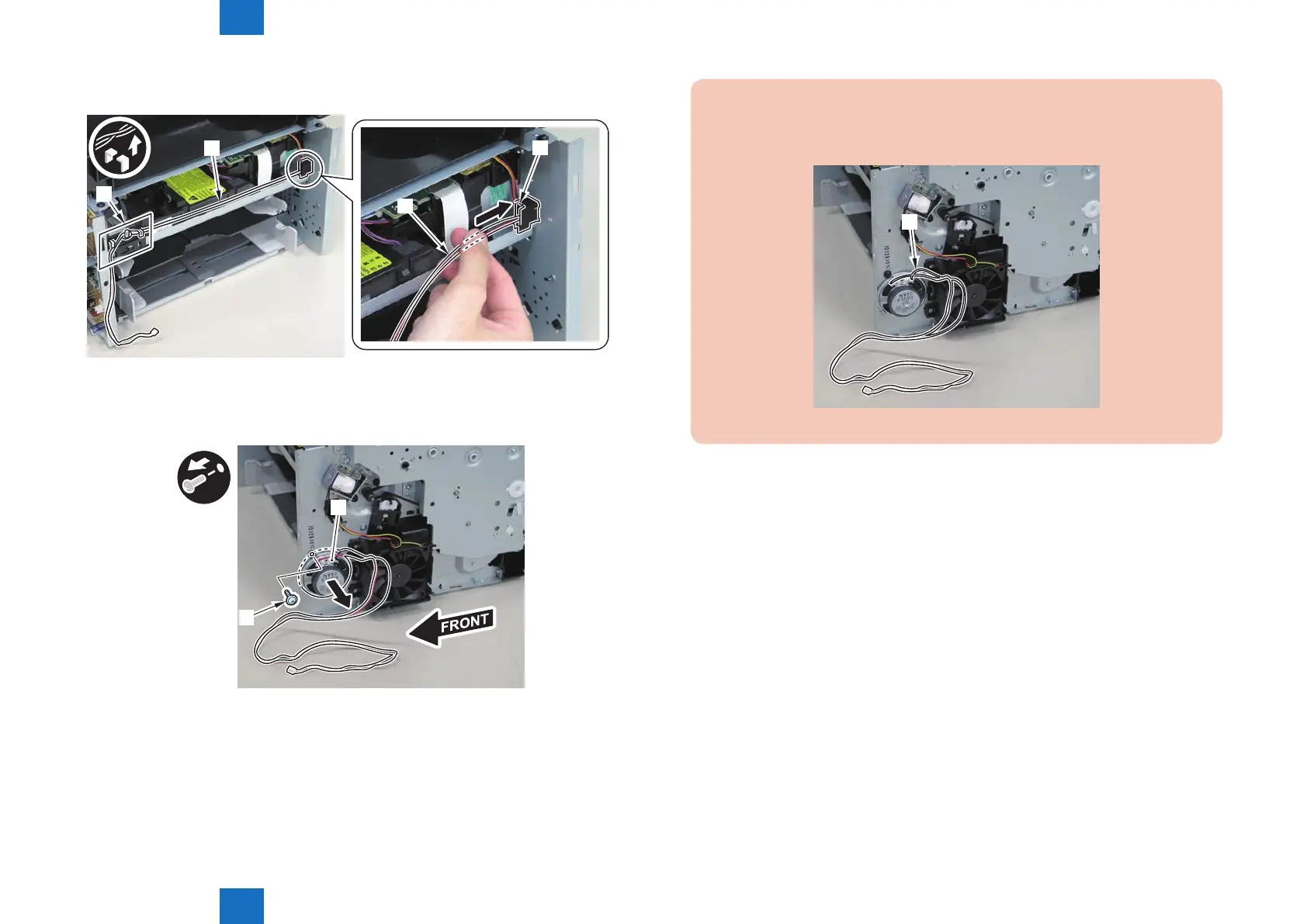
2)Free the speaker harness[1] from the harness guide[A], and put it through the hole[B] of the
right side plate to the outside.
[1]
[1]
[A]
[B]
3)Remove the speaker[1].
• 1 screw[2]
[1]
[2]
F-4-603
F-4-604
Caution:
When mounting the speaker, attach the harness [1] to the upper side of the speaker.
(So that the speaker harness connector can reach the main controller.)
[1]
F-4-605















 To Next Page