4
4
4-291
4-291
Disassembly/Assembly > Fixing System > Removing the Fixing Assembly (MF4890dw/MF4880dw) > Procedure
Disassembly/Assembly > Fixing System > Removing the Fixing Assembly (MF4890dw/MF4880dw) > Procedure
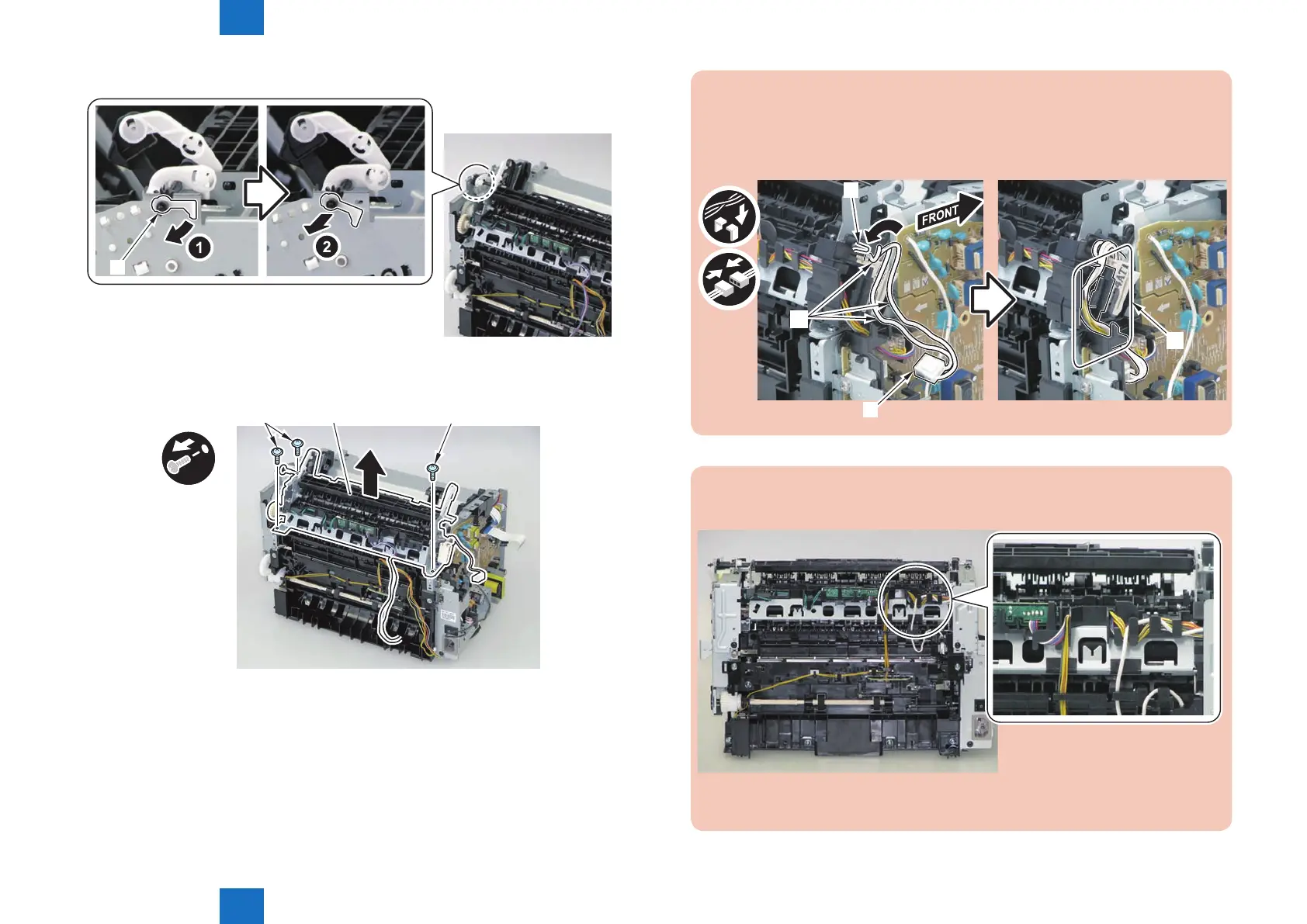
9) Remove the shaft support [1] of the delivery roller.
[1]
10) Remove the xing assembly [1].
• 3 screws [2]
x3
[2]
[2]
[1]
F-4-792
F-4-793
Caution:
When mounting the xing harness, wrap the xing harness [2] around the protruding
part [1] of the harness holder, pass it through the harness guide [A], and then mount
the connector [3].
[A]
[1]
[2]
[3]
Note:
The below picture shows how to wind the harness.
F-4-795















 To Next Page