2
2
2-68
2-68
Technology > MEAP > Enhanced System Application Management > Procedure Uninstalling Login Services
Technology > MEAP > Enhanced System Application Management > Procedure Uninstalling Login Services
5) As [Enhanced System Application Management] screen appears again, check that the
installed login application is displayed.
■
Procedure Uninstalling Login Services
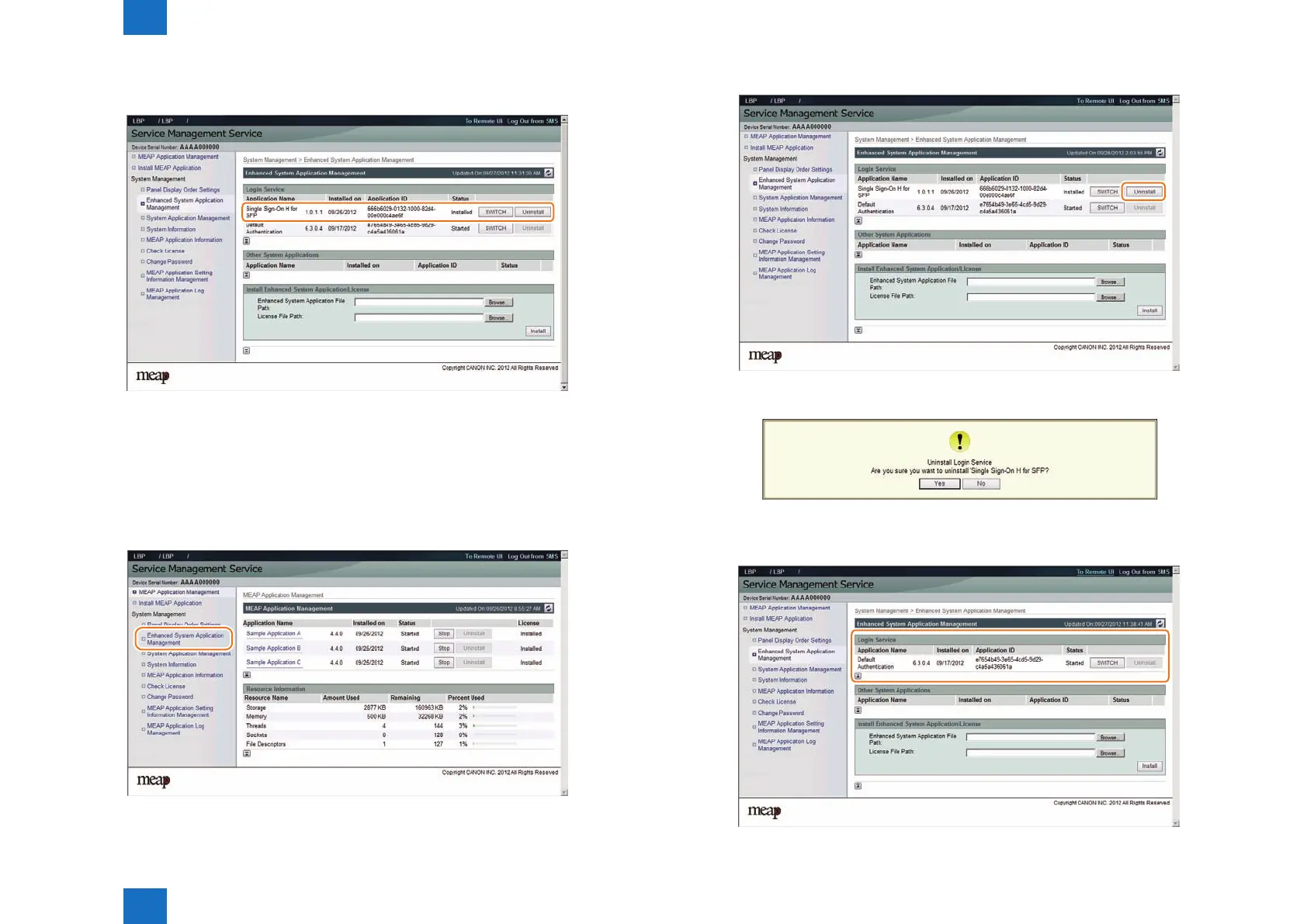
Use the following procedure to uninstall the login services.
Also, note that the services need to be stopped ("Installed" status) in order to uninstall the
login services.
1) Access SMS, and then select [ System Management ] > [ Enhanced System Application
Management ].
F-2-141
F-2-142
2) Click the [ Uninstall ] button of the login service you want to uninstall.
3) As the screen to conrm uninstallation is displayed, click [Yes].
4) As [Enhanced System Application Management] screen appears again, check that the login
application has been correctly uninstalled.
F-2-143
F-2-144
F-2-145














 To Next Page