2
2
2-76
2-76
Technology > MEAP > System Information > Content of MEAP system information
Technology > MEAP > System Information > Content of MEAP system information
■
Printing the System Information of a MEAP Application
MEAP system information can be printed out with iR device for conrmation.
Note:
The system information of the MEAP application that you checked in the previous
section is exactly the same as the system information of the MEAP application that is
output.
Follow the steps below when conrming information:
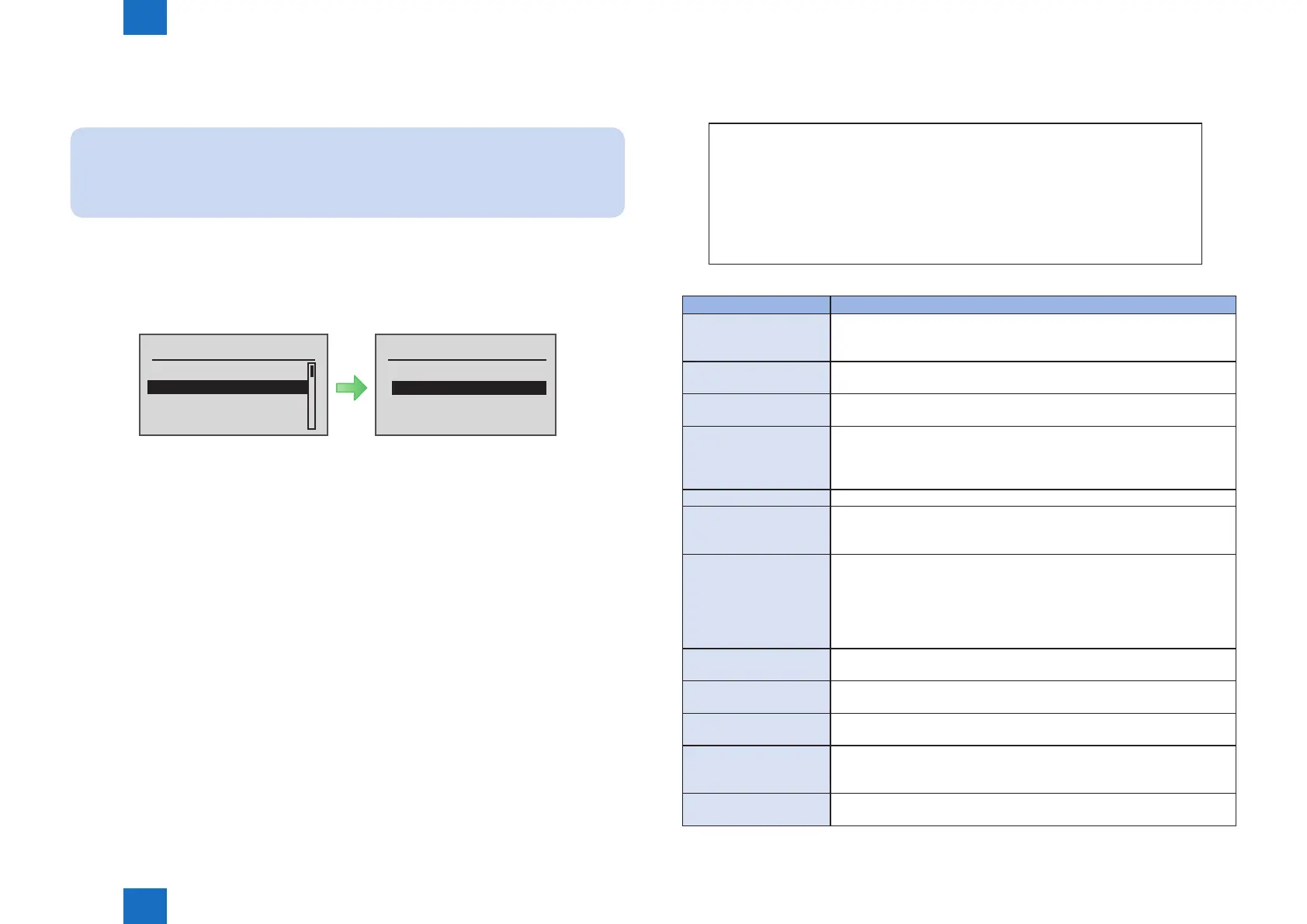
1) From [ Utility Menu ], select [ Print MEAP Sys. Info ].
2) When the execution conrmation screen appears, select [ Yes ] and then press the [ OK ]
button on the Control Panel.
Execute?Utility Menu
Counter Report
Print MEAP Sys. Info
Serial Number
Consumables
No
Yes
F-2-166
■
Content of MEAP system information
Application System Information
Application Name: C-Cabinet Gateway for MEAP
Application ID/System Application Name: 03a46668-63e4-4636-9cbb-492b6cef05d5
Application Version: 1.0.0
Status: Resolved
Installed on: Tue Oct 21 14:00:11 GMT+09:00 2003
Vendor : Canon Inc.
License Status : Installed
Maximum Memory Usage : 1024
Registered Service :
Item Content
Application Name It is the name (bundle-name) declared in a statement within the
application program. It may not necessarily be identical to the name of
the program.
Application ID/System
Application Name
Application ID (application-id) items which are declared on the
declaration statement in the application program are printed.
Application Version It is the version of the application (bundle-version) declared in a
statement within the application program.
Status It indicates the status of the application in question; specically,
Installed: the application has been installed.
Active: the application is being in use.
Resolved: the application is at rest.
Installed On It indicates the date on which the application was installed.
Vendor It is the name of the vendor that developed the application, and is the
name (bundle-vendor) declared in a statement within the application
program.
License Status It indicates the status of the license; specically,
None: no license is needed.
Not Installed: no license has been installed.
Installed: the appropriate license has been installed.
Invalid: the license has been invalidated.
Overlimt: the license has been used beyond its permitted limit.
License Expires After It indicates the date after which the license expires. If the status of the
license is 'none', this item will not be printed.
License Upper Limit It indicates the limit imposed on individual counter readings. If the status
of the license is 'none', this item will not be printed.
Counter Value It is the current counter reading of a specic counter. If the status of the
license is 'none', this item will not be printed.
Maximum Memory Usage It indicates the maximum amount of memory that the application uses. It
is the amount (maximum memory usage) declared in a statement within
the application program, and is expressed in kilobytes.
Registered Service It is a list of services that have been registered by the application with the
MEAP framework. Some services may not have printable data.
T-2-19














 To Next Page