2
2
2-32
2-32
Technology > MEAP > Preparation for Using SSO-H > PC Environment of Administrator Users and General Users
Technology > MEAP > Preparation for Using SSO-H > PC Environment of Administrator Users and General Users
Note:
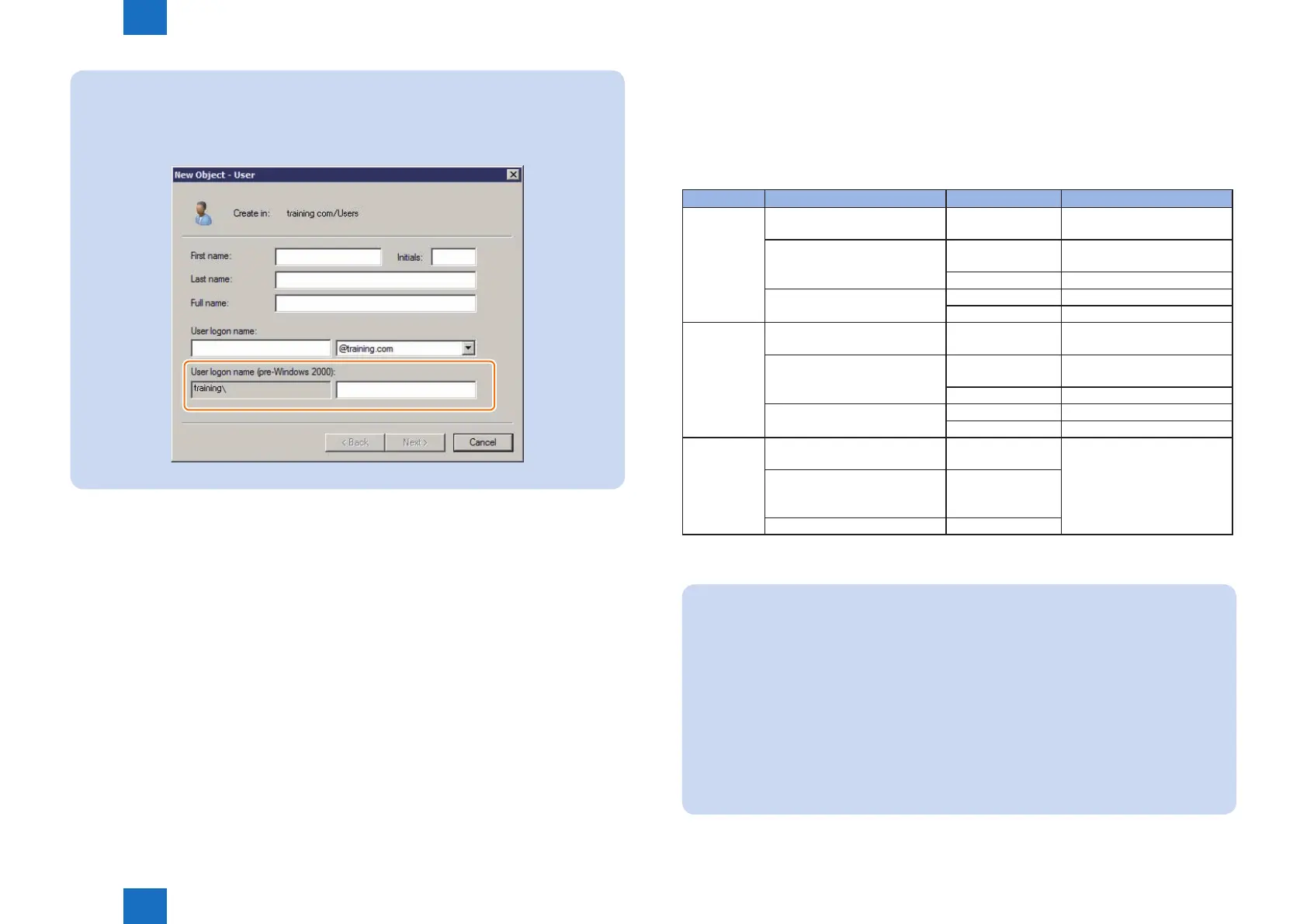
As for the user name for logging into the machine, use the name registered as "User
logon name (pre-Windows 2000)" in the Active Directory.
An example of the user registration screen (Windows Server 2003)
F-2-47
■
PC Environment of Administrator Users and General Users
The following environment is required to use this machine (managed by SSO-H) from a PC
on the network.
●
OS of the PC and Other Environments
Classication Operating System Supported browser Java Runtime Environment
Client OS Windows XP Professional SP3 Internet Explorer 7
Internet Explorer 8
JRE 1.5 or later *1 *3
WindowsVistaSP2 Internet Explorer 7
Internet Explorer 8
JRE 1.5 orlater*1*3
Internet Explorer 9 JRE 1.5 orlater*2*3
Windows7SP1 Internet Explorer 8 JRE 1.5 orlater*1*3
Internet Explorer 9 JRE 1.5 orlater*2*3
Server OS Windows Server 2003 SP2
Windows Server 2003 R2 SP2
Internet Explorer 7
Internet Explorer 8
JRE 1.5 or later *1 *3
WindowsServer2008SP2 Internet Explorer 7
Internet Explorer 8
JRE 1.5 orlater*1*3
Internet Explorer 9 JRE 1.5 orlater*2*3
WindowsServer2008R2SP1 Internet Explorer 8 JRE 1.5 orlater*1*3
Internet Explorer 9 JRE 1.5 orlater*2*3
Mac OS Mac OS X v10.5 Safari 4.0.5
Safari 5.0.5
J2SE 5.0 *1 *3
MacOSXv10.6 Safari 4.0.5
Safari 5.0.5 *4
Safari 5.1
MacOSXv10.7 Safari 5.1
JRE : Java Runtime Environment
J2SE : Java 2 Platform Standard Edition
Note:
*1 Excluding JRE6 update4/5
*2 In order to use JRE1.6 with Internet Explorer 9, JRE1.6.0.24 or later is required.
*3 Refer to the website of JAVA (http://java.com/) for how to obtain the Java
environment.
*4 Java does not work in the case of combination of Mac OS 10.6.8, Java for Mac OS X
10.6 Update 6 and Safari5.0.5. Either of the following measures needs to be taken to
make it run.
• Not installing Java for Mac OS X 10.6 Update 6 (it is however not possible to uninstall
it if it is already installed and running)
• Providing a symbolic link again using the command of "ln -s /System/Library/
Frameworks/JavaVM.framework/Resources/JavaPluginCocoa.bundle"
• Upgrading Safari to version 5.1.
T-2-9














 To Next Page