3
3
3-30
3-30
Disassembly/Assembly > Controller System > Removing the Main Controller PCB(LBP3560/6750dn) > Procedure
Disassembly/Assembly > Controller System > Removing the Main Controller PCB(LBP3560/6750dn) > Procedure
Removing the Main Controller PCB(LBP3560/6750dn)
■
Preparation
1) Remove the Right Cover.(Refer to page 3-17)
2) Remove the Right Lower Cover.(LBP3560/6750dn)(Refer to page 3-22)
■
Procedure
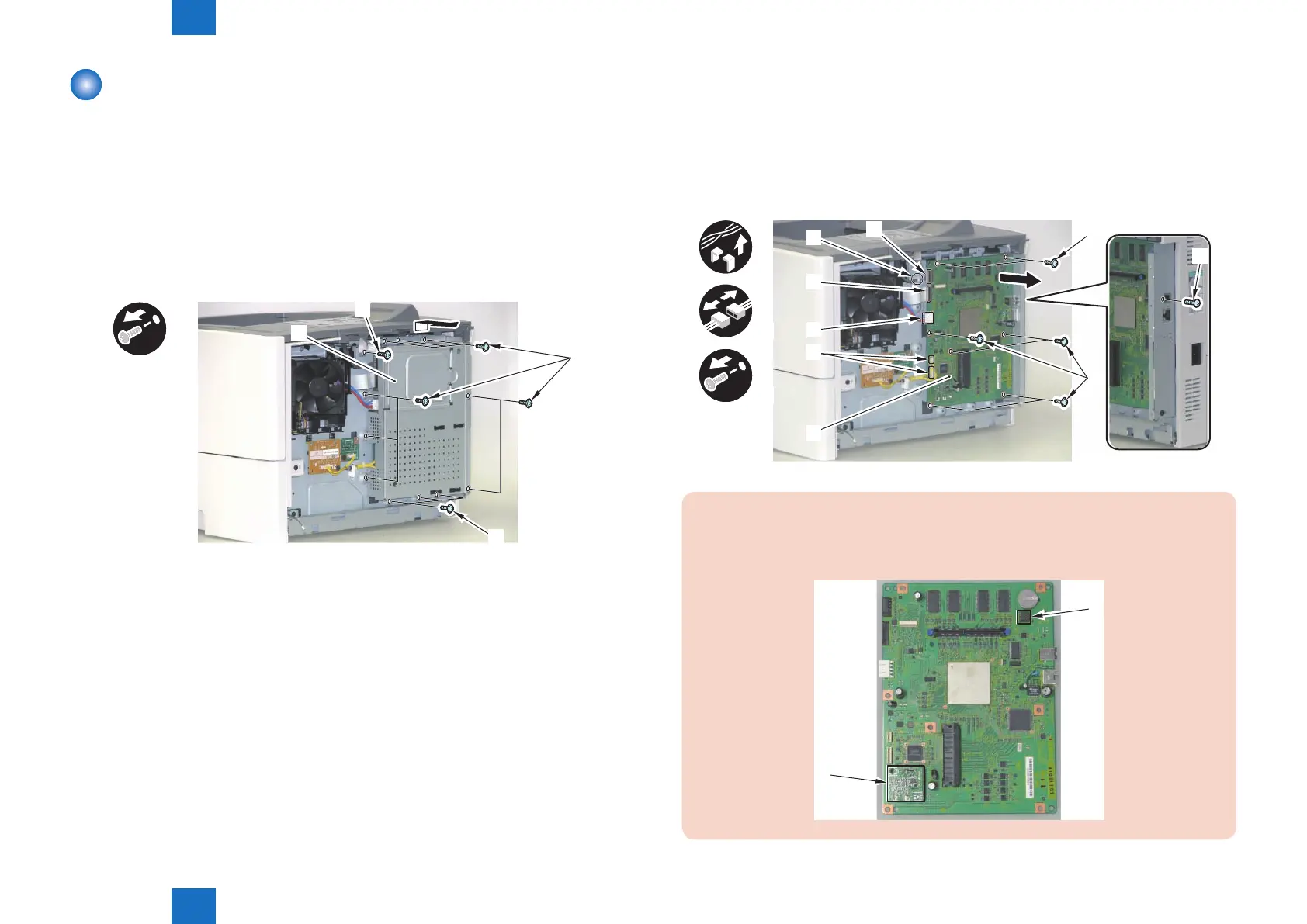
1) Remove the Main Controller Cover [1].
• 11 Screws (black) [2]
• 1 Screw (silver) [3]
[1]
[2]
[2]
[3]
x12
F-3-55
2) Remove the Main Controller PCB [1].
• 1 Wire Saddle [2]
• 2 Connectors [3]
• 1 Flat Cable [4]
• 7 Screws (black) [5]
• 1 Screw (silver) [6]
• 2 Connectors [7] (LBP3560/LBP6750dn)
x8
x5
[3]
[5]
[5]
[6]
[1]
[2]
[4]
[3]
[7]
CAUTION:
When replacing the Main Controller PCB, be sure to transfer the EEPROM [1] and
Memory PCB [2] from the removed Main Controller PCB to the new one.
[1]
[2]
F-3-56














 To Next Page